214603 338 Revision A
Charge Air Cooling
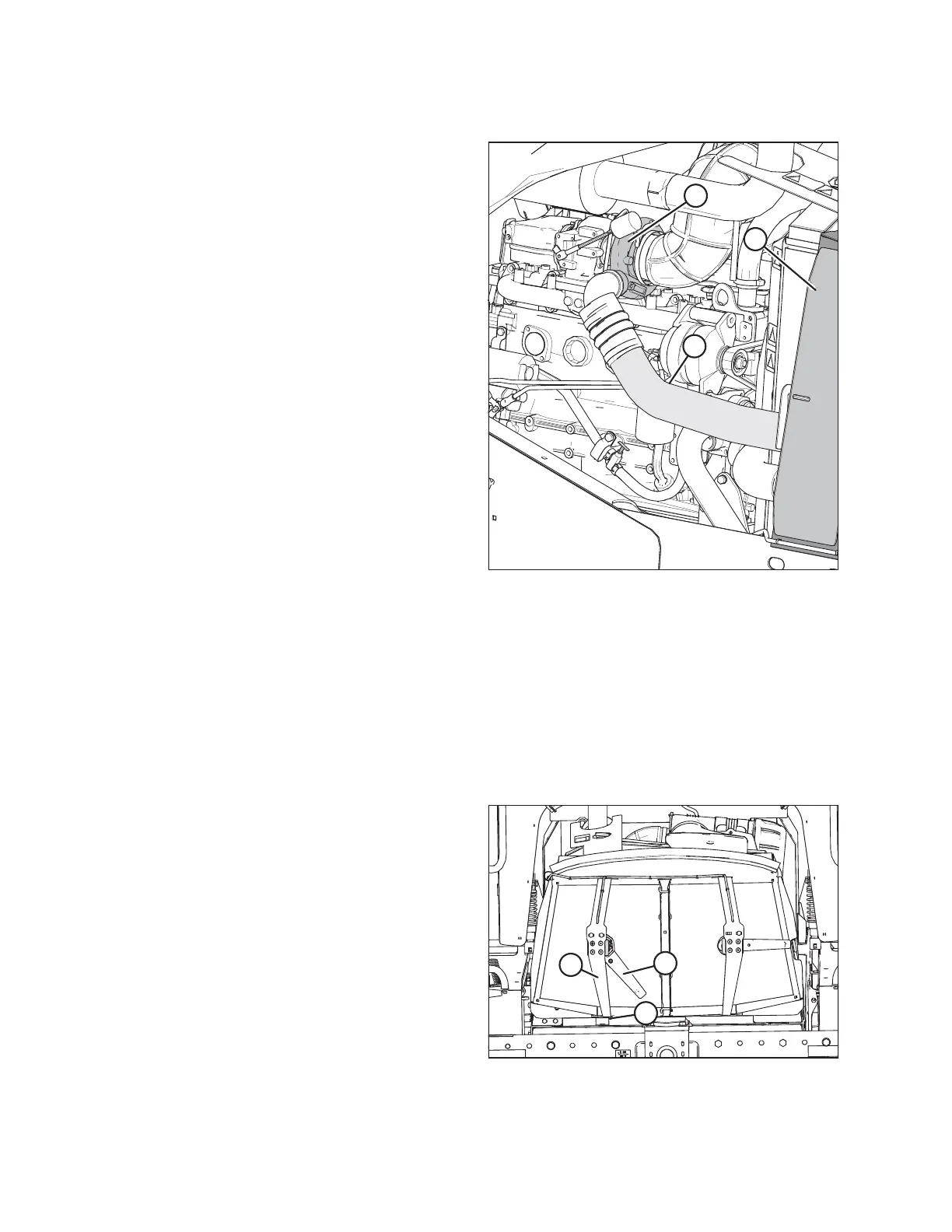
Figure 5.92: Engine Air Intake System
Charge air is routed through a cooler that is located in the
cooling box (C), prior to entering the engine intake. The
cooler should be cleaned daily with compressed air. Refer
to Cleaning Screens and Coolers, page 338 and Cleaning
Cooler Box Components, page 339.
Cleaning Screens and Coolers
When the engine is running, two electrically driven rotors and suction from the engine’s cooling fan sweep and
vacuum debris away from the cooling box screen. If the screen is not being cleaned, the rotors or ducts may be
plugged. Follow these steps to clear plugged rotors:
NOTE:
The following procedure is performed on one side, procedure also applies to the other side.
1. Open the hood. Refer to 5.2.3 Opening Hood (Highest Position), page 286.
Figure 5.93: Screen Cleaner Assembly
2. Remove nuts (B).
3. Pivot screen cleaner assembly (C) away from screen.
4. Blow out debris from cleaner duct (A) with
compressed air.
5. If duct is plugged, open the cooler box screen. Refer to
Opening Cooler Box Screen, page 337.
MAINTENANCE AND SERVICING





 To Next Page