214603 53 Revision A
3.7.4 Hazard Light
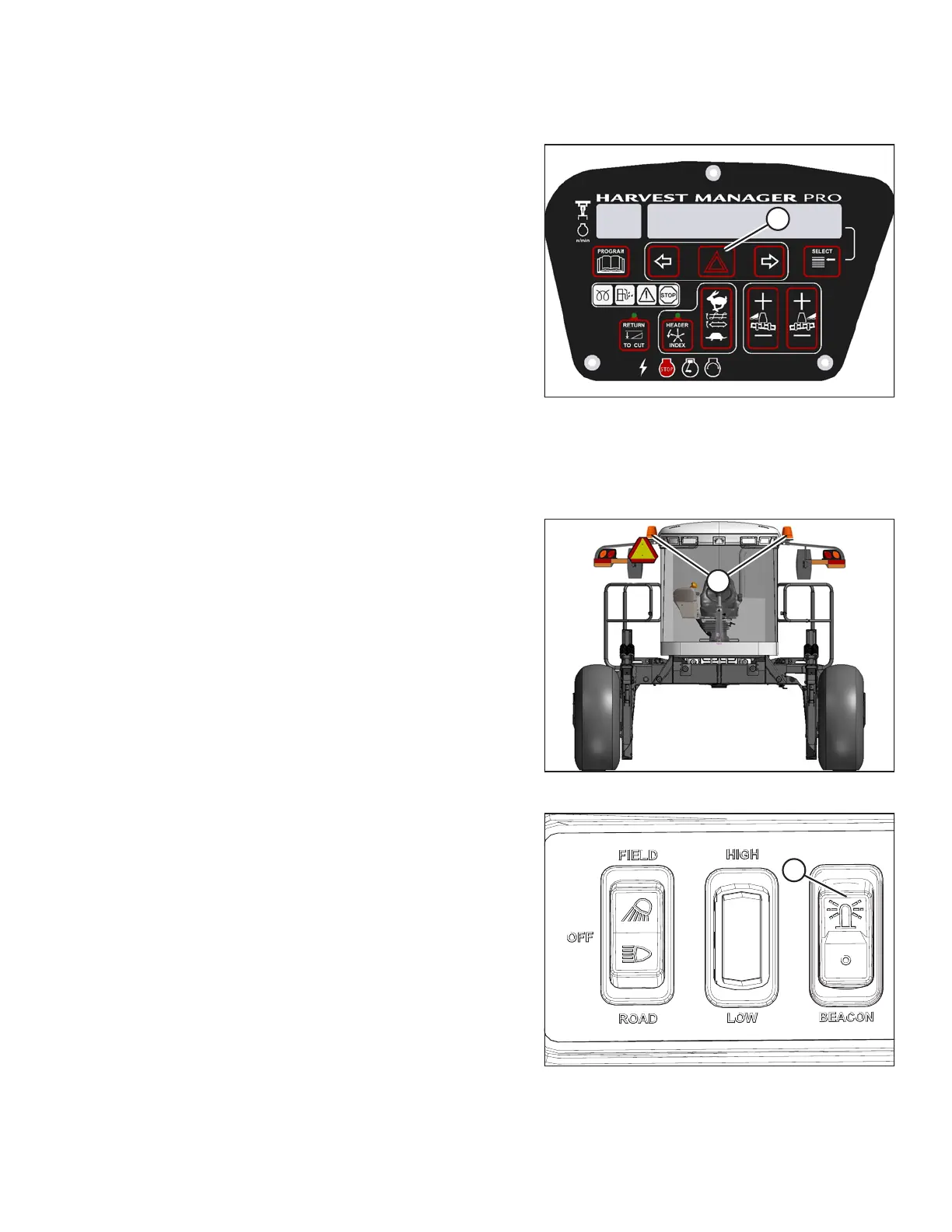
Figure 3.27: CDM
The hazard lights can be switched on or off manually by
pressing the HAZARD switch (A) on the cab display
module (CDM).
These lights will also turn on automatically when the auto-
road light feature is activated (i.e., engine running, header
off, and transmission in either mid or high range), and can
only be turned off by engaging the header drive.
3.7.5 Beacon Light (Optional)
MD #B5582
Figure 3.28: Cab-Forward: Front View
Figure 3.29: Beacon Light Switch
The beacon lights (A) are functional when the ignition and
the beacon switch (B) are ON.
The beacons MUST be used when driving on the road
where required by law.
The beacons will also turn on automatically when the auto-
road light feature is activated (i.e., engine running, header
off, and transmission in either mid or high range), and can
only be turned off by engaging the header drive.
OPERATOR’S STATION





 To Next Page