214603 218 Revision A
4.5.2 Attaching a D Series or D1 SP Series Header
D50, D60, D65, and D1 SP headers can be attached to an M205 Self-Propelled Windrower.
Refer to the following instructions based on the type of center-link installed on your windrower:
• Attaching a D Series or D1 SP Series Header: Hydraulic Center-Link with Optional Self-Alignment, page 218
• Attaching a D Series or D1 SP Series Header: Hydraulic Center-Link without Self-Alignment, page 223
Attaching a D Series or D1 SP Series Header: Hydraulic Center-Link with Optional Self-
Alignment
NOTE:
Draper header boots must be installed onto the windrower lift linkage before starting this procedure. Refer to 4.5.1
Attaching Header Boots, page 217.
DANGER
To avoid bodily injury or death from unexpected startup of the machine, always stop the engine and
remove the key from the ignition before leaving the operator’s seat for any reason.
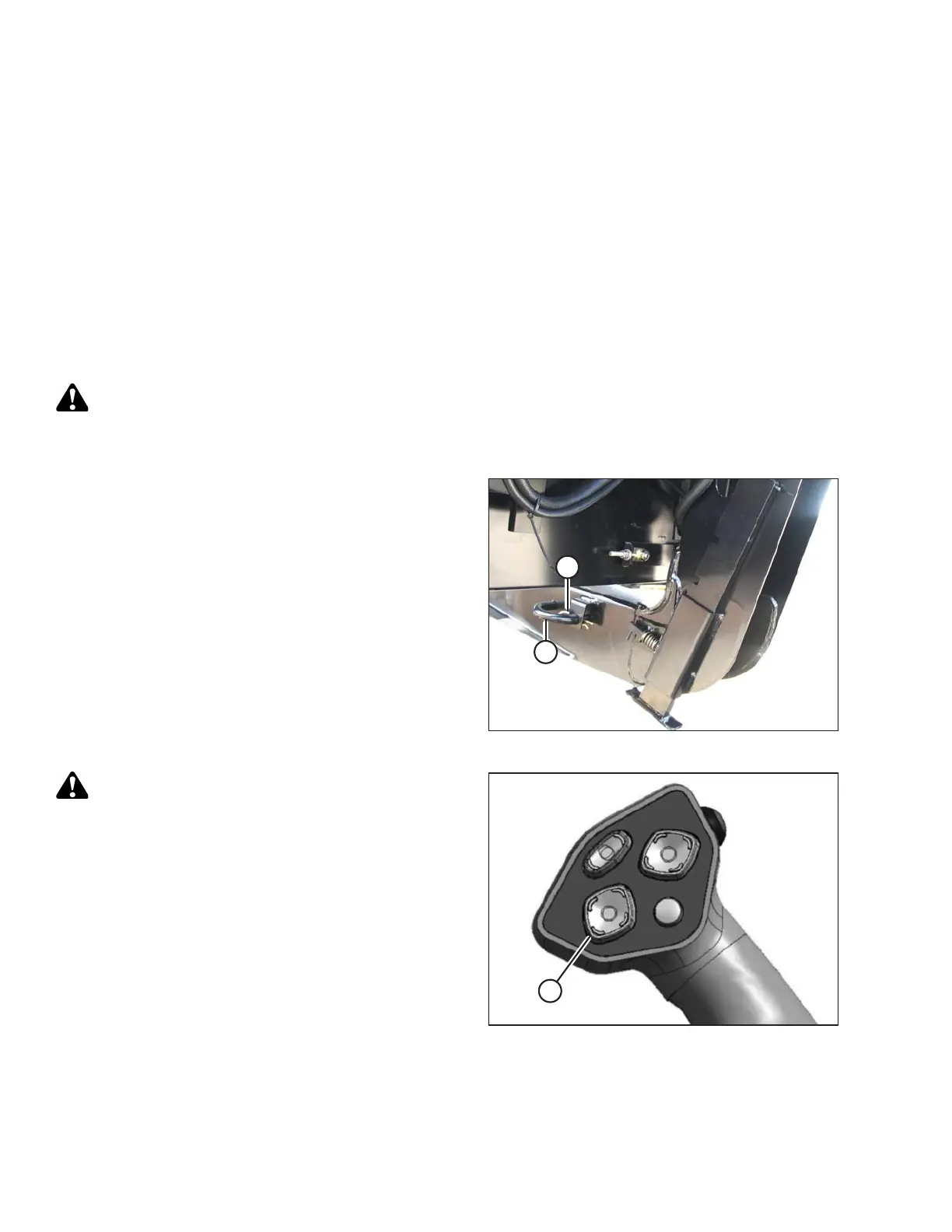
Figure 4.104: Header Leg
1. Remove hairpin (A) from pins (B), and remove pins
from both header legs.
Figure 4.105: Ground Speed Lever
CAUTION
Check to be sure all bystanders have cleared the area.
IMPORTANT:
Before starting engine, remove protective cover from
exhaust stack.
2. Start the engine and activate the HEADER DOWN
button (A) on the ground speed lever (GSL) to fully
retract header lift cylinders.
OPERATION





 To Next Page