214603 377 Revision A
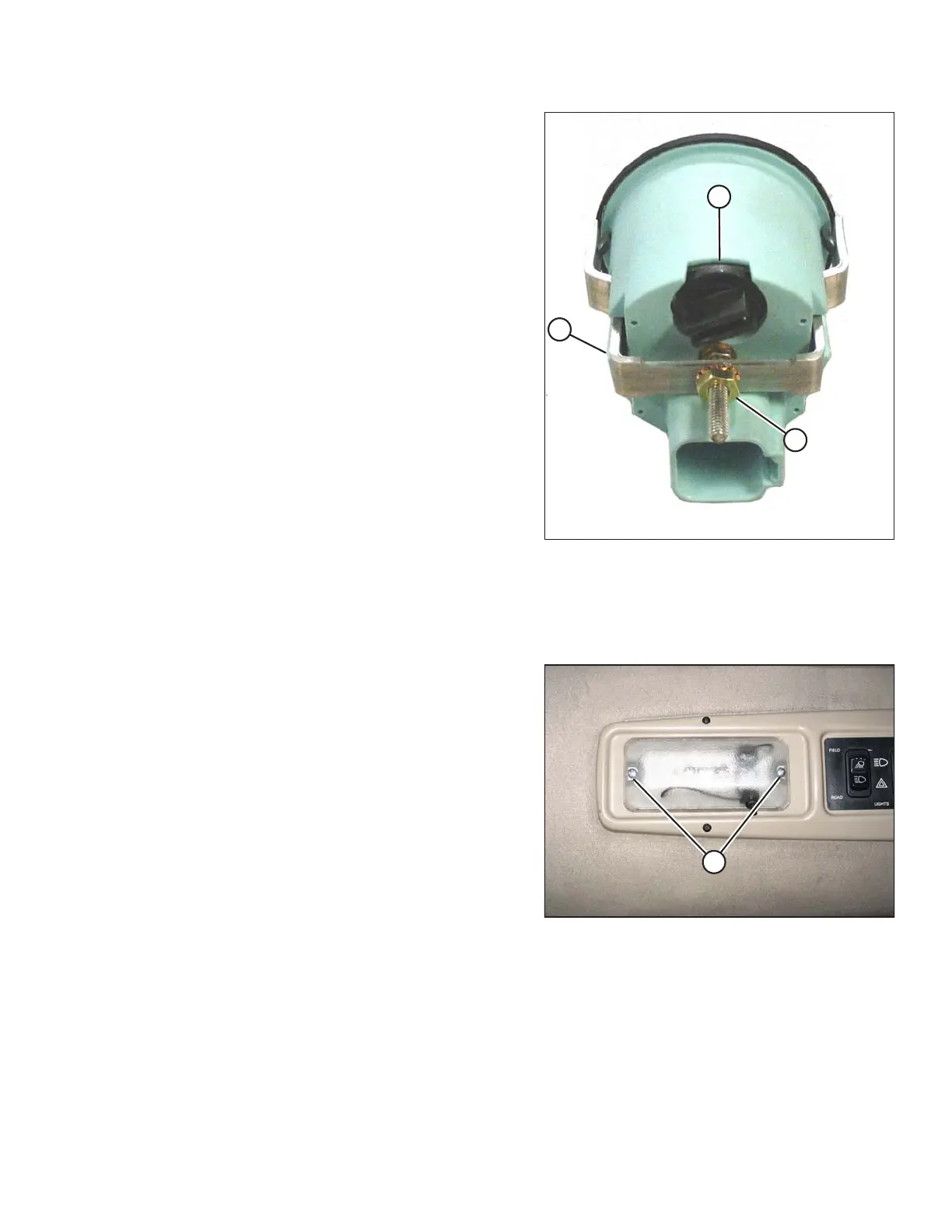
Figure 5.168: Back of Console Gauge
3. Remove nut (B) securing mounting bracket (C) to
gauge inside the console.
4. Pull gauge out from console. It is NOT necessary to
disconnect the wiring harness from the back of gauge.
5. Twist bulb holder (A) counterclockwise until loose and
pull bulb holder from back of gauge.
6. Insert new bulb into gauge and turn clockwise until
it locks.
7. Push gauge into console.
8. Locate bracket (C) onto back of gauge and secure with
nut (B). Tighten nut.
9. Replace gauge access-hole decal.
5.9.12 Replacing the Cabin Dome Light
To replace a cabin dome light in the headliner switch panel, follow these steps:
Figure 5.169: Cabin Dome Light
1. Remove two screws (A) from the dome light assembly
and remove the assembly.
2. Disconnect the old dome light assembly from the
wiring harness.
3. Connect the new dome light (MD #183413) to the
wiring harness.
4. Install the new dome light with two screws (A).
MAINTENANCE AND SERVICING





 To Next Page