214603 379 Revision A
1. Stop engine and remove key.
2. Move right (cab-forward) side platform rearward. Refer to 5.3.1 Opening Platforms (Standard Position), page
288.
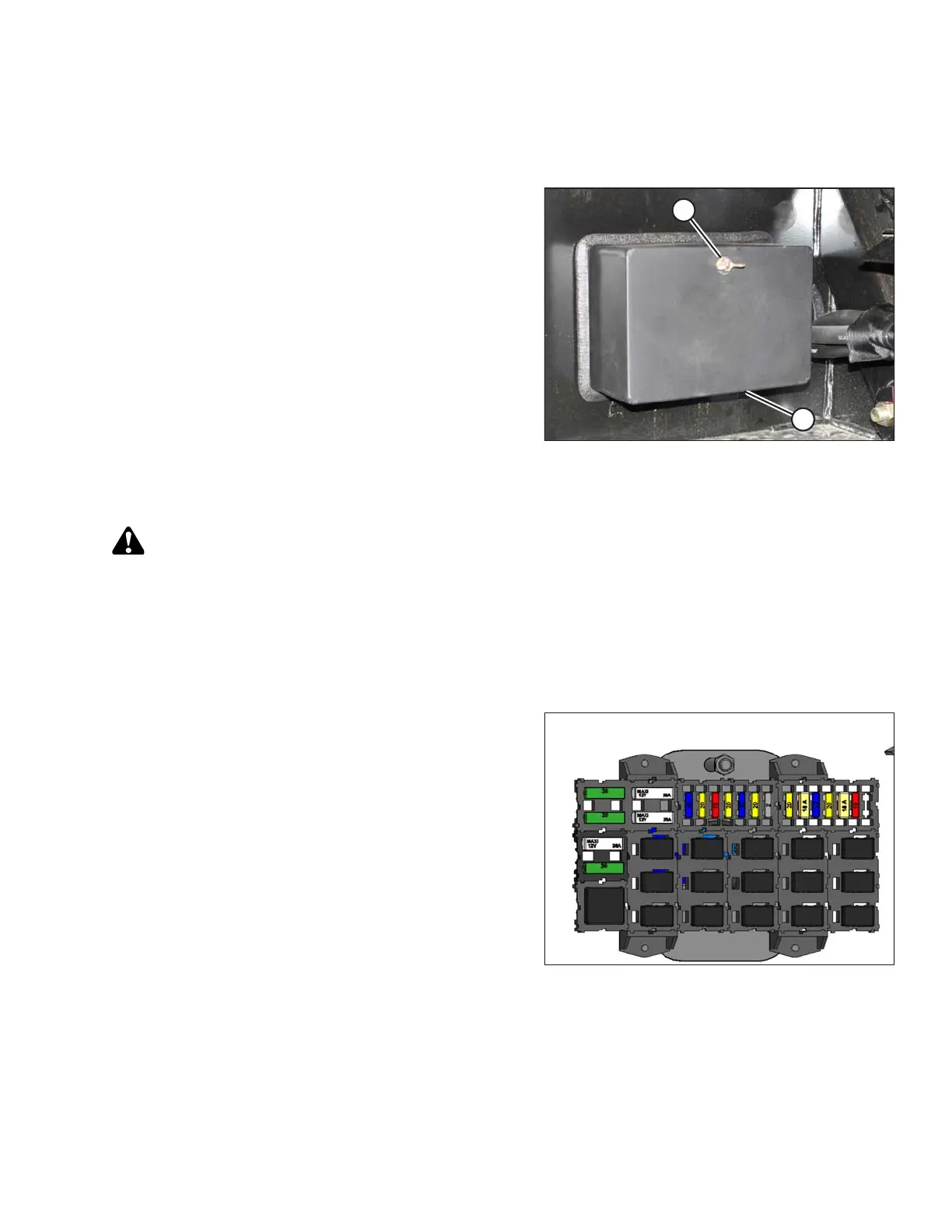
Figure 5.172: Fuse Box
3. Remove wing nut (A) and remove fuse box cover (B).
4. A cover may be installed over the circuit breaker.
Remove it to access the breaker.
Checking and Replacing Fuses
DANGER
To avoid bodily injury or death from unexpected startup of the machine, always stop the engine and
remove the key from the ignition before leaving the operator’s seat for any reason.
1. Stop the engine and remove the key.
2. Open the right (cab-forward) side platform. Refer to 5.3.1 Opening Platforms (Standard Position), page 288.
3. Remove fuse box cover. Refer to Accessing Circuit Breakers and Fuses, page 378.
Figure 5.173: Fuses and Circuit Breakers
4. Refer to the decal on inside of cover for identification of
fuses and circuit breakers.
5. To check fuse, pull fuse out of receptacle and visually
examine.
6. To replace fuse, insert new fuse into receptacle.
IMPORTANT:
Replacement fuses should match rating on decal
shown on Fuse Box Decal, page 381.
7. Reinstall cover and secure with wing nut.
MAINTENANCE AND SERVICING





 To Next Page