214603 272 Revision A
When the header is first attached to the windrower, the windrower control module (WCM) receives a code from the
header that determines the knife speed range and the minimum speed.
The desired speed can be programmed on the cab display module (CDM) and stored in the WCM memory so the
knife will operate at the original set-point after the header is detached and reattached to the windrower.
If no header code is detected, the CDM displays NO HEADER and the knife speed reverts to the operator’s
selection from a range of 800–1000 strokes per minute.
Refer to Header Settings in the header operator’s manual for the suggested knife speed for a variety of crops and
conditions.
NOTE:
Knife speed cannot be programmed outside the range specified for each header.
NOTE:
Knife speed can be adjusted without shutting down the machine; however, the windrower should be stopped before
adjusting CDM settings.
To adjust the knife speed, refer to Setting the Header Knife Speed, page 91.
4.6.7 Deck Shift Control
When connected to a draper header with the deck shift option, hydraulic deck shift control allows you to select the
deck position and draper rotation of the header from the operator’s station. Deck shift allows you to select crop
delivery from the left side, center, or right side of the header.
Deck Shift
CAUTION
Check to be sure all bystanders have cleared the area.
Shift decks as follows:
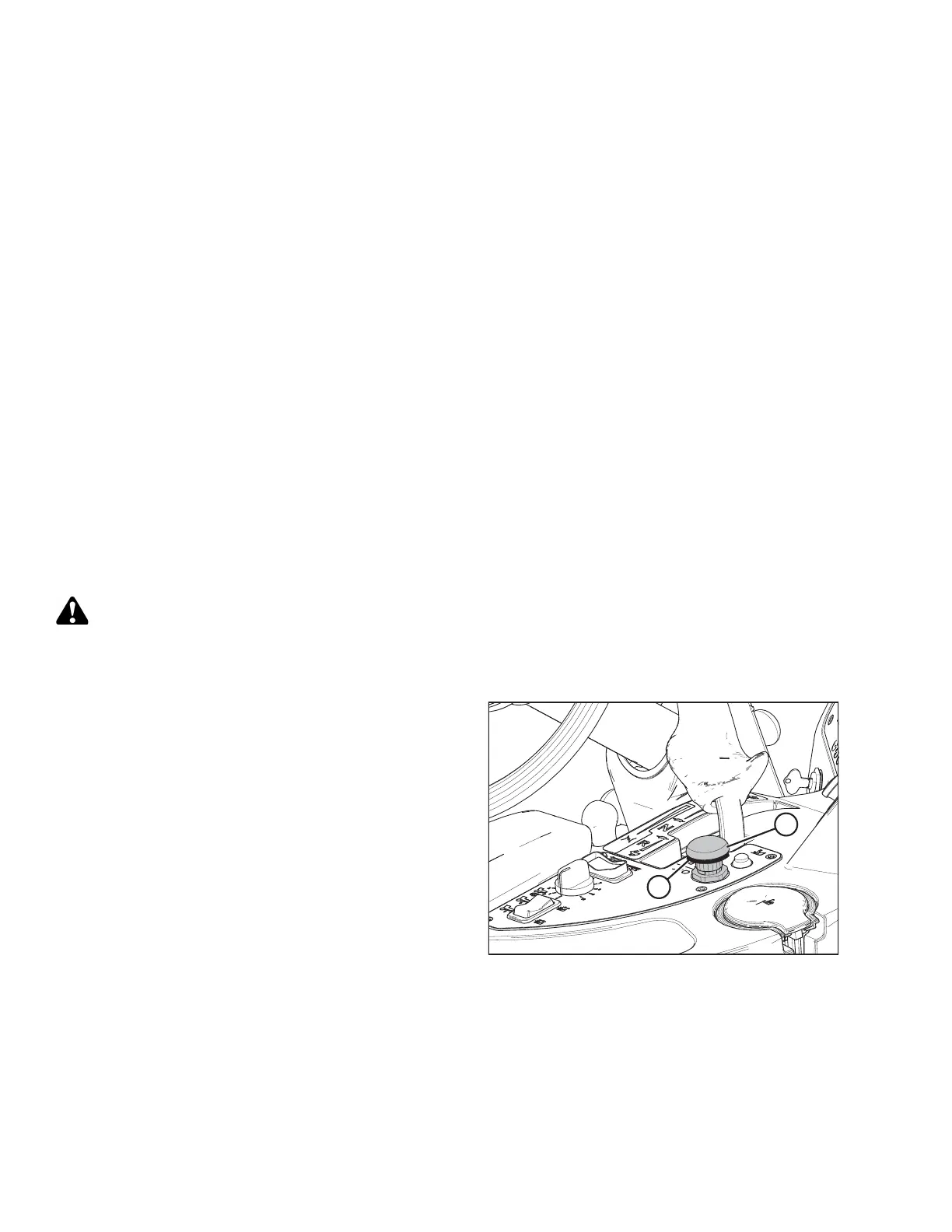
Figure 4.228: Header Drive Button
1. Engage header by pushing down on the yellow
HEADER DRIVE button (A) while pulling up on the
black ring at the base of the switch (B).
OPERATION





 To Next Page