214603 149 Revision A
Testing the Rotary Disc Drive Circuit Activate Function Using the Cab Display Module (CDM)
IMPORTANT:
Do not overspeed a drive. Overspeeding can lead to vibration, belt failures, or other overspeeding related
problems.
NOTE:
• A rotary disc header MUST be attached to windrower to follow this procedure.
• The engine MUST be running to perform this procedure.
1022066
C###
X###
WINDROWER SETUP?
NO/YES
A
B
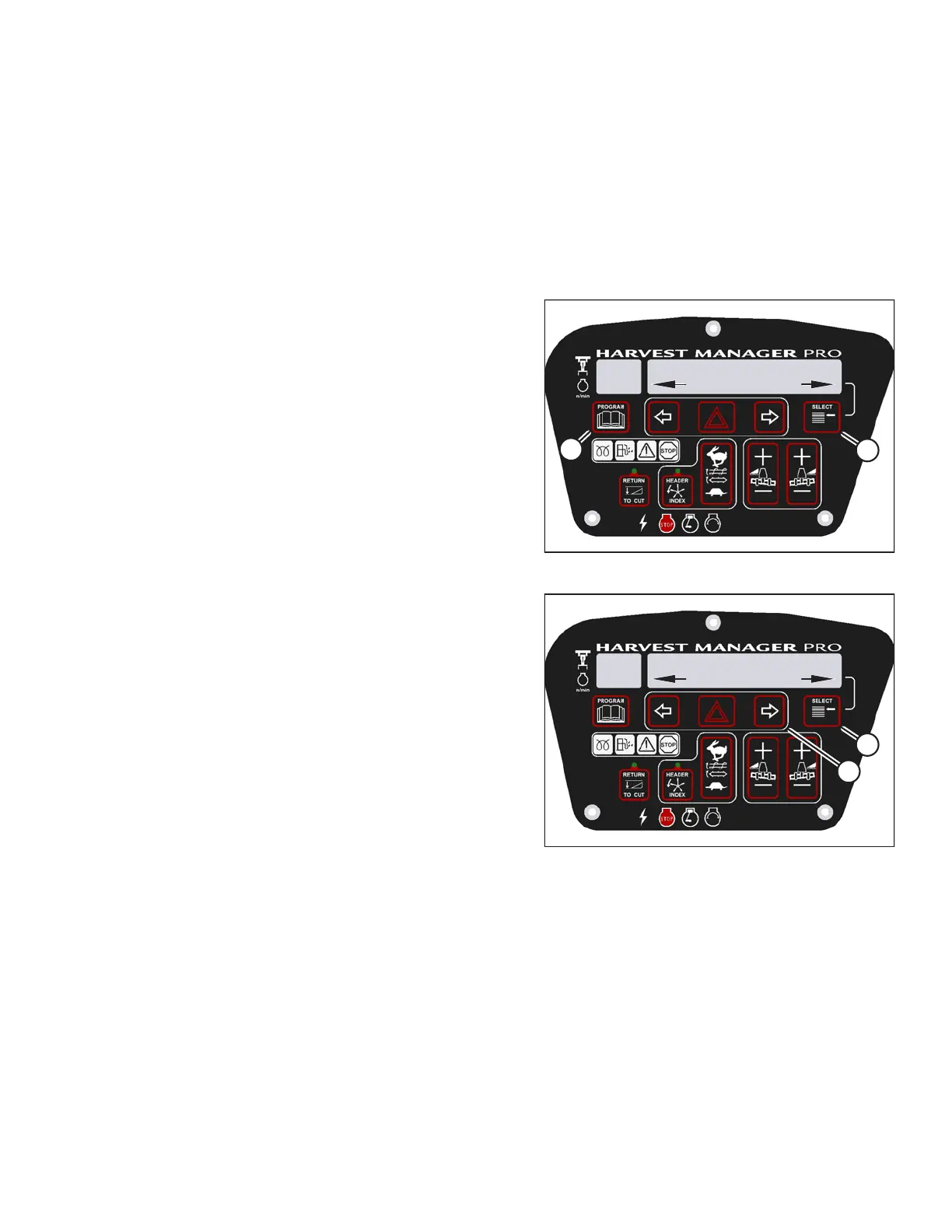
Figure 3.204: M205 CDM Programming Buttons
1. Start the engine.
2. Press PROGRAM (A) and SELECT (B) on cab display
module (CDM) to enter programming mode.
• WINDROWER SETUP? is displayed on the
upper line.
1010019
DIAGNOSTIC MODE?
NO/YES
C###
X###
A
B
Figure 3.205: M205 Diagnostic Functions
3. Press SELECT (B) until DIAGNOSTIC MODE? is
displayed in upper line.
• NO/YES is displayed on the lower line.
4. Press right arrow (A) to select YES. Press SELECT (B).
OPERATOR’S STATION





 To Next Page