214603 148 Revision A
1010019
DIAGNOSTIC MODE?
NO/YES
C###
X###
A
B
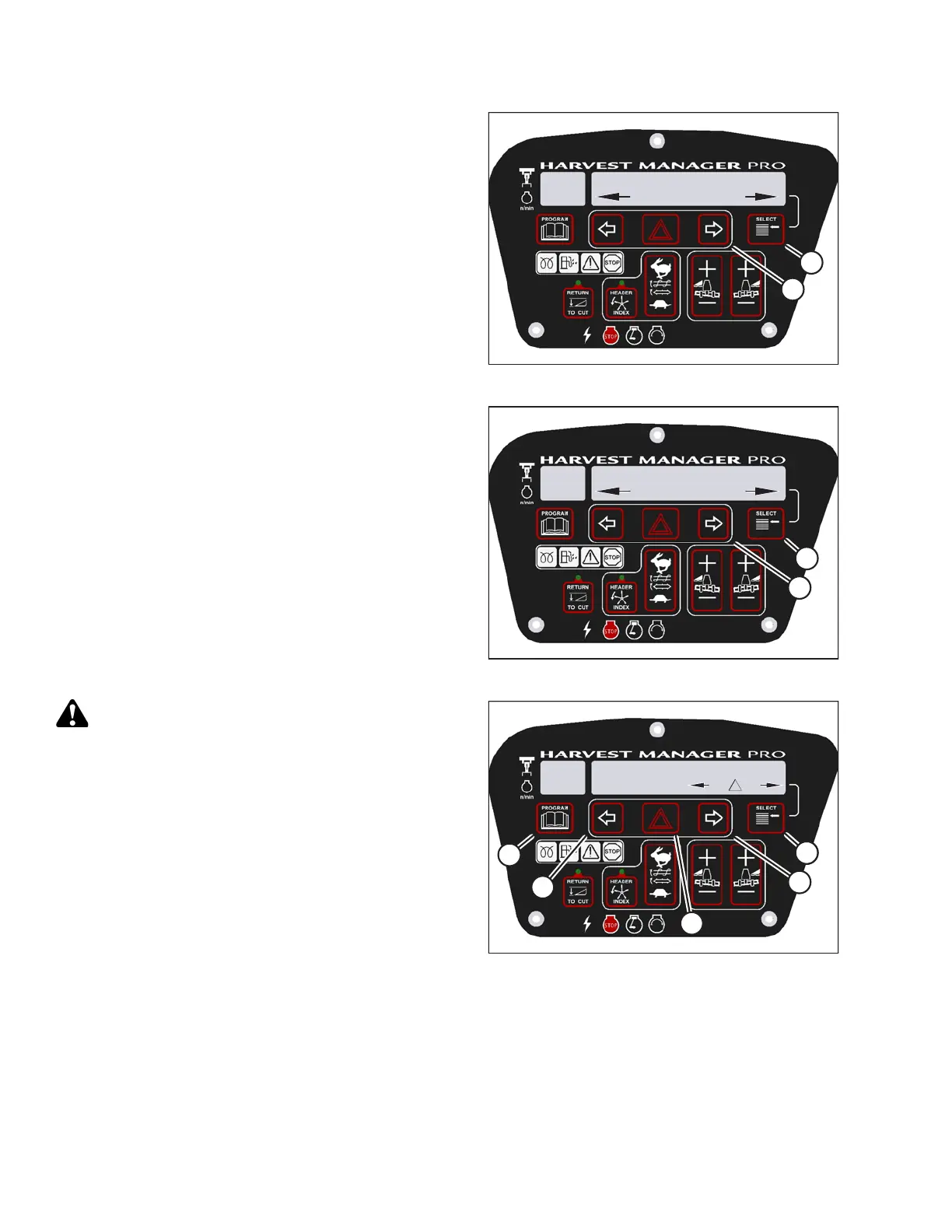
Figure 3.201: M205 Diagnostic Functions
3. Press SELECT (B) until DIAGNOSTIC MODE? is
displayed in upper line.
• NO/YES is displayed on the lower line.
4. Press right arrow (A) to select YES. Press SELECT (B).
1010024
ACTIVATE FUNCTIONS?
NO/YES
C###
X###
B
A
Figure 3.202: M205 Functions
5. Press SELECT (B) until ACTIVATE FUNCTIONS? is
displayed on the upper line.
• NO/YES is displayed on the lower line.
6. Press right arrow (A) to select YES. Press SELECT (B).
• ACTIVATE HEADER HT is displayed on the
upper line.
1010037
REEL DRV SPD XXXX
D 0 P 0
- +
C###
X###
D
D
B
A
C
E
Figure 3.203: M205 Reel Drive
CAUTION
Check to be sure all bystanders have cleared the area.
7. Press SELECT (E) until REEL DRV SPD XXXX is
displayed on the upper line.
IMPORTANT:
Do NOT overspeed the reel.
8. Press and hold HAZARD (C) button.
• Press left arrow (B) to decrease reel speed.
• Press right arrow (D) to increase reel speed.
IMPORTANT:
Verify the reel drive is functioning properly.
9. Release the HAZARD (C) button. The reel will stop.
10. Press PROGRAM (A) to exit programming mode or
press SELECT (E) to proceed to next ACTIVATE
FUNCTION.
OPERATOR’S STATION





 To Next Page