214603 111 Revision A
1010005
NO/YES
SET CONTROL LOCKS?
C###
X###
B
A
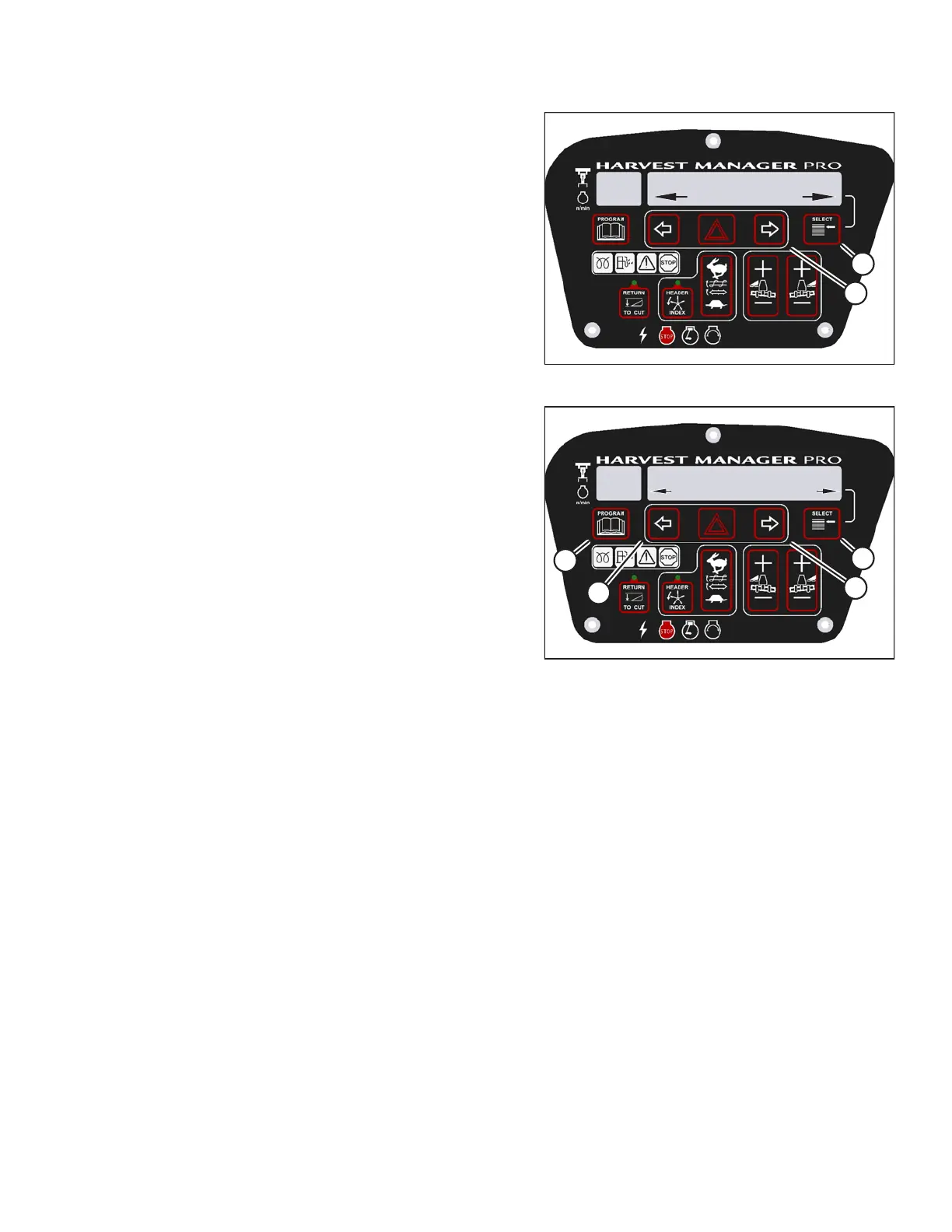
Figure 3.113: M205 Control Locks
4. Press SELECT (B) until SET CONTROL LOCKS? is
displayed on the upper line.
• NO/YES is displayed on the lower line.
5. Press right arrow (A) to select YES. Press SELECT (B).
1010012
REEL FORE/AFT
ENABLED/LOCKED
C###
X###
D
C
B
A
Figure 3.114: M205 Reel Fore-Aft Control Lock
6. Press SELECT (D) until REEL FORE/AFT is displayed
on the upper line.
• ENABLED/LOCKED is displayed on the lower line.
7. Press left arrow (B) to enable REEL FORE/AFT control
switch.
Press right arrow (C) to lock REEL FORE/AFT control
switch.
8. Press PROGRAM (A) to exit programming mode, or
press SELECT (D) to proceed to next WINDROWER
SETUP action.
OPERATOR’S STATION





 To Next Page