214603 130 Revision A
1009984
CALIBRATING FLOAT
PRESS FLOAT + TO START
C###
X###
C
B
A
Figure 3.158: M205 Header Float Display
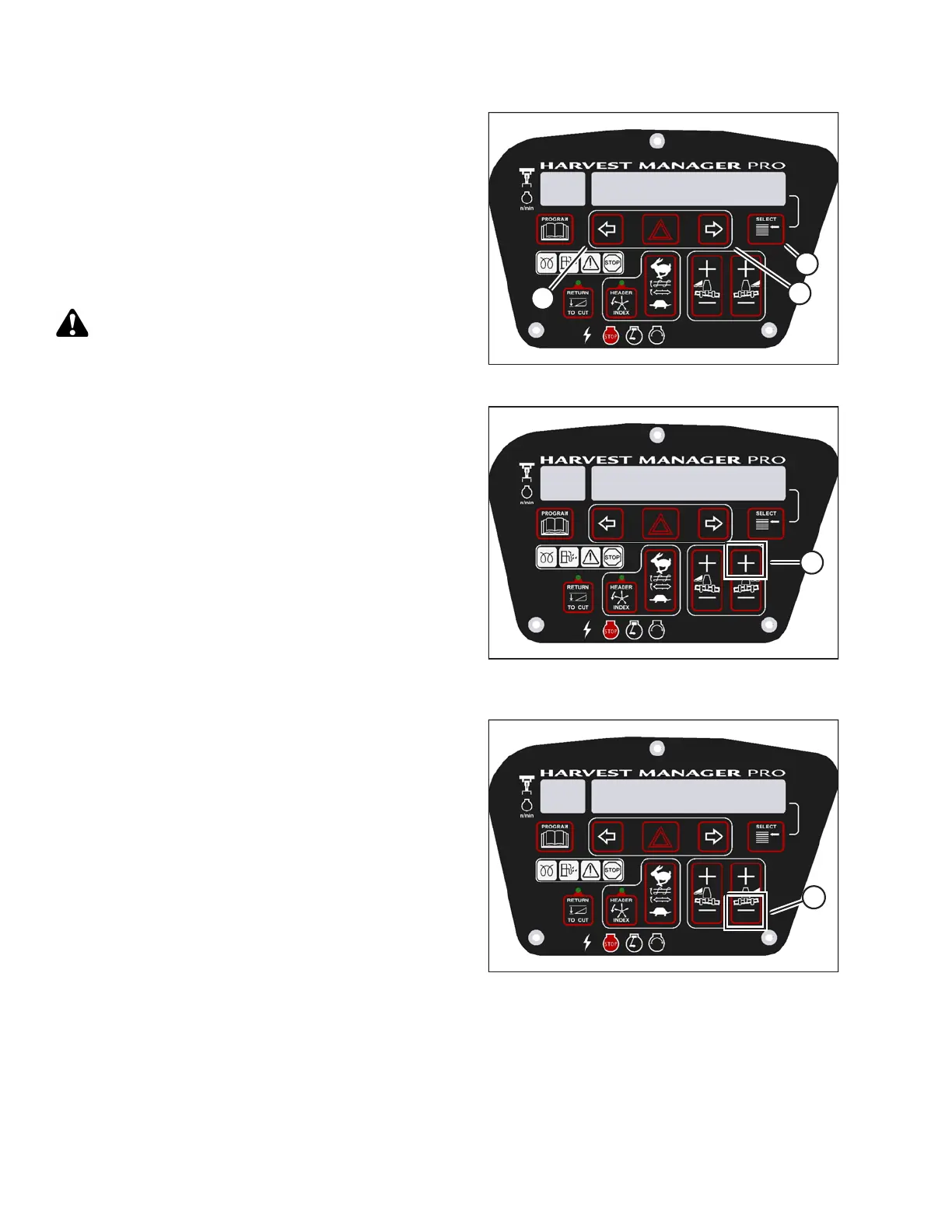
4. Press right arrow (B) to select YES. Press SELECT (C).
• TO CALIBRATE SELECT is displayed in upper line.
5. Press left (A) or right (B) arrow until HEADER FLOAT is
displayed on the lower line. Press SELECT (C).
• CALIBRATING FLOAT is displayed on the
upper line.
• PRESS FLOAT + TO START is displayed on the
lower line.
CAUTION
Check to be sure all bystanders have cleared the area.
1009985
CALIBRATING FLOAT
FLOAT ( + ) HOLD
C###
X###
A
Figure 3.159: M205 Positive Header Float
Display
6. Press and hold FLOAT + button (A) on the CDM.
• CALIBRATING FLOAT is displayed on the
upper line.
• FLOAT ( + ) HOLD is displayed on the lower line.
NOTE:
The word HOLD will flash during calibration. FLOAT (+)
DONE will display on the lower line once calibration is
complete.
7. Release the FLOAT + button (A).
• CALIBRATING FLOAT is displayed on the
upper line.
• FLOAT ( – ) HOLD is displayed on the lower line.
1009986
CALIBRATING FLOAT
FLOAT ( - ) HOLD
C###
X###
A
Figure 3.160: M205 Negative Header Float
Display
8. Press and hold FLOAT – button (A) on CDM.
• CALIBRATING FLOAT is displayed on the
upper line.
• FLOAT ( – ) HOLD is displayed on the lower line.
NOTE:
The word HOLD will flash during calibration. HDR
FLOAT COMPLETE will display on the lower line once
calibration is complete.
9. Release FLOAT – button (A).
• TO CALIBRATE SELECT is displayed on the
upper line.
• HEADER FLOAT is displayed on the lower line.
10. Press right arrow to select next header sensor calibration or STOP & EXIT. Press SELECT. Refer to Calibrating
the Header Height Sensor, page 125 or Calibrating the Header Tilt Sensor, page 127.
11. Press PROGRAM to exit programming mode.
OPERATOR’S STATION





 To Next Page