214603 135 Revision A
1010019
DIAGNOSTIC MODE?
NO/YES
C###
X###
A
B
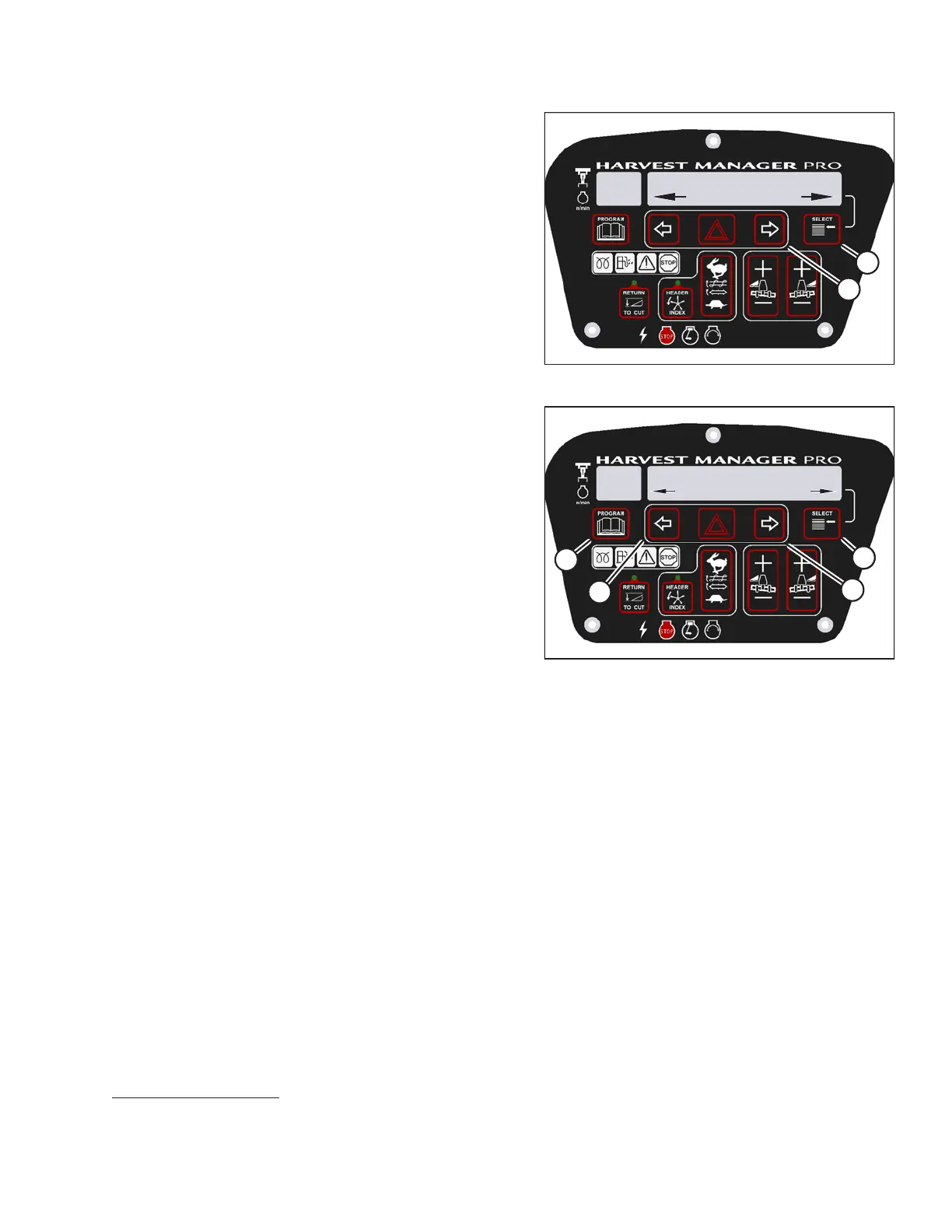
Figure 3.171: M205 Diagnostic Functions
5. Press SELECT (B) until ENTER SENSOR SETUP? is
displayed on the upper line.
• NO/YES is displayed on the lower line.
6. Press right arrow (A) to select YES. Press SELECT (B).
• KNIFE SPEED SENSOR is displayed on the
lower line.
• ENABLE/DISABLE is displayed on the lower line.
1010021
KNIFE SPEED SENSOR
ENABLE/DISABLE
C###
X###
C
C
B
A
D
Figure 3.172: M205 Header Sensors
7. Press left arrow (B) to enable a sensor. Press right
arrow (C) to disable sensor. Press SELECT (D) to
confirm selection and move on to next sensor.
The following sensors are available:
• HEADER HT SENSOR
• HEADER TILT SENSOR
• KNIFE SPEED SENSOR
• REEL SPEED SENSOR
• HEADER FLOAT SENSOR
• OVERLOAD PRESSURE
16
• HYD OIL TEMP SENSOR
When sensors have been modified, press SELECT (D)
to display the EXIT SENSOR SETUP? selection.
8. Press right arrow (C) to select YES. Press SELECT.
9. Press PROGRAM (A) to exit programming mode or
press SELECT to proceed to next diagnostic mode.
OPERATOR’S STATION
16. Requires installation of optional pressure sensor (MD #B5574).





 To Next Page