214603 138 Revision A
1010019
DIAGNOSTIC MODE?
NO/YES
C###
X###
A
B
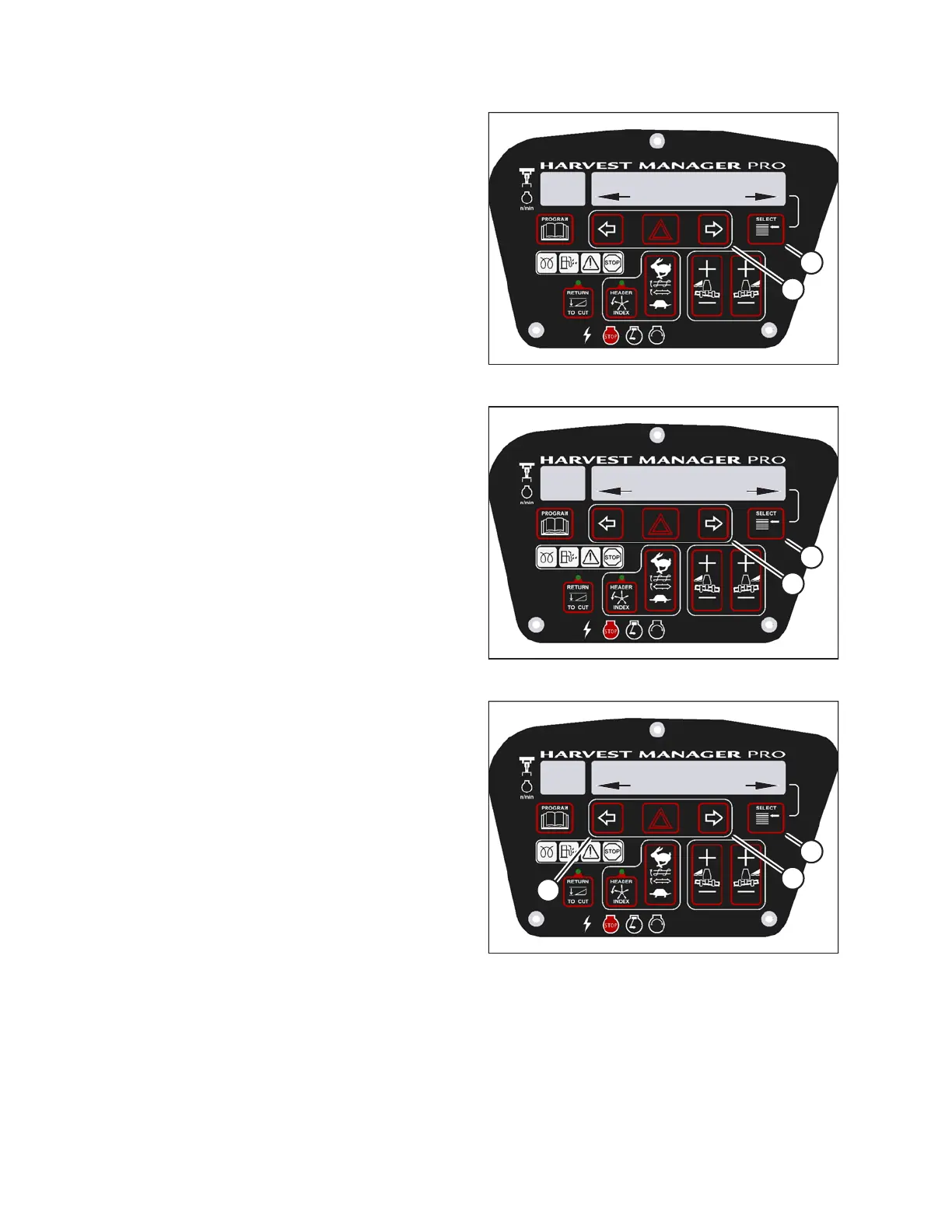
Figure 3.177: M205 Diagnostic Functions
3. Press SELECT (B) until DIAGNOSTIC MODE? is
displayed in upper line.
• NO/YES is displayed on the lower line.
4. Press right arrow (A) to select YES. Press SELECT (B).
1010022
FORCE HEADER TYPE?
NO/YES
C###
X###
A
B
Figure 3.178: M205 Header Type
5. Press SELECT (B) until FORCE HEADER TYPE? is
displayed on the upper line.
• NO/YES is displayed on the lower line.
6. Press right arrow (A) to select YES. Press SELECT (B).
• SELECT HEADER TYPE is displayed on the
upper line.
• DISK HEADER is displayed on the lower line.
1010023
SELECT HEADER TYPE
DISK HEADER
C###
X###
A
B
C
Figure 3.179: M205 Header Type
7. Press left (A) or right (B) arrow to cycle through list of
header types.
8. When desired header type is displayed, press
SELECT (C).
• EXIT FORCE HEADER? is displayed on the
upper line.
• NO/YES is displayed on the lower line.
9. Press right arrow (B) to select YES. Press SELECT (C).
Proceed to next diagnostic mode, or press PROGRAM
to exit programming mode.
OPERATOR’S STATION





 To Next Page