214603 297 Revision A
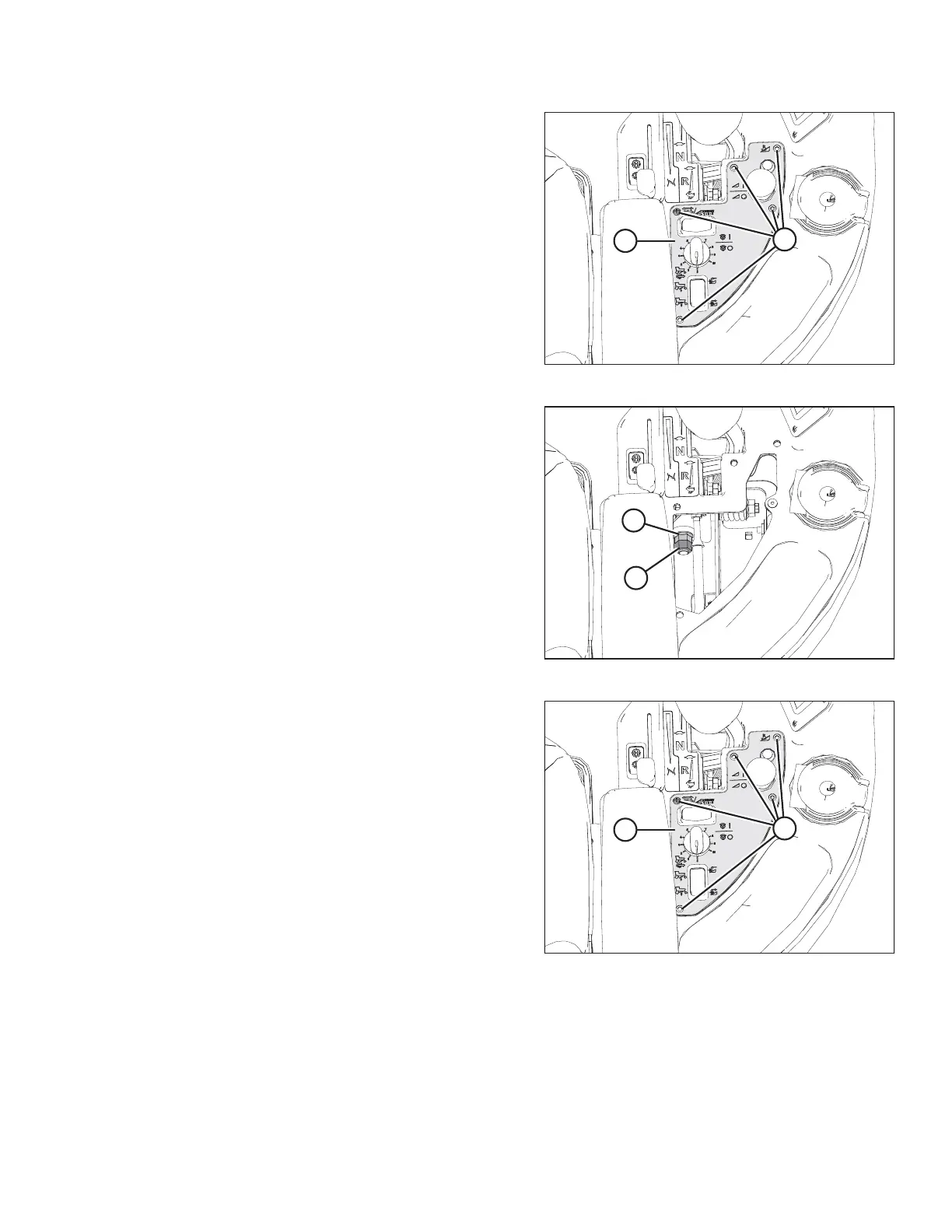
Figure 5.16: Control Panel
1. Remove the five screws (A) securing control panel (B)
to console, remove panel, and store in the tray.
Figure 5.17: Control Panel Removed
2. Back off the jam nut (A) and turn nut (B) to either tighten
or loosen the pivot. The nut should be tightened to snug
and then backed off 1/2 turn.
3. Tighten jam nut (A).
4. Check movement of GSL.
Figure 5.18: Control Panel
5. Reinstall control panel (B) with five screws (A).
MAINTENANCE AND SERVICING





 To Next Page