Chapter 5
Maintenance and Repair
Trimble S, VX, SPS & RTS Service Manual5 - 4 P/N 57150002, Revision 5.0
F
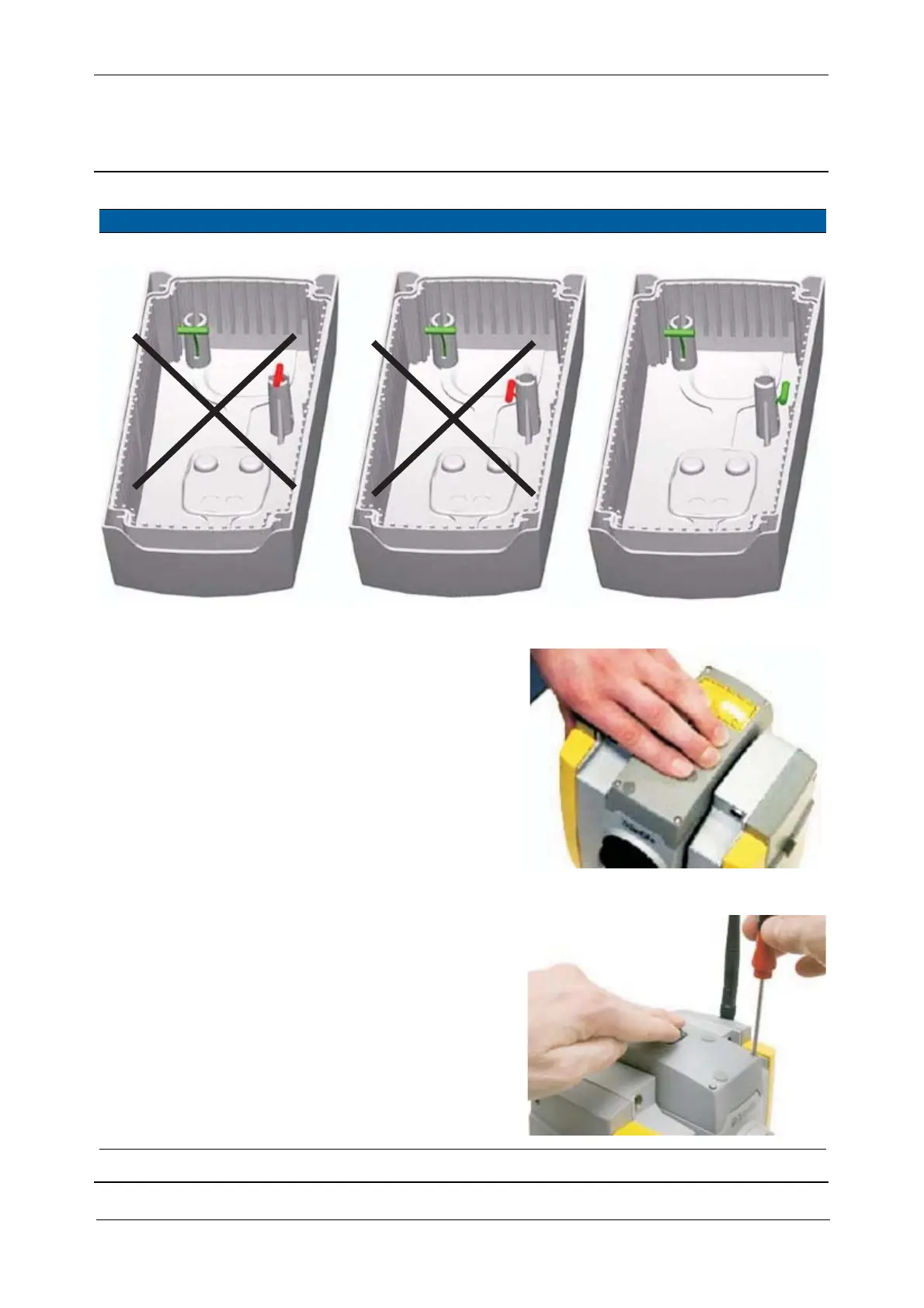
Fig. 5-2 Rubber plug anchor position - DR300+ / DR PLUS
2 Fix covers in correct
position.
Press the cover slightly
down with one hand.
Fig. 5-3 Fix cover in position
3 Mount screws and pre-
tighten the covers.
A. Mount the four
screws and tighten
them under
continuous pressure
until the first
resistance can be felt.
B. Release the screw
slightly.
C. Perform this equally
in the four positions.
Fig. 5-4 Pre-tighten covers
Item Performance Action Result Notes
OK



 To Next Page