Chapter 6
Adjustment and verification
Trimble S, VX, SPS & RTS Service Manual6 - 154 P/N 57150002, Revision 5.0
F
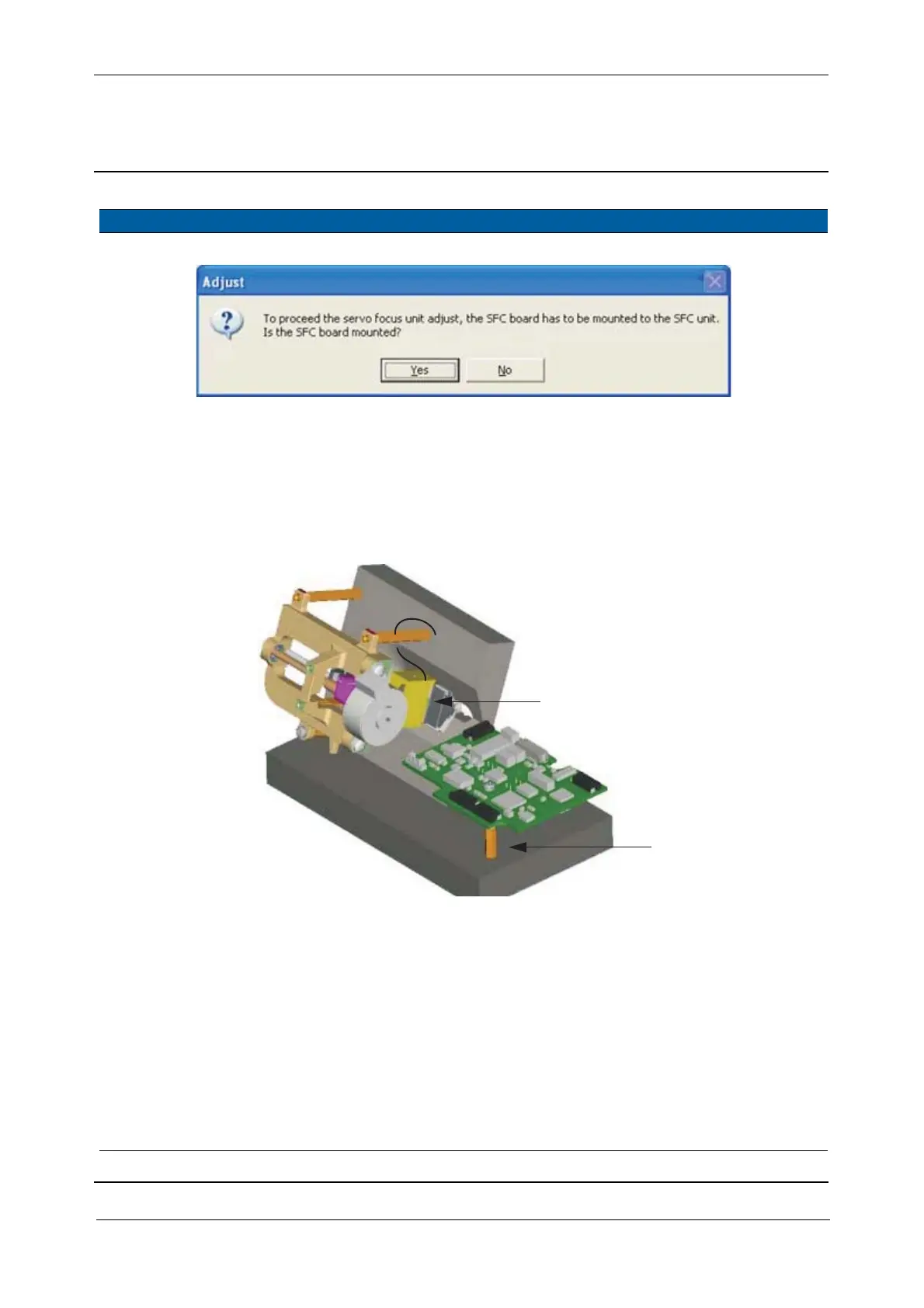
Fig. 6-167 Confirm SFC board mounted
7 Move SFC board to
side position.
A. Remove the SFC board
from the servo drive.
B. Mount on the side
position.
C. Mount protective
cover.
Note – Be aware of
short-circuit, the unit
has to be kept in
switched on mode.
Fig. 6-168 SFC tool with removed SFC board for lubrication
8 Run the lens. A. Select
Servo focus
maintain
check box.
B. Use the buttons 1; 2
and 3 to move the lens
holder to different
positions, see Fig. 6-
166 on page 6-153
9 Clean the spindle. Use a fairly hard brush
and some solvent, to clean
the spindle during
movement forward and
backwards.
Clean lens with
alcohol/distilled
water.
Item Performance Description Result Notes
B
C



 To Next Page