6. EM GUI orientation
The IP Ad dress is changed by double-clicking on the STATIC
setting and assigning an allowed configuration. For details on
Network configurations we refer to industry standard.
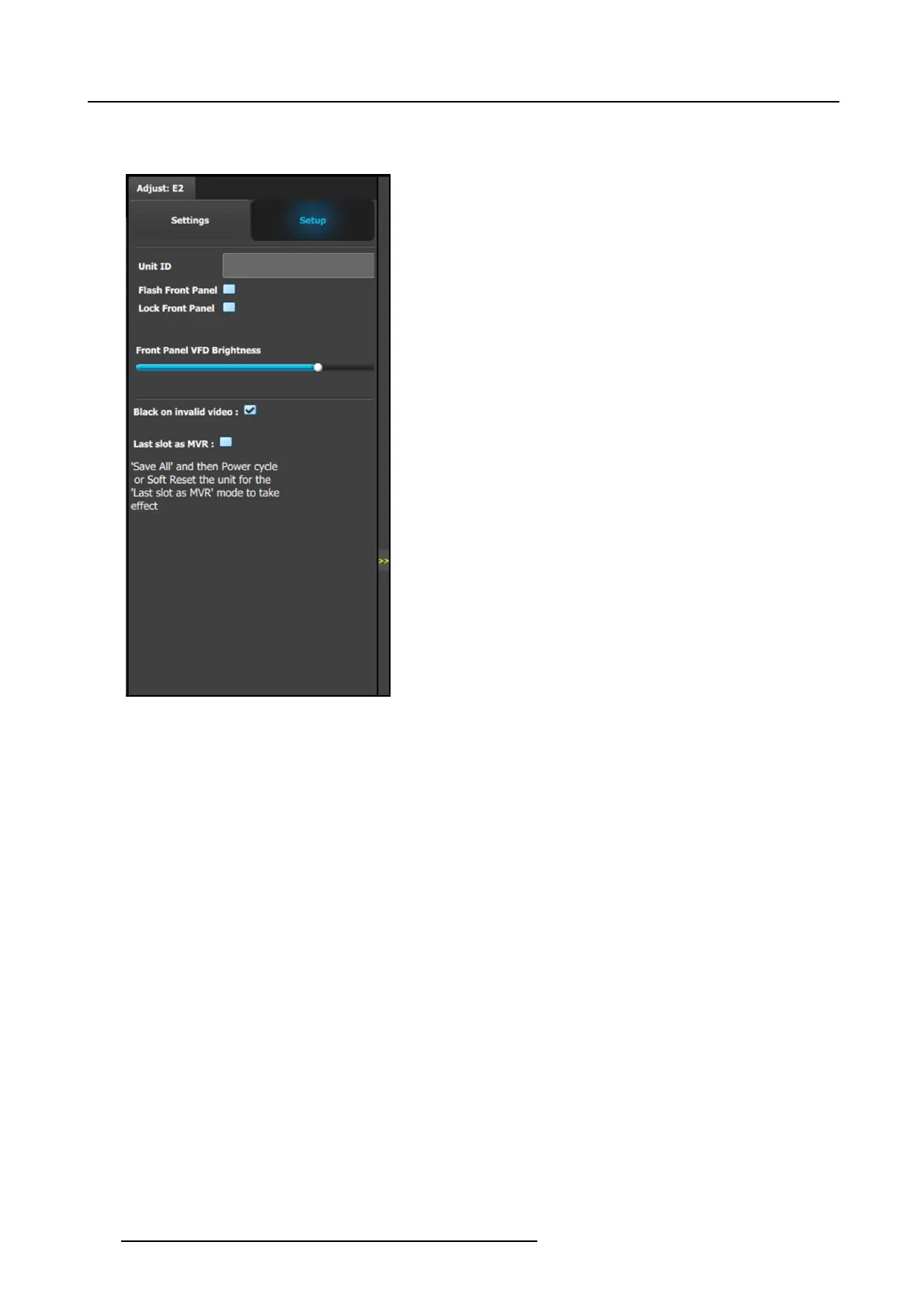
Setup tab:
• Unit ID: U nique unit identification number.
• Front Panel: Locks o r unlocks the front panel.
• Front Panel VFD Brightness: Updates the brightness of
the front panel V F D.
• Black on invalid v ideo: If checked, when the input timing
on the video does not match w hat was p reviously acquired
on the input connector the video will be set to black.
• Last slot as MVR: Allows the operator to use the last slot
as an Output or as a M ultiviewer (MVR).
a) Check or uncheck the ‘Last Slot as MV R’ checkbox.
b) Save the configuration.
c) Power c ycle or soft reset the un it for the change to ‘Last
Slot as MVR’ to take effect.
- To soft reset the unit, go to the Reset section of the
Adjust > Settings panel a nd select ‘Soft.’
Note: ’Last slot as MVR’ is the default setting.
106
R5905948 EVENT MASTER DEVICES 17/07/2017



 To Next Page