13. E2 Maintenance
13.26 VFD Cable
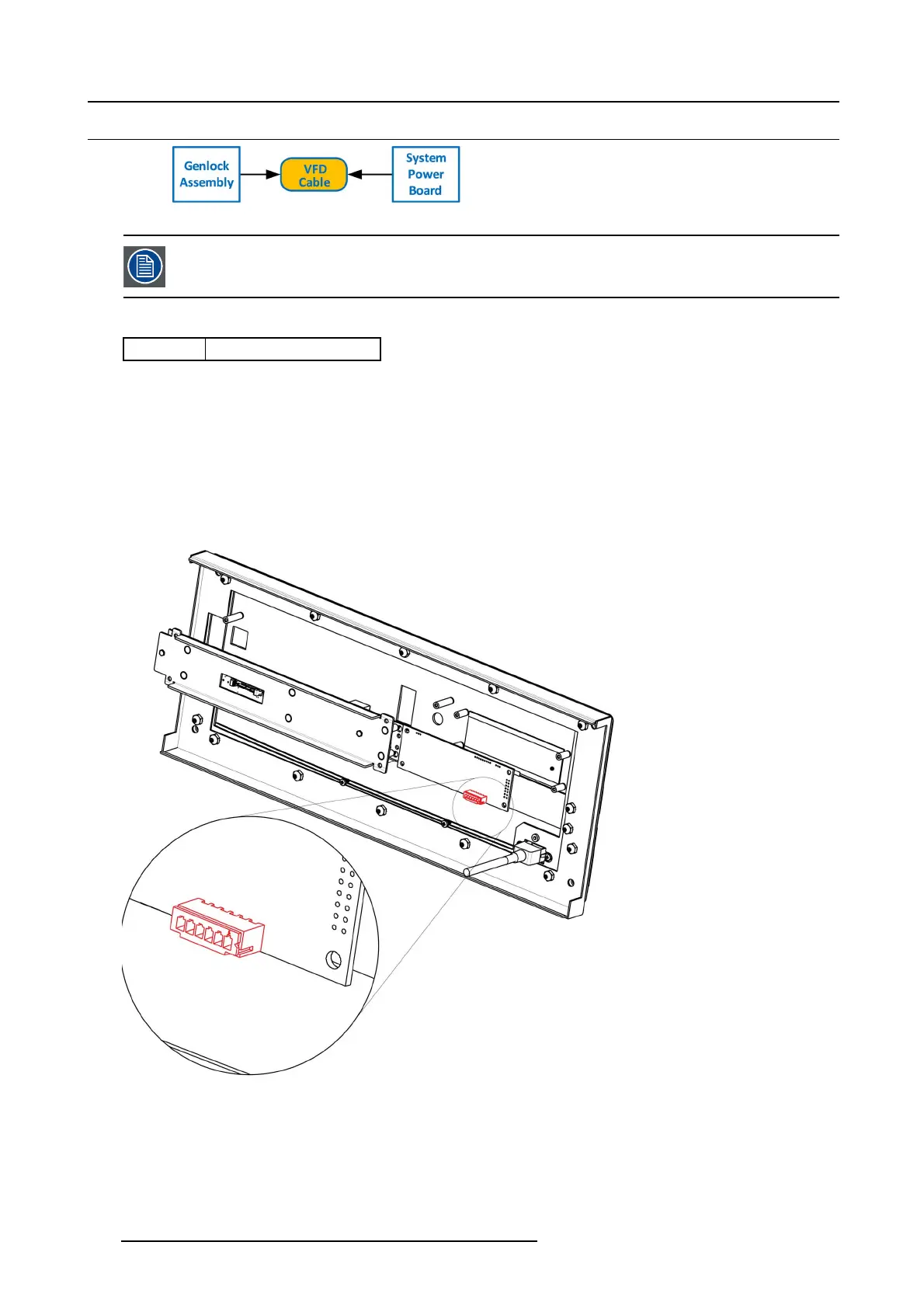
Image 13-66
The flat ribbon VFD cab le co nnects the VF D assembly to the System P ow er board. This proced ure p rovides
instructions on how to disconnect the cable on both sides.
Concerned parts
R767269K
Cable K it S et
Necessary tools
• 1 x Phillips Screw driver #2
• Hex Sc re w driver
How to remove the VFD Cable
1. Partially remov e the front panel assembly and pull it away to expose the cables behind it (refer to the related procedure).
2. Push out the side latches on VF D connector to release the VFD cable.
Image 13-67
3. Gently push the cable through t
he grommet located in the 1RU tray.
394
R5905948 EVENT MASTER DEVICES 17/07/2017



 To Next Page