6. EM GUI orientation
6.6 Controls
General
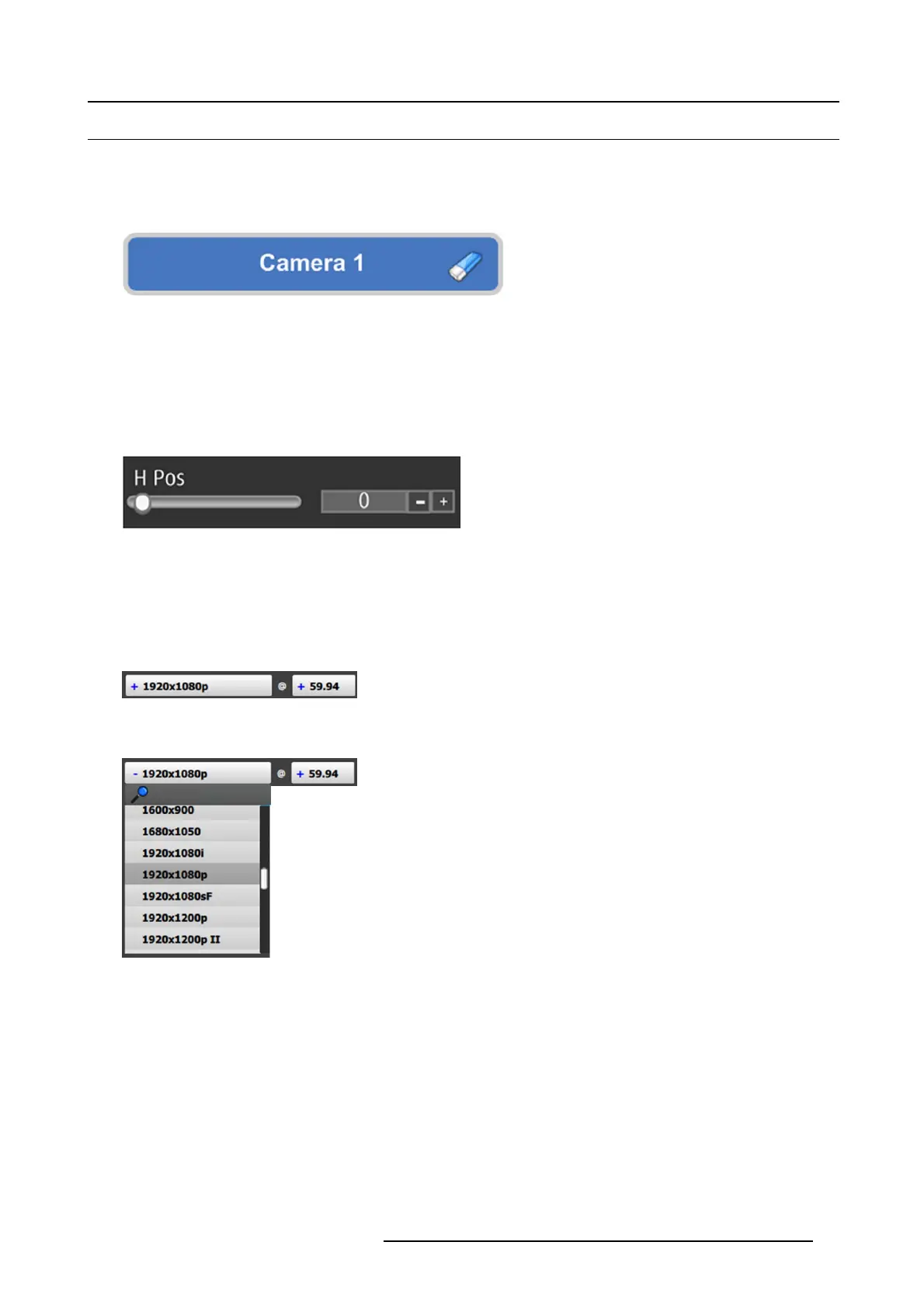
Edit box
Edit box is used to edit the values or names.
Image 6-2
Properties:
• By double clicking, the background changes to a dark blue color indicating that modifications can be made.
• The c ursor is placed on the last character.
• The eraser button allows deletion of all the c haracters in the edit box.
Slider box
The slider allows modification of the value with slider.
Image 6-3
Properties:
• Slide the cursor to modify the value.
• The value can also modifie d by clicking the + or – symbols .
Drop-down menu
A drop-down menu allows the user to c hoose one value from a list.
Image 6-4
Inactive drop-down
The active drop-down menu, shown in image 6-5, s hows the availabl
e choices.
Image 6-5
Active drop-down
Properties:
• When clicking on the + symbol, a drop-down menu appears w ith the available choices.
• By typing in the space next to the magnifying glass all of the av ailable num bers that match the typed text appear, simplifying
the search effort.
R5905948 EVENT MASTER DEVICES 17/07/2017 95



 To Next Page