13. E2 Maintenance
13.35 Top Card Guide
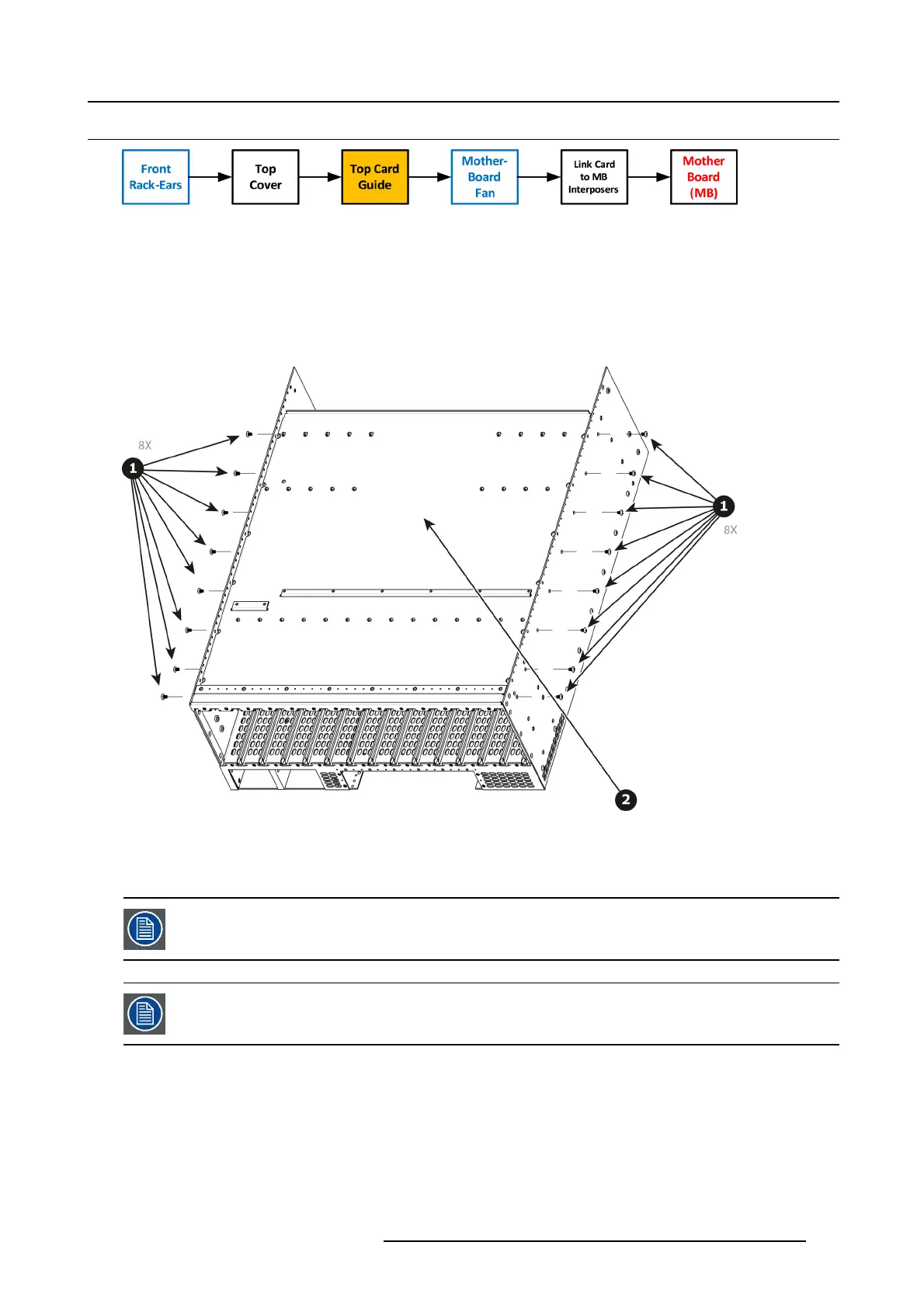
Image 13-93
Necessary tools
1 x Phillips Screwdriver #2
How to remove Top Card Guide
1. Remove the 18 s crews from the two sides (8 in each side, 6-32x0.25) that ar e located towards the bottom of the unit.
2. Remove the card guide cover by gently pulling it away from the E2.
Image 13-94
How to install Top Card Guide
To install the Top Ca rd Guide follow the s ame procedure in the reverse order.
When installing the guide make sure you h ave 2 cards from the rear and two cards from the front (VPUs)
installed before tightening the screws.
Use Loc tit e 242 to the scre w s before instal li ng.
R5905948 EVENT MASTER DEVICES 17/07/2017 411



 To Next Page