14. S3 Maintenance
14.29 System Battery
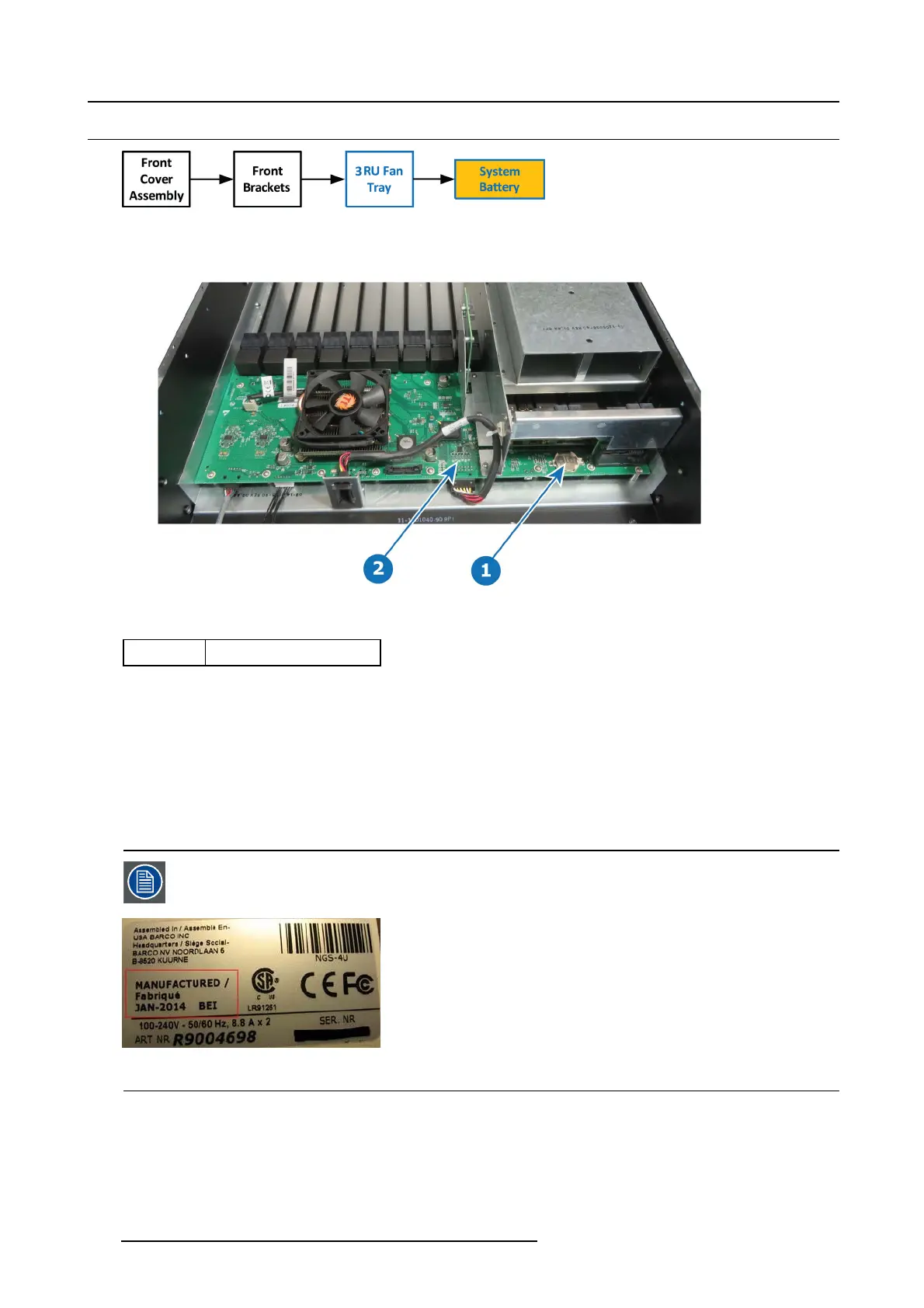
Image 14-74
Overview
Image 14-75
Concerned parts
V327007 Battery
Necessary tools
None.
How to remove the System battery
1. Carefully rem ove the battery from its socket.
How to install the System battery
To install the System battery follow the sam
e procedure in the reverse order.
When a new battery is installed, the user need to place a st icker on the m otherboard mou nt that indicates
when the battery w as last replaced. The ab sence of sticker means the battery has never been replaced. In
this case the S/N sticker can be used for the reference date.
Image 14-76
e.g. E2 S/N sticker — Manufacturing date
462 R5905948 EVENT MASTER DEVICES 17/07/2017



 To Next Page