4. Hardware orientation
4.5 HDMI/DisplayPort Input Card
General
The HDMI/DisplayPort input card has two 19-pin HDMI connectors which can support a HDMI video signal, and two 20-pin Display-
Port connectors supporting Display Port v ideo signal.
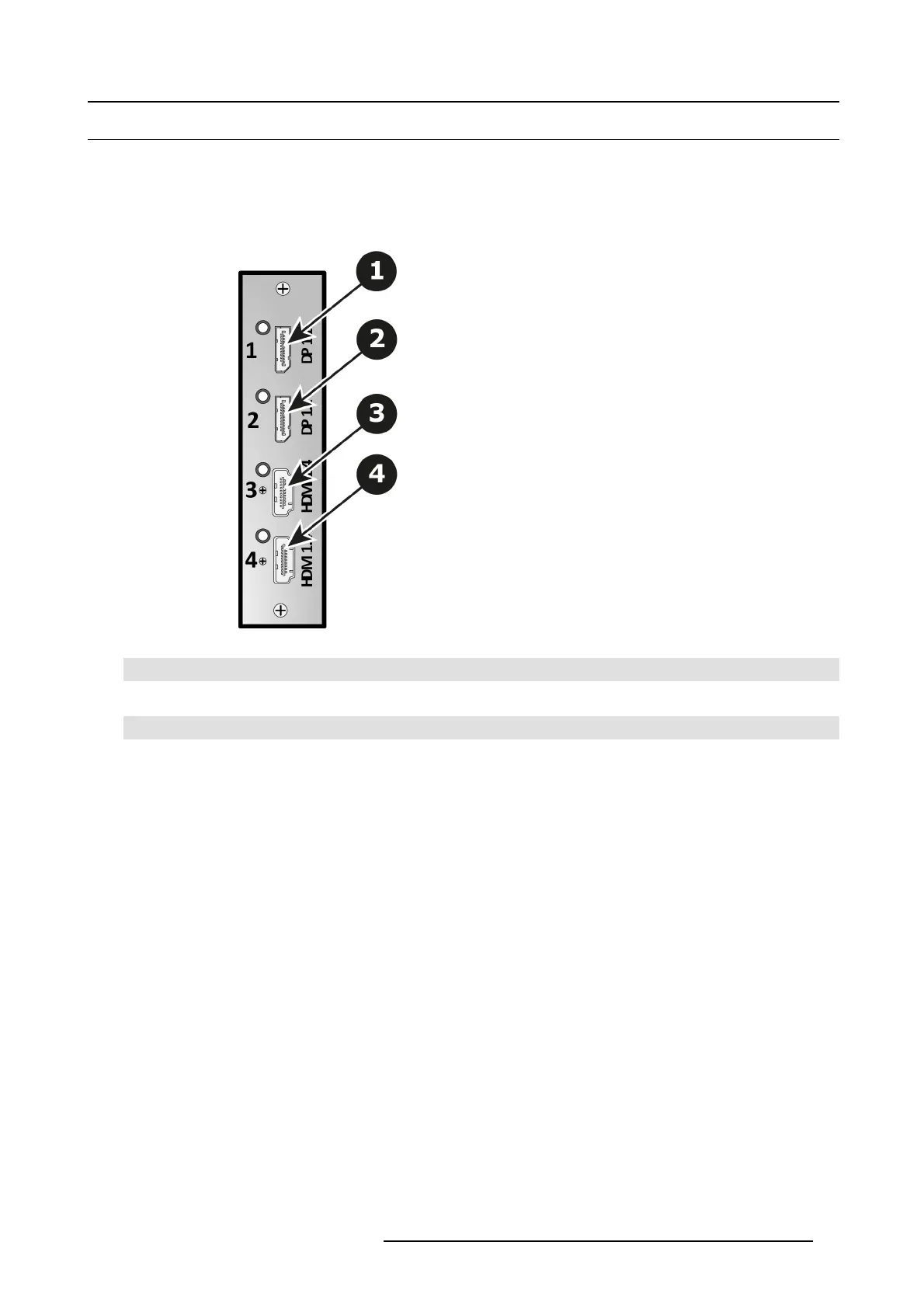
The figure below illustrates the HD MI/DisplayPort input card’s rear panel connectors:
Image 4-10
HDMI/DisplayPort Input Card Rear Panel
1 Displayport connector — Displayport 1 with an LED that turns on green when a valid sync has been detected
2 Displayport connector — Displayport 2 with an LED that turns on green when a valid sync has been detected
3 HDMI connector — HDMI 1 with a n LED that turns on green when a valid sync has been detected
4 HDMI connector — HDMI 2 with a n LED that turns on green when a valid sync has been detected
Features
• Process u p to 4 signals independently
• 2x 19–pin HDMI connector (Typ e A)
• 2x 20–p in Displayport connector
• Each input c hannel includes an LED that turns green when a valid sync is detected.
HDMI specific ations
• HDMI per 1.4a specifications
• Supported format:
- formats up to 2,560x1,600@ 60 and 3,840x1,200@60 (30 bits)
- 4K/UHD Supported:
o
3,840x2,160/ 23.98/24/25/29.97/30 input via 1x HD MI, 2x HDMI (L and R half) or 4x HDMI (quadrants)
o
3,840x2,160/ 50/59.94/60 input via 2x HDM I (L and R half) or 4x HDMI (quadrants)
o
4,096x2,160/ 23.98/24/25/29.97/30 input via 1x HD MI, 2x HDMI (L and R half) or 4x HDMI (quadrants)
o
4,096x2,160/ 50/59.94/60 input via 2x HDM I (L and R half) or 4x HDMI (quadrants)
- EDID version 1.3 compatible
- HDCP version 1.4 c ompatible
R5905948 EVENT MASTER DEVICES 17/07/2017
53



 To Next Page