14. S3 Maintenance
14.16 Power Supply
Concerned parts
R767267K
Power Supply
Necessary tools
None.
How remove Power Supply
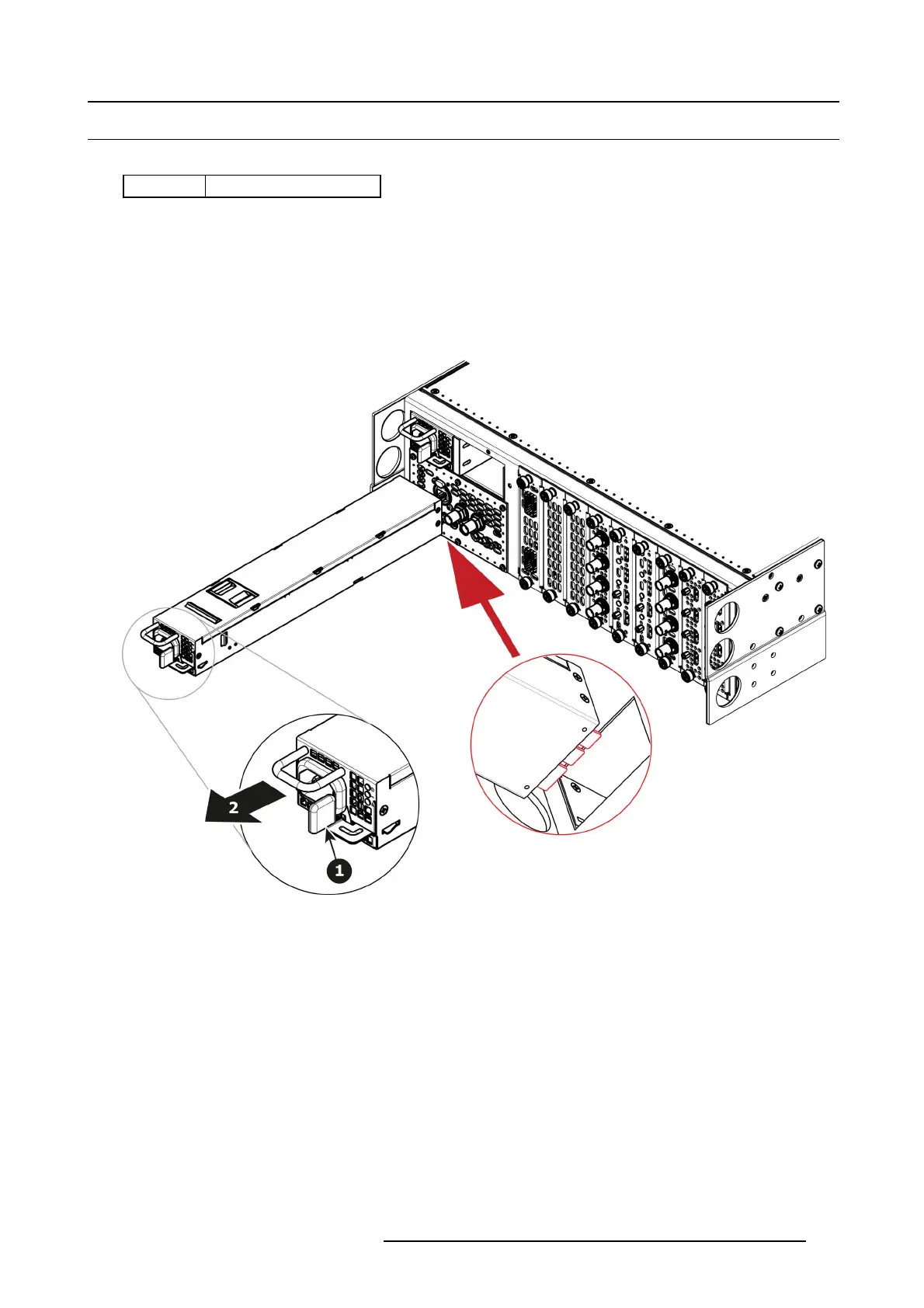
1. Push the latch towards the left.
Image 14-39
2. Pull the Power sup p ly out of its slot by pu lling on the handle.
How to install Power Supply
1. Insert the Power Supply into the slot.
Note: The card connector ( back edge) s hould be at the bottom of the po wer supply as shown in the drawing.
2. Push the p ower supply com pletel
y inside the slot. App ly a little pr essure by us ing the handle until the power su pply is fully
inserted .
R5905948 EVENT MASTER DEVICES 17/07/2017
441



 To Next Page