13. E2 Maintenance
13.18 Solid-State Me mory
Image 13-41
Before you proceed remo ving the Solid S tate M emory you need to rem ove the Bottom Panel as outlined in the
related procedure.
The solid-state memory can also be rep laced after the S ystem Powe r board is removed from the unit.
Overview
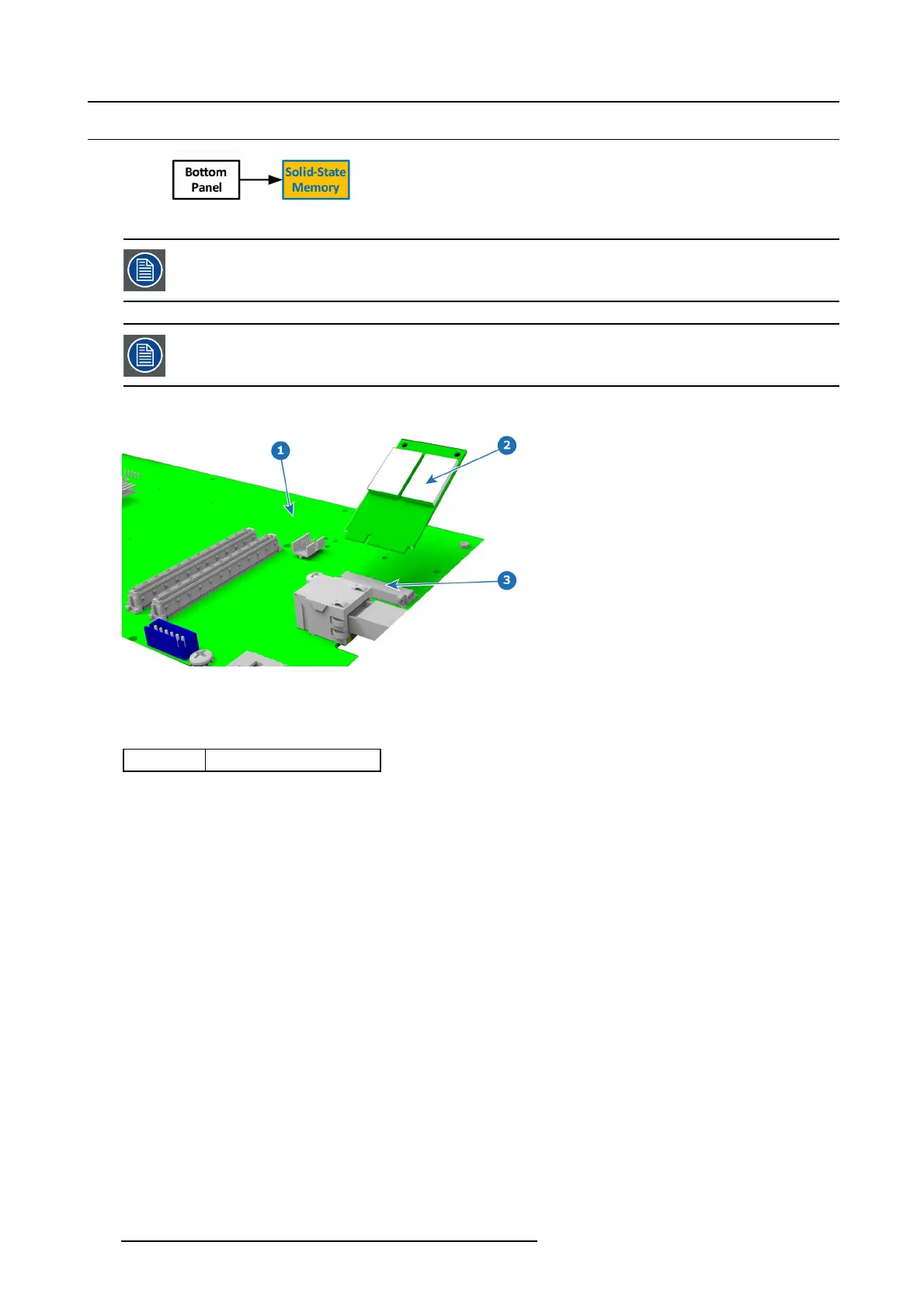
Image 13-42
1 System Power board
2 Solid State Memory card
3 Socket
Concerned parts
R767275K S olid State Memo ry
Necessary tools
1 x Phillips Screwdriver #2
How to remove the Solid State Memory
1. Remove the 2 screws that hold the memory c ard.
2. Carefully remove the m emor y c ard f rom the s
ocket.
374
R5905948 EVENT MASTER DEVICES 17/07/2017



 To Next Page