6. EM GUI orientation
6.36 Multiviewer Menu > Adjustment area > Window adjustment
General
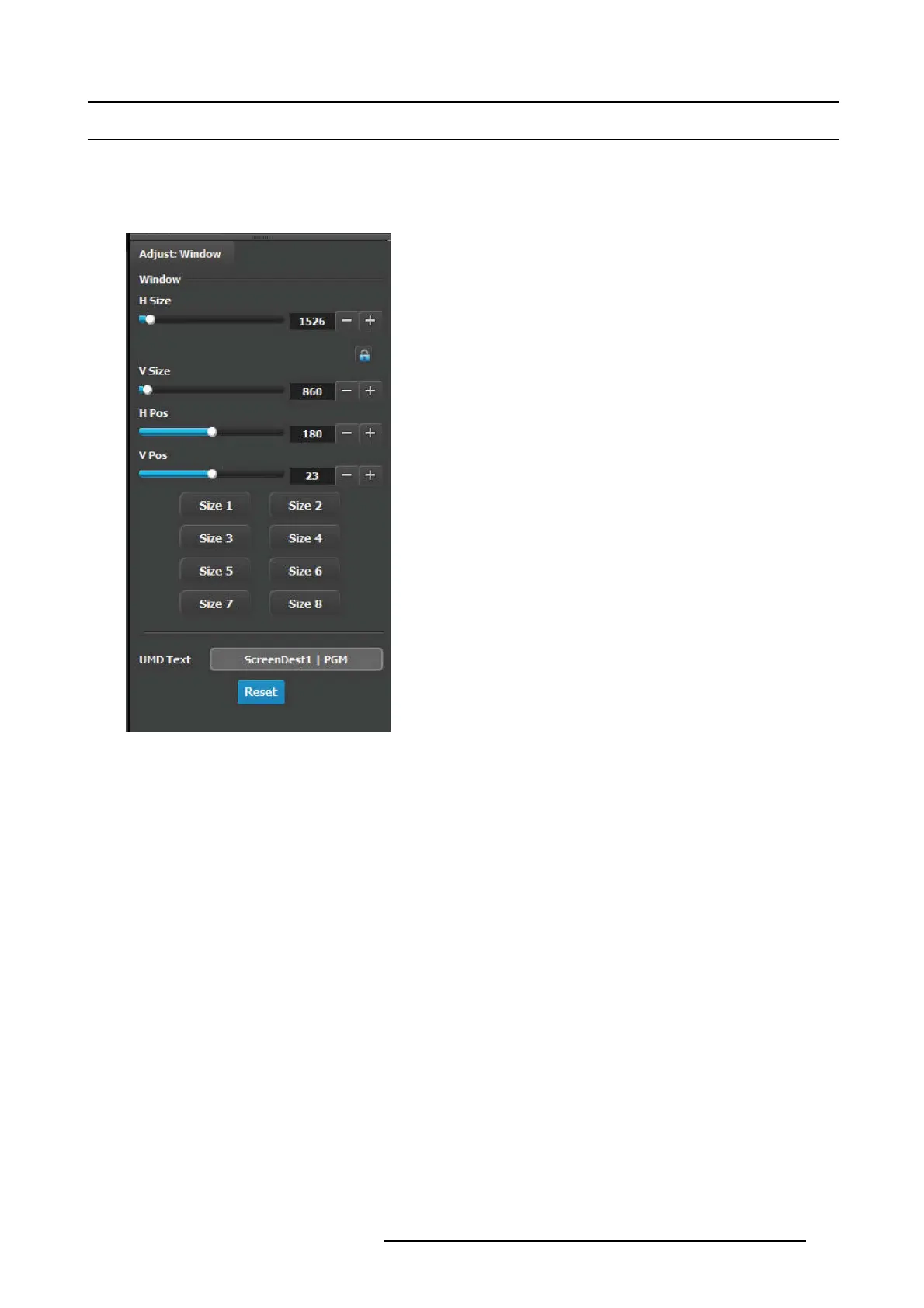
In this section, the user can re size and position the selected window. A m ultiple window s election is av ailable.
Description
The following functions are pr ovided:
• H Size(pixel): Adjusts the window’s horizontal size in pixels.
• V S ize(pixel): Adjusts the window’s vertical size in pixels.
• H Pos(pixel): Adjusts th e window’s horizontal position in
pixels.
• V Pos(pixel): Adjusts the window ’s ve rtical position in pixels.
• Automatic preset: The eight buttons at the bottom are
shortcuts to different sizes depending on how many of
these w indows c an fit horizontally. Ve rtically the window is
adjusted to match the aspect ratio.
For ex ample:
- Size 1: T he window is adjusted to fit the full horiz ontal
space.
- Size 2: The window is adjusted to half the horizontal
space.
-...
- Size 8: The window is adjusted to an eighth of the
horizontal space.
• Reset button would reset the UMD text to the current name
of the Source.
R5905948 EVENT MASTER DEVICES 17/07/2017
199



 To Next Page