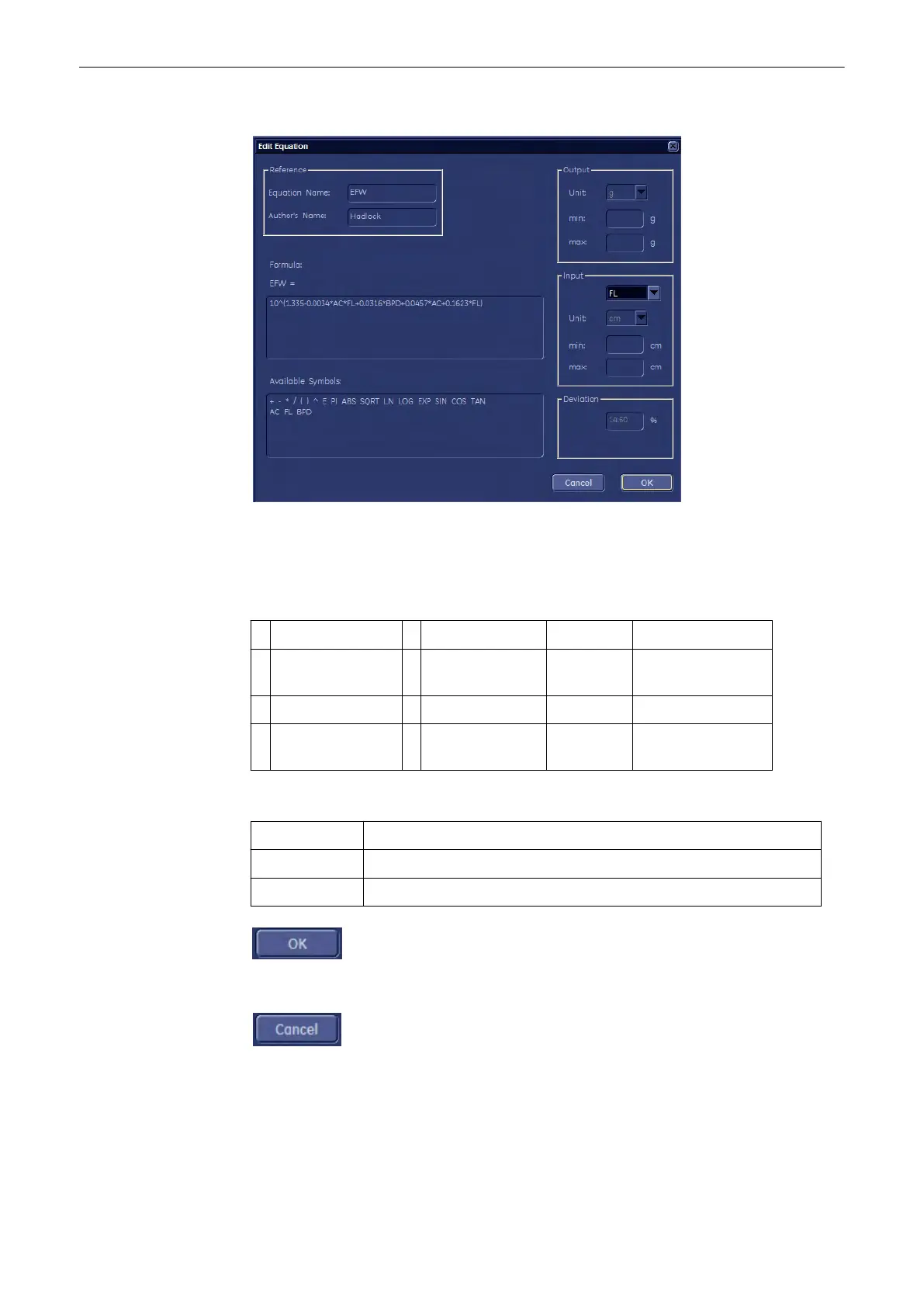
2. New Equation:
(e.g., Fetal Growth)
- Move the mouse pointer to the field desired and press the [Set] key (right trackball key).
- Type in the equation using the keyboard.
Note
Use only the available symbols and abbreviations!
+ Addition ( left parenthesis sqrt Square root
- Subtraction ) right parenthesis e
natural logarithm
(2.71828)
* Multiplication ^ Square pi approx. 3.1416 (π)
/ Division ~
digit sign
(negative)
.......
different items (e.g.
GA, FL,...)
- Additionally select resp. enter:
Output: Select the unit and the min and max value of the output.
Input: Select the item, unit and the min and max value of the input.
Deviation: Select the Deviation Type, Value and dimension.
To save the values, click the [OK] button.
To exit without saving, click the [Cancel] button.
After saving, the new table or equation is shown in the “Measure” column.
Measurements and Patient Worksheets (Reports)
11-116
Voluson® S6/S8 Basic User Manual
5433669-100 Revision 4



 To Next Page