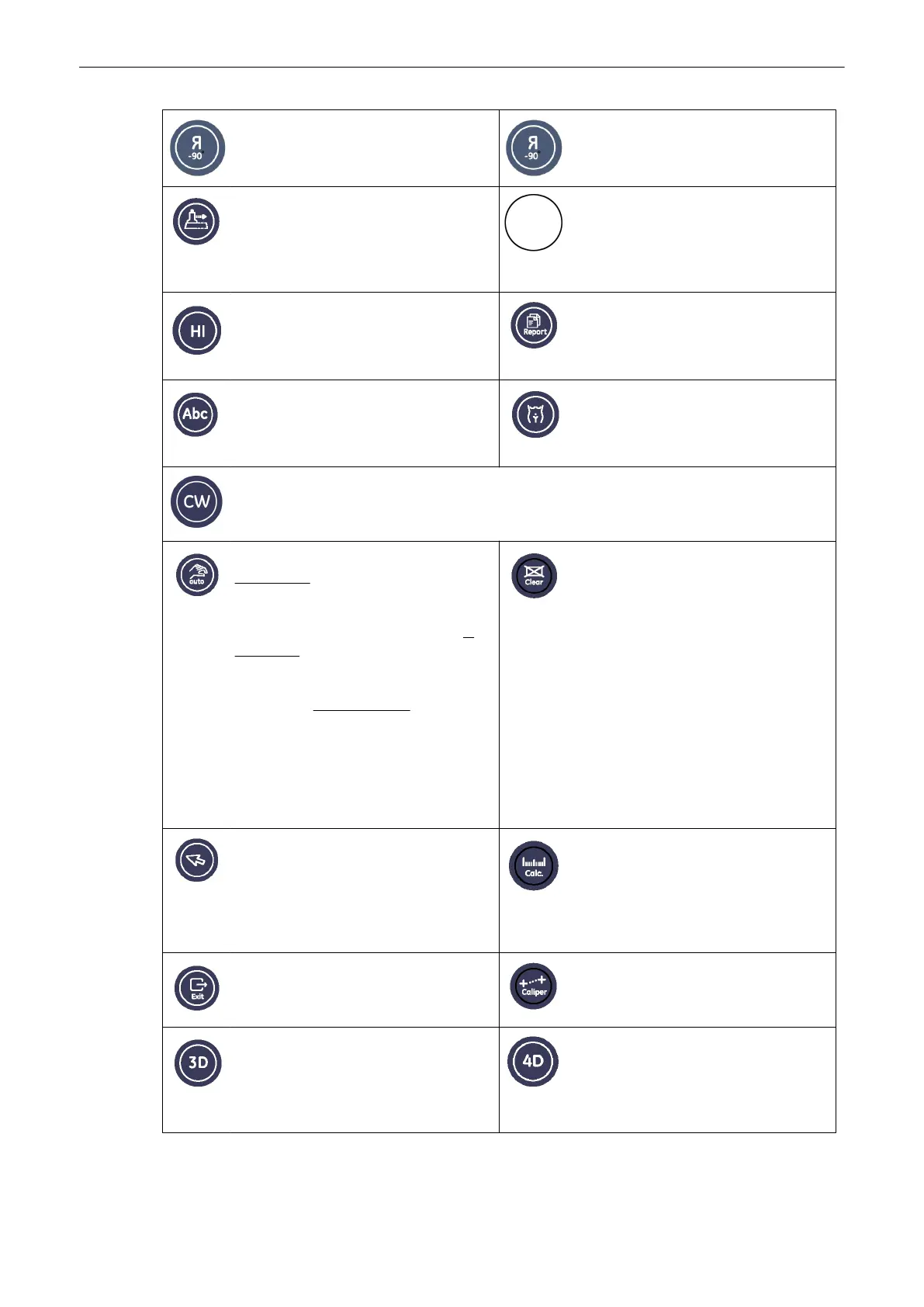
Flip (Left/Right)
Press this key to flip the image left and
right alternatively.
Flip (Top/Down)
Press this key to flip the image top and
down alternatively.
XTD-View (Extended View)
Pressing activates/deactivates the XTD-
View function. Functions depend on
current probe. 'XTD-View (Extended
View)'
on page 6-26
No function
Coded Harmonic Imaging
Pressing activates/deactivates the Coded
Harmonic Imaging.
'Harmonic Imaging
(HI)'
on page 6-7
Report (Worksheet)
Activates the Patient worksheet of the
currently selected application.
Chapter 11
ABC - Image Annotation
Write a comment/annoation directly onto
the screen. 'Image Annotation'
on page 4-
27
Bodymark
Activate to use Bodymark symbols on the
screen. 'Pictogram'
on page 4-30
Continuous Wave Doppler
Pressing activates/deactivates the Continuous Wave Doppler. Functions depend on current
probe. See ‘Continuous Wave Doppler Mode (CW Mode)’ on page 8‐8 for more information.
Automatic Optimization
in 2D Mode: Press this key to use
automatic optimization on the gray scale
to enhance the contrast resolution. '2D
Automatic Optimization'
on page 6-6
in
PW Mode: Press this key to use
automatic optimization on the PRF and
the Baseline. Operation:
'PW Operation'
on page 8-4
in 3D/4D Mode: Press
this key to use automatic optimization on
the sectional planes A, B and C. The
rendered image is not affected.
'After the
Static 3D Sectional Planes Acquisition'
on
page 9-21
Clear
To erase graphics, measurements and
annotations on the screen, depending on
the currently used function.
•
If image annotation is active, then
only text will be erased.
•
If the measurement function is active,
then only measurements will be
erased.
•
If bodymark is active, then only
bodymarks will be erased
•
If none of the three above functions is
active, all graphics, measurements
and annotations will be erased.
Pointer
Brings up an arrow shaped cursor for
menu and image operations.
Calculations
Allows measurements/calculations in
2D/3D mode, M mode and Spectral-
Doppler mode, using various measure
items for different applications
For more
information see Chapter 11.
Exit
Press the [Exit] key on the control panel
to exit the current menu.
Caliper
For more information see
'Generic
Measurements'
on page 11-2.
3D
Activates 3D mode (Volume Mode)
Chapter 9
Real Time 4D Mode
Activates the Real Time 4D mode
(continuous volume sweep)
For more
information see
'Real Time 4D
Acquisition'
on page 9-78.
Description of the System
3-12
Voluson® S6/S8 Basic User Manual
5433669-100 Revision 4



 To Next Page