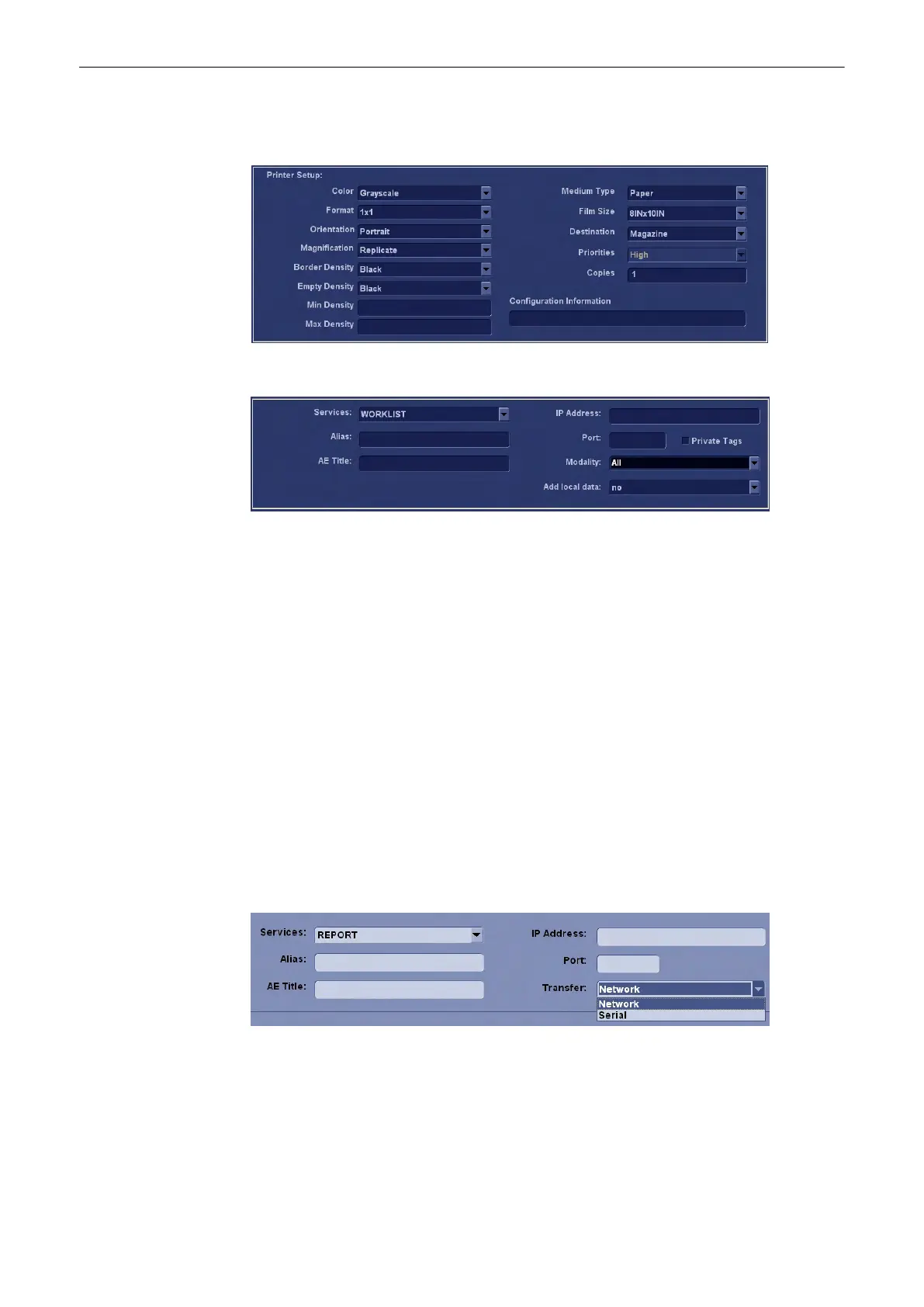
By selecting Service [PRINT] the Printer Setup fields are available to adjust the printer
configuration.
WORKLIST
With a [WORKLIST] service a filter (mask) can be selected especially for patient data marked
with Modality "Ultrasound". Enable Private Tags for communication with a ViewPoint system.
The Merge option determines if data from a worklist server should be merged with locally
stored patient data. Set this option to Yes to allow merging of worklist data or to No to discard
worklist data. The Ask setting causes a dialog box to pop up whenever patient data from a
worklist server is going to be merged with locally stored data.
Checking the [Private Tags] checkbox determines that the private tags defined for
communication with Viewpoint worklist are used in a query.
Note
[Private Tags] only works if the other system also supports Private Tags.
REPORT
By selecting Service [REPORT] you can choose between two Transfer Modes:
•
Network - to send the Patient report to a PC report station via DICOM network
•
Serial - to send the Patient report to a PC report station that is connected by serial port.
The optional “PRY USB-RS232 Connection kit” must be connected to the system.
If you select “Serial” different fields are available to adjust the report transfer configuration:
Note
The baud rate (bits per second) must be the same as on the receiving PC report station.
MPPS / ST.COMMIT / STR.REPORT
Utilities and System Setup
13-36
Voluson® S6/S8 Basic User Manual
5433669-100 Revision 4



 To Next Page