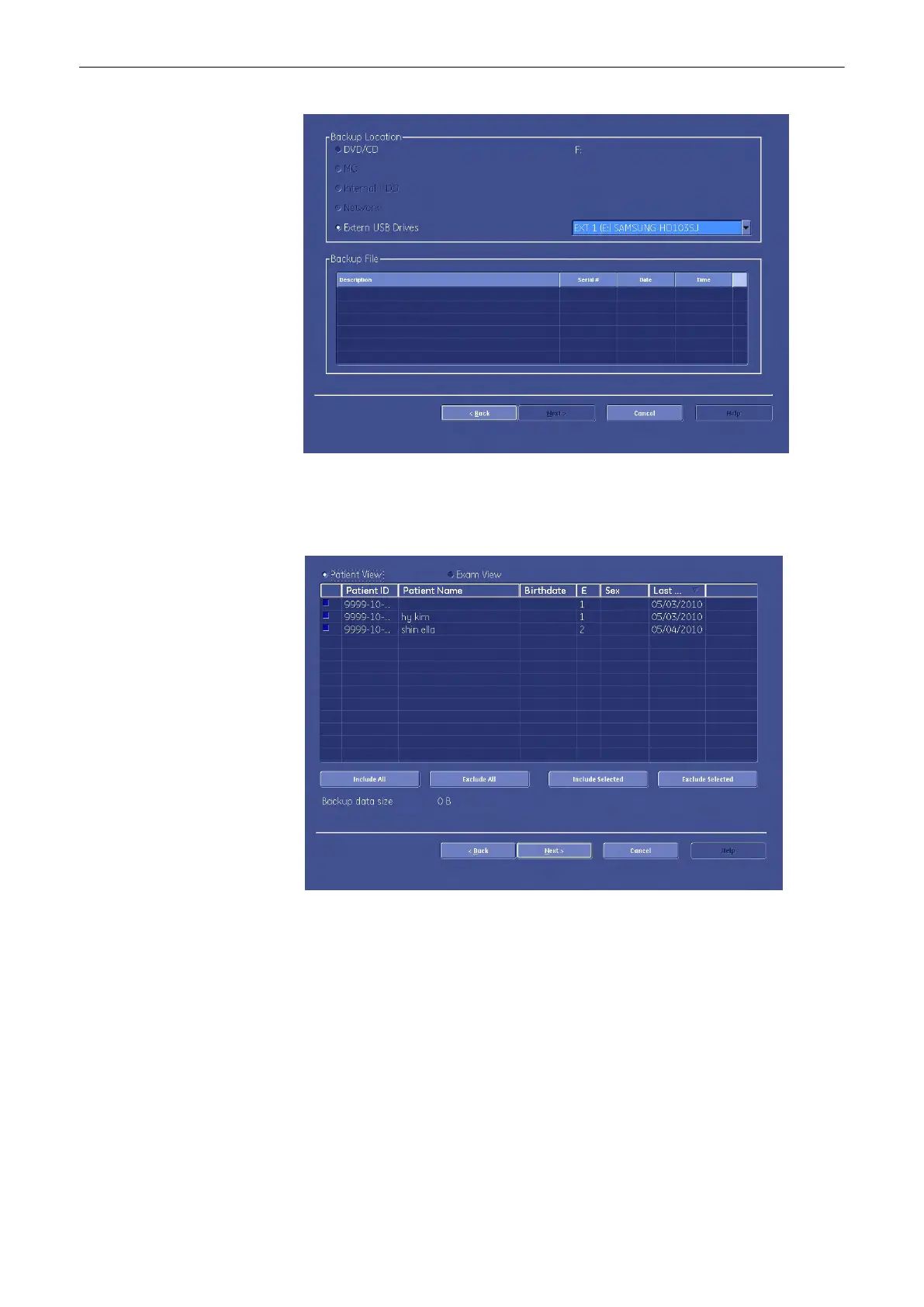
2. Choose the location by clicking one of the radiobuttons.
3.
Then select the file, you desire.
4. Confirm your choice with [Next]. The following window appears.
Here you can choose between [Patient View] and [Exam View]. Depending on which
view you choose you can select patients or exams to load from the archive. It is also
possible to choose a singular patient or a singular exam.
5.
To deselect a patient or an exam check the appropriate check box on the left side of the
screen. To select this patient or exam again check the checkbox again. Use the [Select
All] button or the [Deselect All] button below the information screen to select all exams or
patients or deselect them.
Utilities and System Setup
Voluson® S6/S8 Basic User Manual
5433669-100 Revision 4 13-57



 To Next Page