214603 278 Revision A
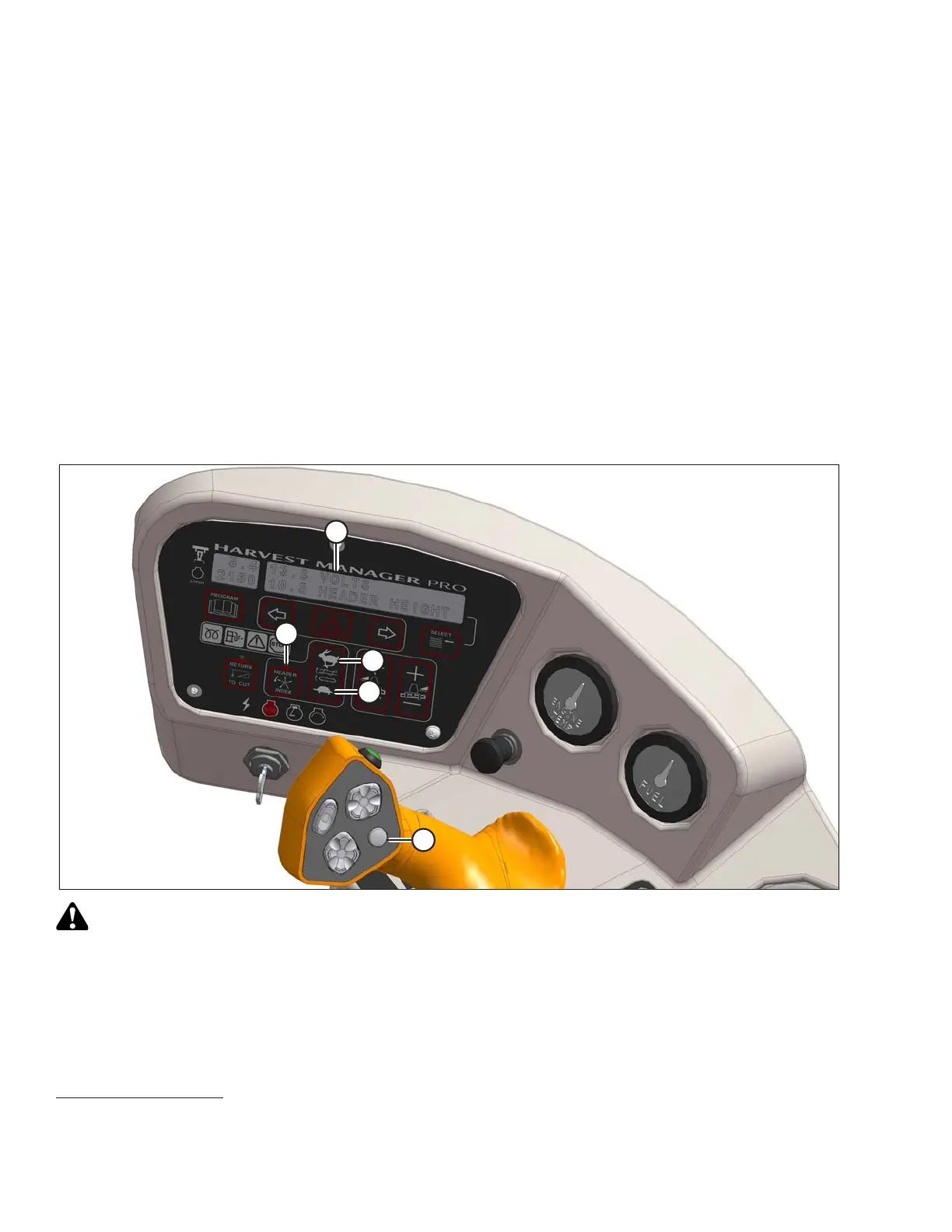
The reel speed adjustment range is from 50 to 85 rpm. Adjust the reel speed while the machine is in operation
as follows:
NOTE:
Any change to the reel speed will result in a change to auger speed.
1. Set HEADER INDEX switch (B) to OFF.
2. Press REEL SLOW (F) or REEL FAST (E) on the ground speed lever (GSL) until display (A) shows ##.##
REEL RPM with desired reel speed.
The displayed value (##.##) = reel speed (rpm or mph or km/h
27
).
Setting Reel to Ground Speed
Setting the speed of the reel relative to ground speed (using the header index function) automatically adjusts the
reel speed with changes to ground speed. Benefits may include improved crop flow and reduced operator fatigue.
Setting the reel to ground speed requires setting the minimum reel speed and the reel index.
Figure 4.237: Operator Console
CAUTION
Check to be sure all bystanders have cleared the area.
1. Set the minimum reel speed as follows:
IMPORTANT:
Set the minimum reel speed while stationary with the ground speed lever (GSL) in the N-DETENT position.
OPERATION
27. Depending on CDM programming.





 To Next Page