214603 367 Revision A
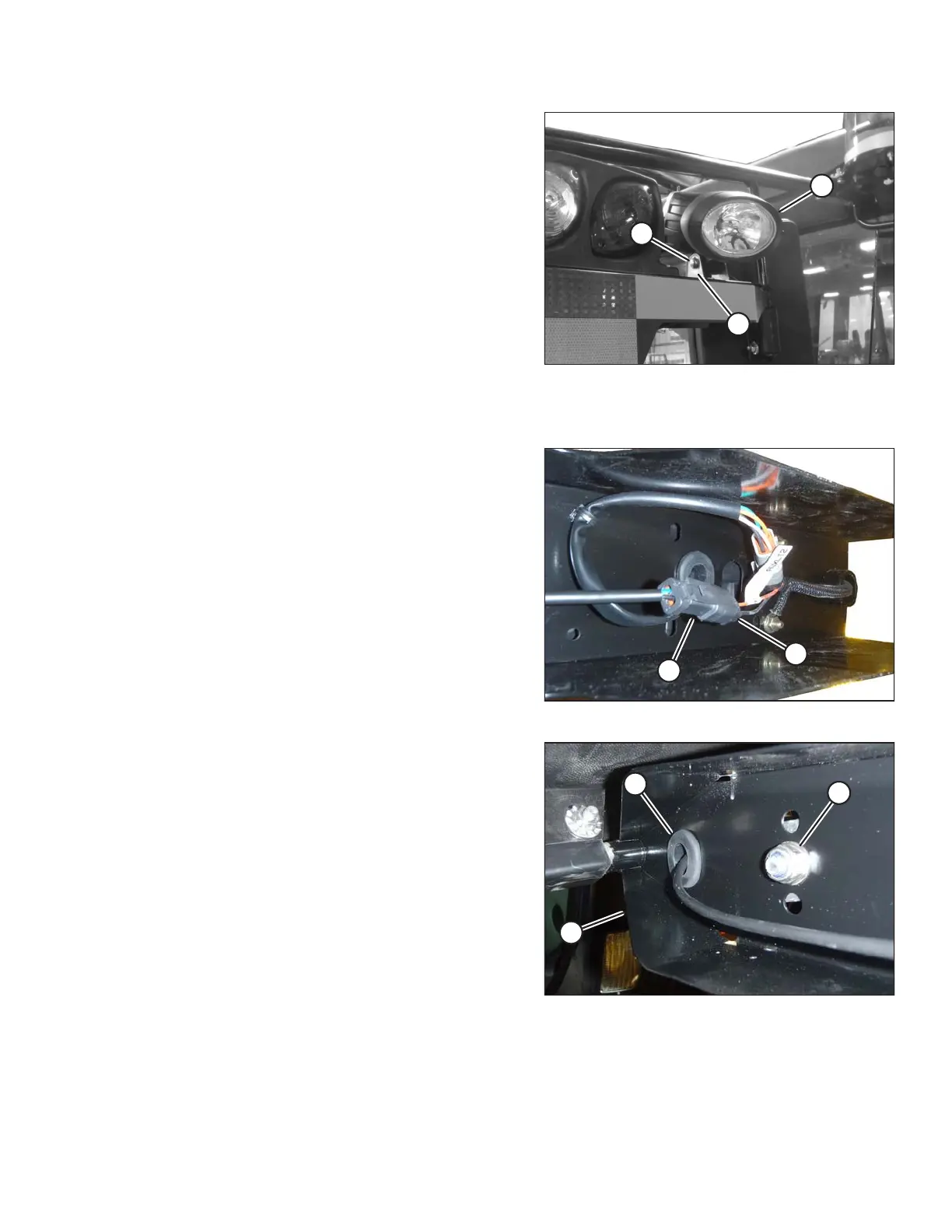
Figure 5.147: HID Auxiliary Lights
2. Remove the nut, spring washer, and bolt (A) that secure
the lamp (B) to lamp bracket (C).
3. Remove lamp (B).
4. Position the new lamp (B) in lamp bracket (C) and
secure with bolt (A), spring washer, and nut.
5. Adjust lamp (B) to desired position and tighten bolt (A).
To remove and replace the HID lamp assembly, follow these steps:
Figure 5.148: HID Auxiliary Light Harness
6. Disconnect lamp connector (A) from electrical
harness (B).
Figure 5.149: HID Light Assembly
7. Remove grommet (A) from light support (B).
8. Remove nut (C) and spring washer from inside light
support (B).
9. Remove the lamp assembly.
MAINTENANCE AND SERVICING





 To Next Page