Chapter 6
Adjustment and verification
Trimble S, VX, SPS & RTS Service Manual6 - 44 P/N 57150002, Revision 5.0
F
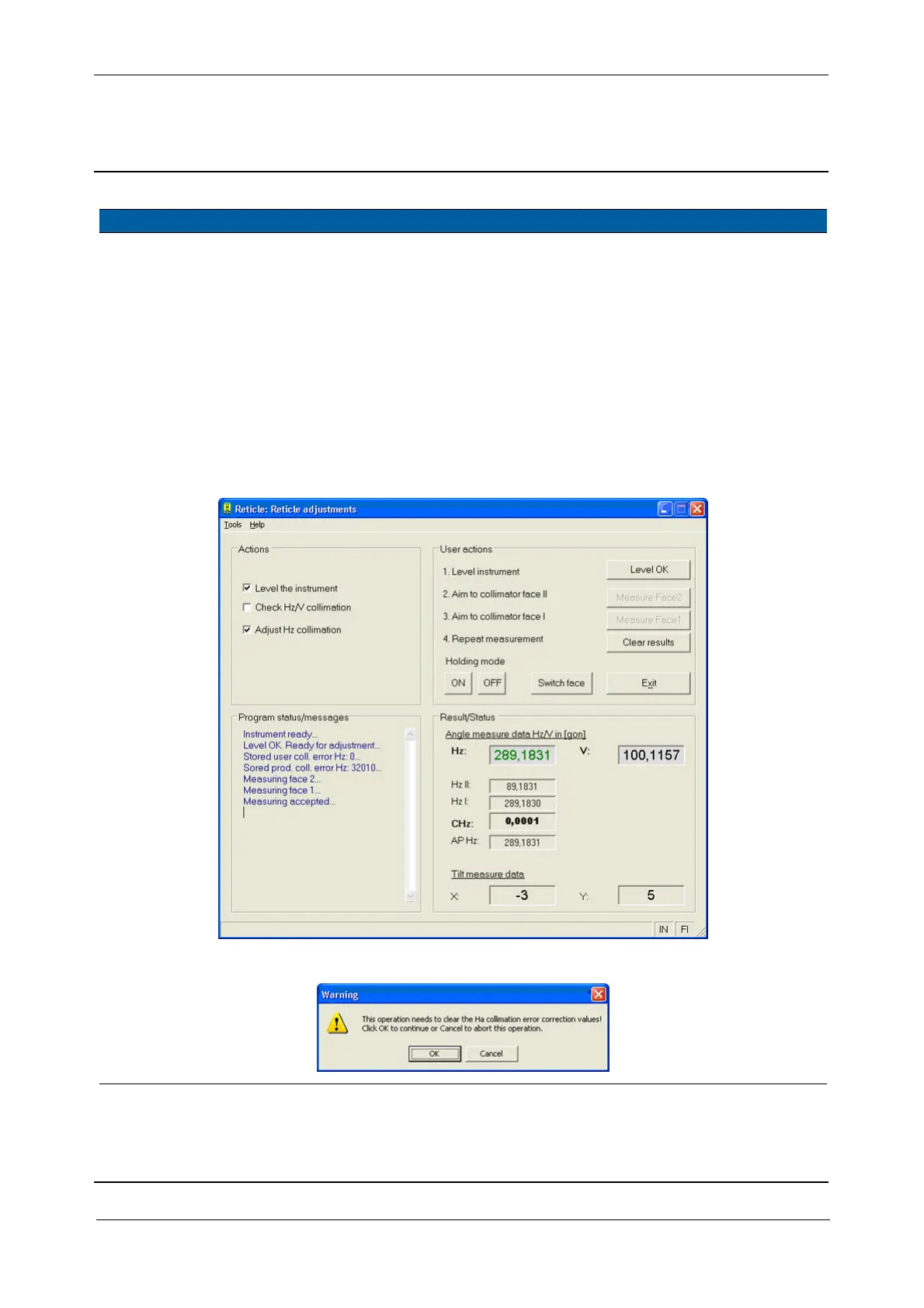
3 Start Reticle
adjustment software.
A. Select Reticle
adjustment
from
Reticle in Maintenance
& Service
, see Fig. 6-
34 on page 6-44 .
4 Level the instrument. A. Select
Level the
instrument
check box.
B. Adjust the footscrews
to get Tilt measure data
X- & Y-levels less than
10
C. Click
Level OK button.
Tilt measure data
> 10.
Fig. 6-34 Reticle adjustment
Fig. 6-35 Clear horizontal collimation values
Item Performance Description Result Notes



 To Next Page