Chapter 6
Adjustment and verification
Trimble S, VX, SPS & RTS Service Manual6 - 122 P/N 57150002, Revision 5.0
F
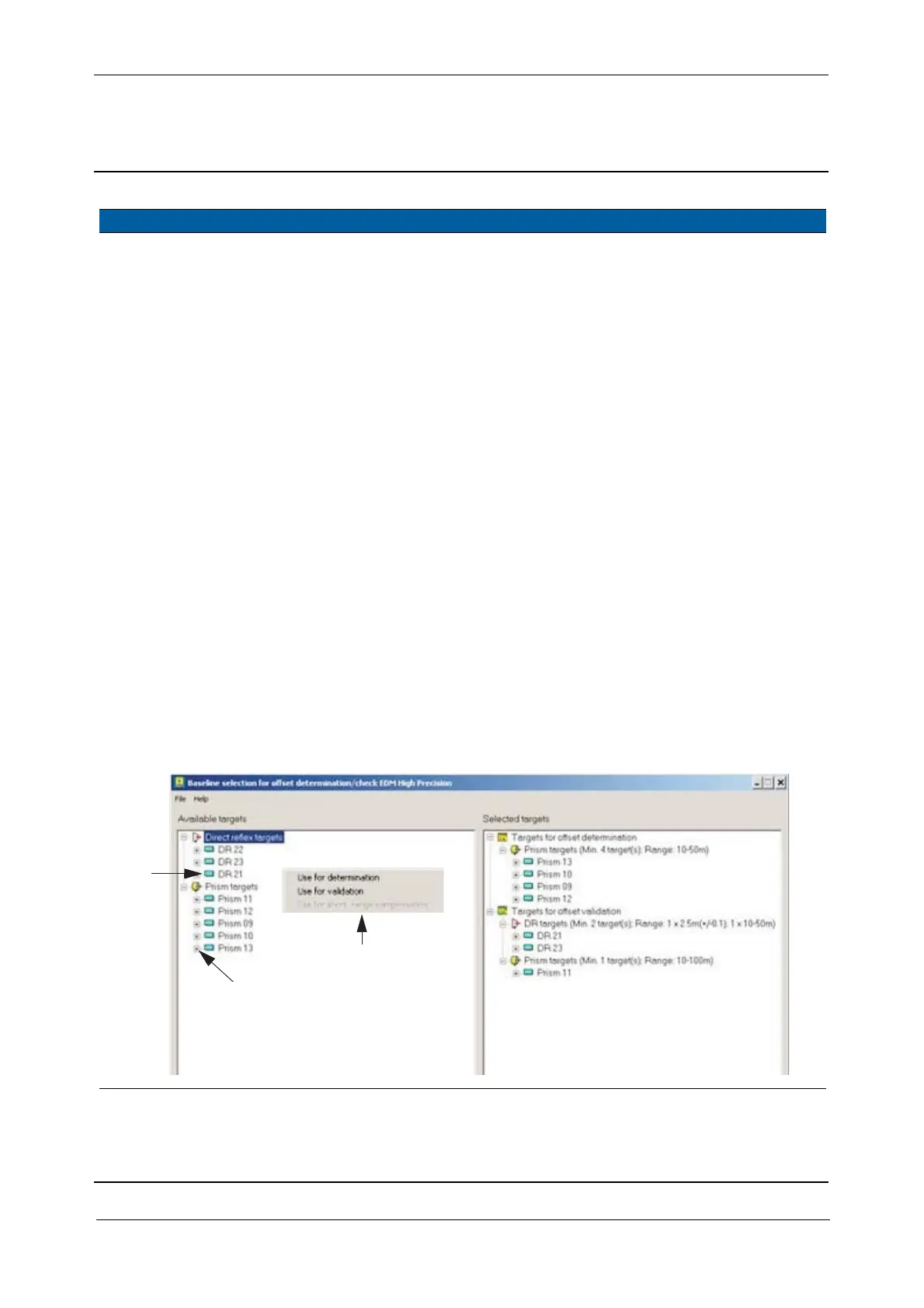
4 Assign Baselines. A. Click the appropriate
baselines on the left
side by a right mouse
key.
B. A sub menu appears
which offers three
destinations for the
baselines.
C. After the assignment is
completed click
File /
Save selection.
D. Click
File / Exit.
It is a precondition that the baselines have
been set in the Baseline editor. Otherwise
they will not appear on the left site.
See PASS user manual how to set
baselines in the Baseline editor.
Every single baseline from the left side
can be selected in any position on the
right side.
Baselines from the right side is used for
offset determination or control
measurement.
Attention:
If entries in the Baseline editor is changed
they are updated in the Baseline
selection.
5 Baselines
requirements.
The minimum number of Baselines are:
For determination: four prisms between 10 - 100 meter
For validation one prism between 10 - 100 meter
one DR target between 2,4 - 2,6 meter
one DR target between 15 - 50 meter
Note – Do not use the same targets for validation and determination,
the distance must be different.
Fig. 6-135 PASS dialogue Baselines selection for offset determination
Item Performance Description Result Notes
of the base lines
Click to see the properties
Destination
A
B



 To Next Page