6. EM GUI orientation
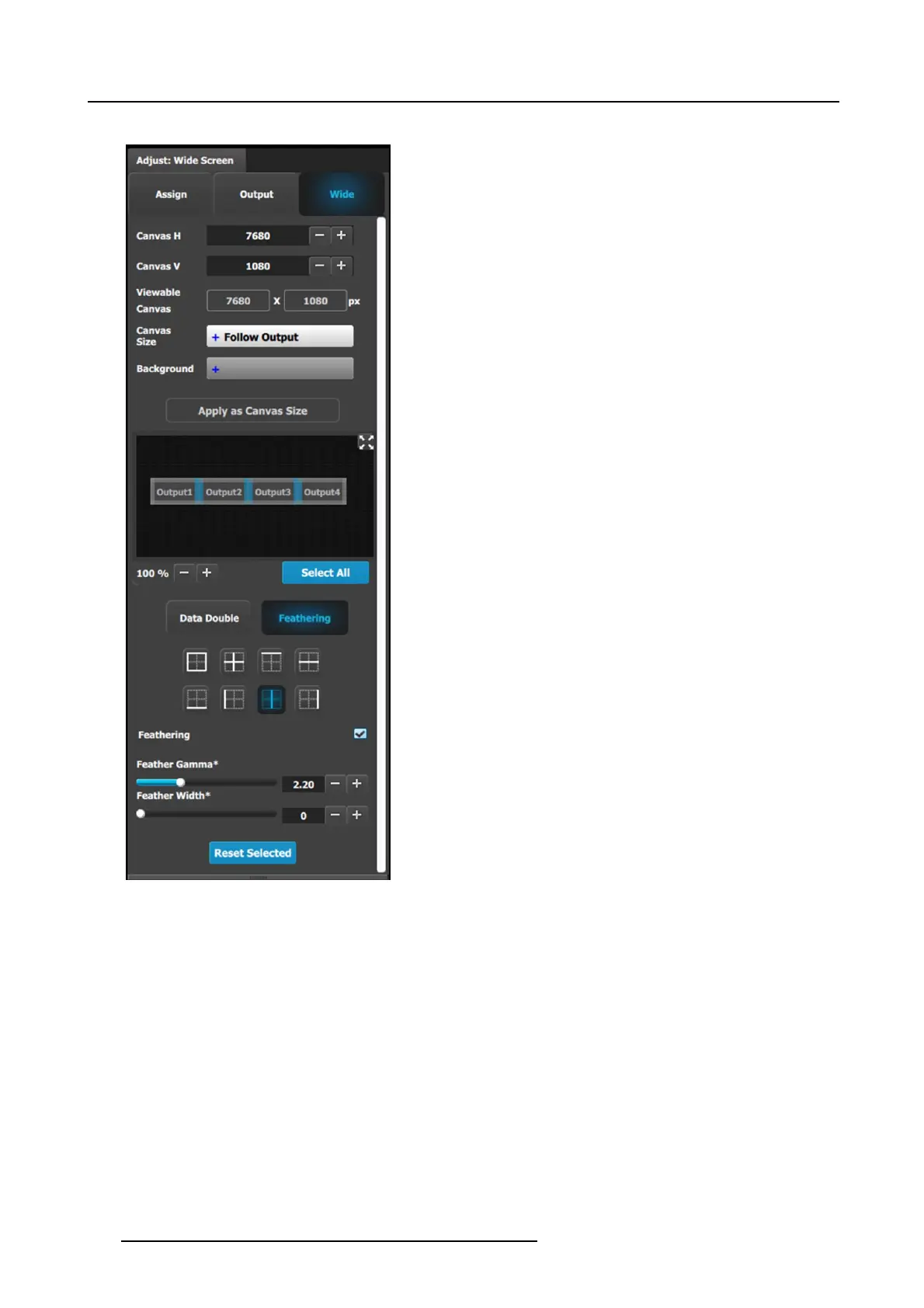
Feathering submenu
• Canvas shows the actual pixel ratio for the full blend.
• Select the r egion where feathering will be performed. All
edges can be separately selec ted and have a different
value of Feather and Gamma. The adjustment can be
made my moving the slider, entering the value manually in
the box or c lick on the plus and minus.
Note: The Feathering and Gamma sliders are disabled, until
at least one edge that can be feathered is s elected. Gray
edges are unselec ted; blue edges ar e selected.
• Activate or deactivate the feather for the selected e dge by
checking the Feathering checkbox.
• Adjust the Feathering Gamma (shape of the curve) and the
width of the feathering region.
• The icons above are shortcuts for edge selection.
• The Arrow icon allows the small w indows representation of
the blend to be copied to the w orkspace for ease of edge
selection.
138
R5905948 EVENT MASTER DEVICES 17/07/2017



 To Next Page