6. EM GUI orientation
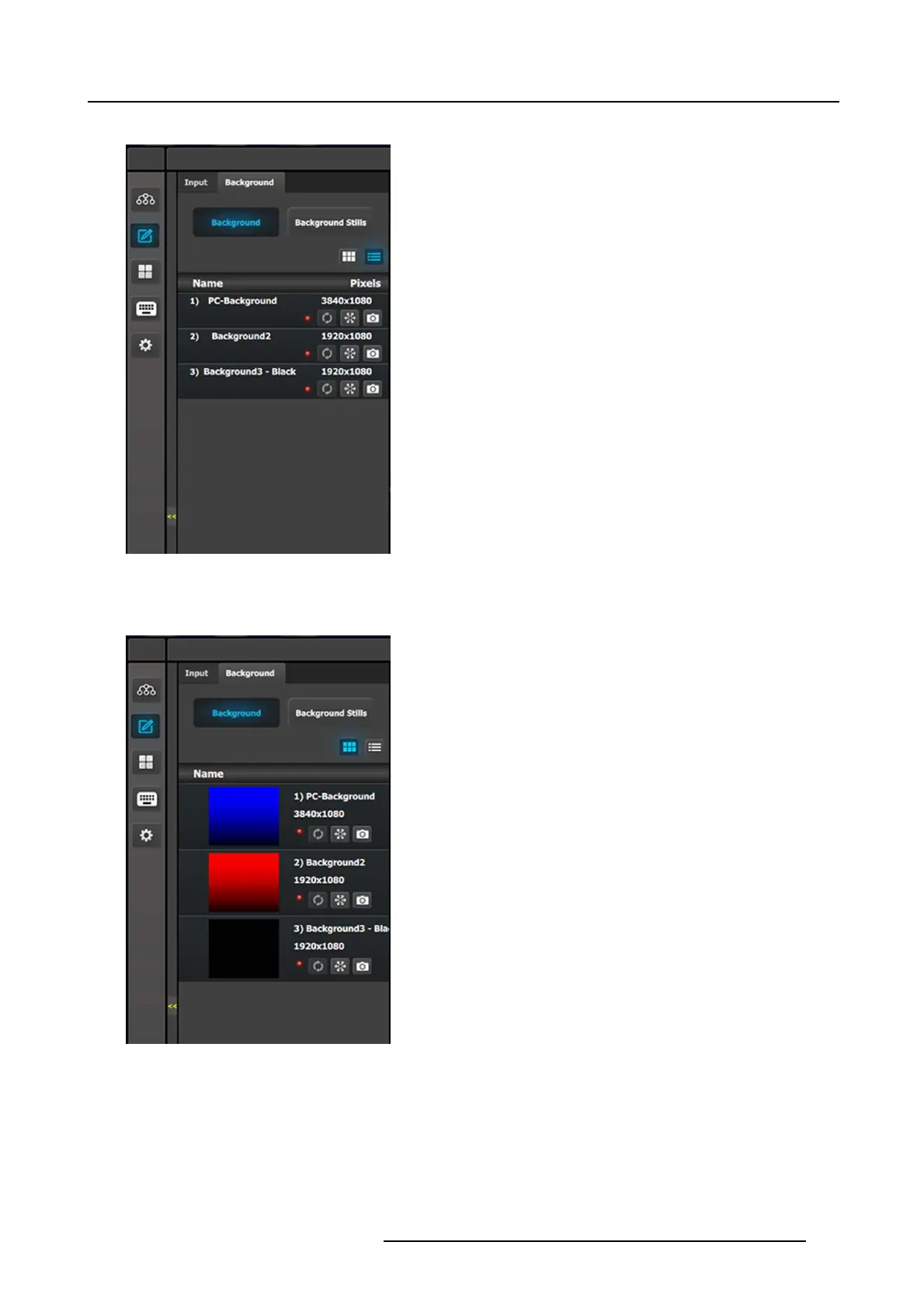
Background (List view)
• Name: This is the N ame of the Input as c reated in the
Configuration of the system.
• Resolution: This is the res olution of the Input signal.
• The LE D color indicates the status of the input:
- Red: Sync is missing or invalid form at.
- Green: Sync is valid.
• [Snowflake Icon] W ill freeze the input.
• [Camera Icon] Allows for a snapshot to be t aken and store
it as Still.
Thumbnails are added manually and in the future added from t
he Event M aster series processor to the GUI. From Release 1.5 this
works for Stillstores.
Background (Thumbnail view)
• Behavior is similar to the List View mode (see above).
By clicking in thumbnail area im ages can be imported using the file pic ker menu. The picker can select pictures with the BMP, JPG
or PNG format.
Background Stills
In this menu, Background Stills captured in the Bac kground Source me nu are assigned to destinations via drag and drop procedure.
Background Stills and Destinations need to ha ve the same reso lution including the Destinations eventual blend overlap. For exam-
ple, if a bac kground Stillstore is captured as 3500 x 108 0, then the destination must also have the blend resolution of 3500 x 1080.
R5905948 EVENT MASTER DEVICES 17/07/2017
159


 To Next Page
 Loading...




