6. EM GUI orientation
Diagnostic subtab
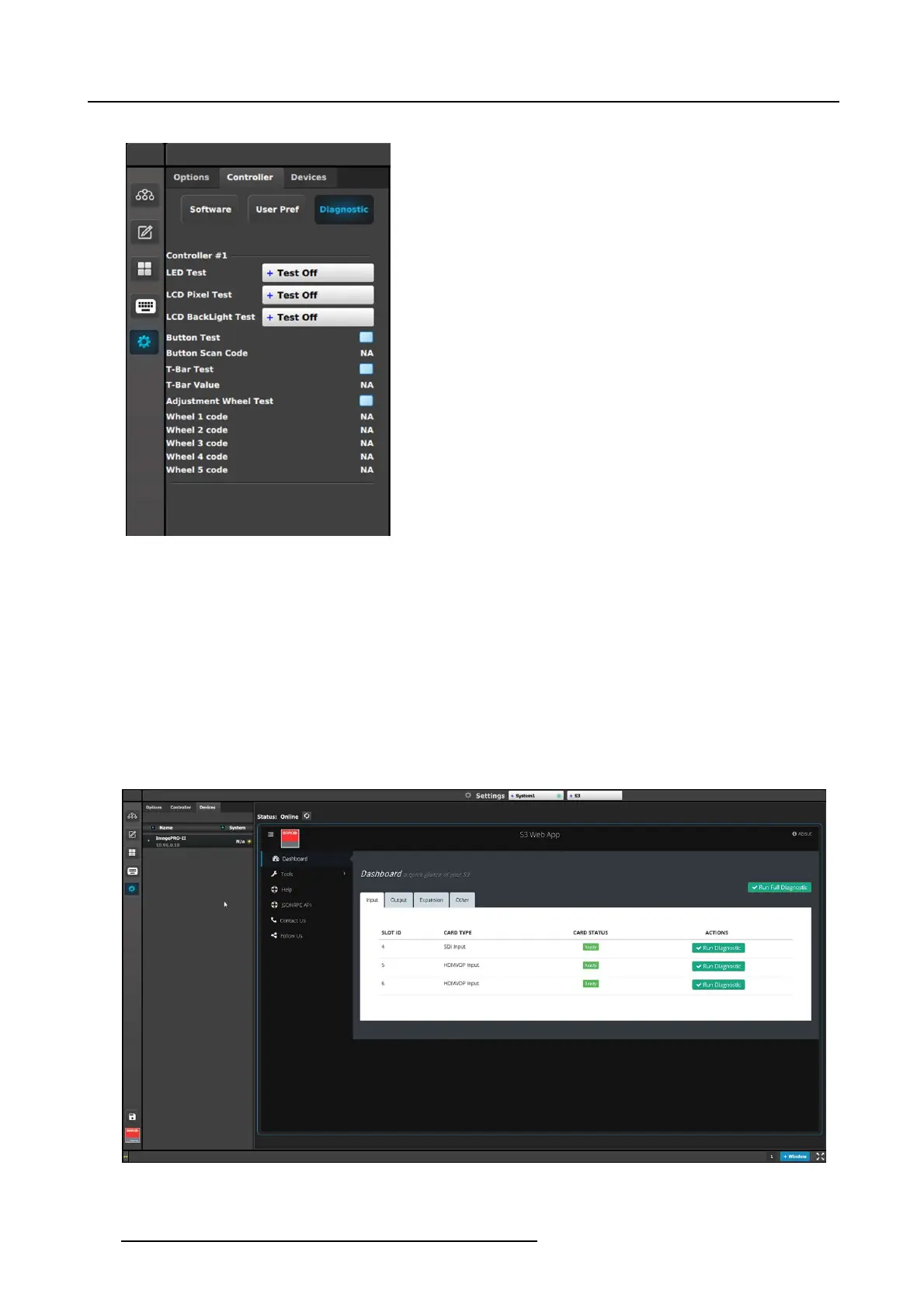
Controller tab: Diagnostic subtab
This panel dis plays test controls for each detected controller.
• LED Test:
- Test Off: LEDs are returned to normal be havior.
- All Blue/Red: Turns on all blue and red LEDs; other
LEDs are turned off.
- All Green: Turns on a ll green LEDs; other LE Ds are
turned off.
• LCD Pixel Test:
- Test Off: LCD text is returned to normal behav ior.
- All: All LCD displays are filled (all 256 bits are enabled).
• LCD Backlight Test:
- Test Off: LCD colors are returned to normal behavior.
- Red: Only LCD red color is turned o n.
- Green: Only LCD green color is turned on.
- Blue: Only LCD blue color is turned o n.
- All: LCD red, green, and blue colors are all turned on.
• Bu tton Tes t:
- Checkbox checked: The test is on.
When the test is on, do not trigger the behavior of the
button. For example, if a b utton is mapped to a P reset,
do not recall that Pre set.
- Button S can Code: Pressing a button on the controller
shows the button number returned by the API (in place
of the “NA”).
• T-Bar Test:
- Checkbox checked: The test is on.
- T-Bar Value: Moving the T-Bar shows the number
returned by the API as the T-Bar changes positions.
• Adjustment Wheel Test:
- Checkbox checked: The test is on.
- When the test is on, rotating the wheel shows the
number returned by the API.
Description of the Devices tab of the Resources area
The Devices tab lists devices, such as projectors, that are connected to the system. D evices such as other processors (E2, S3–4K,
EX,etc.) areDiscoveredontheConfiguration menu Disco vered list.
Image 6-89
Devices tab
204 R5905948 EVENT MASTER DEVICES 17/07/2017



 To Next Page