6. EM GUI orientation
Software subtab
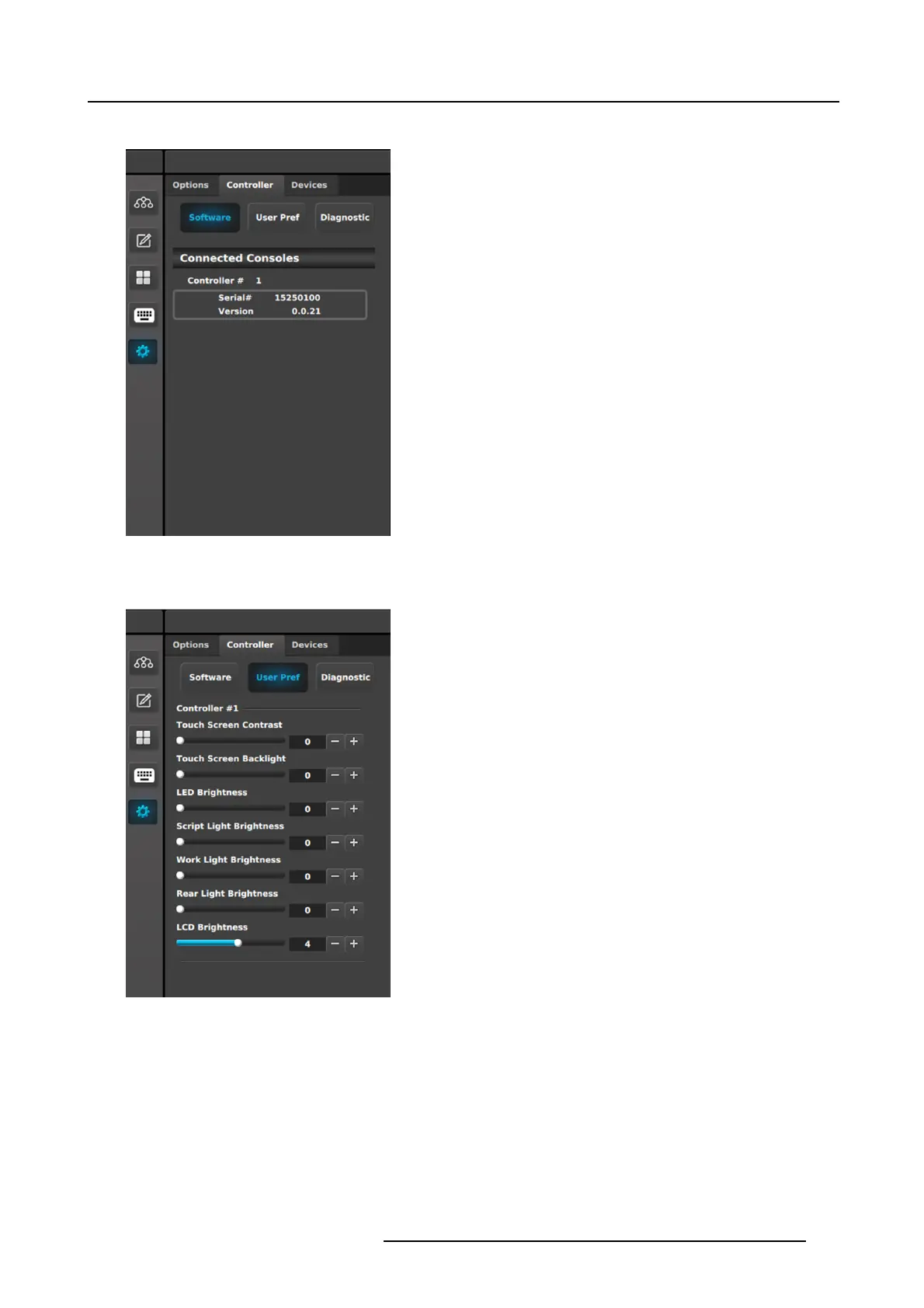
Controller tab: Software subtab
This panel displays the serial nu mber and the s oftware version
for each detected controller.
When the C o ntroller > Software subtab is selected in the
Resources area, the Web App area shows the E C-200 web app.
The user can upgrade the EC-200 software through the EC-200
web app.
User Pref subtab
Controller tab: User Pref subtab
This panel displays the user-define d preferences for each
detected controller. The us er can also adjust the preferences
in this panel.
• Touch Screen Contrast: Ch ange the contrast of the touch
screen displays. Range is 0–100.
• Touch Screen Backlight: Change backlight brightness of
the touch screen displays. Range is 0–100.
• LED Brightness: Change the brightness of the LEDs
under the buttons. Range is 0–6000.
• Script Light B rightness: Change the brightness of the
LED script lights. Range is 0–16000.
• Work Light Brightness: Change the brightness
of the
white LEDs on the front bottom of the controller. Range
is 0–16000 .
• Rear Light Brightness: Change the brightness o f the red
LEDs on the rear top of the controller. Ran ge is 0–16000.
• LCD Brightness: Chan ge the LCD display brightness.
Range is 0–7.
R5905948 EVENT MASTER DEVICES 17/07/2017
203



 To Next Page