5. Front Panel Menu orientation
Cards
Image 5-21
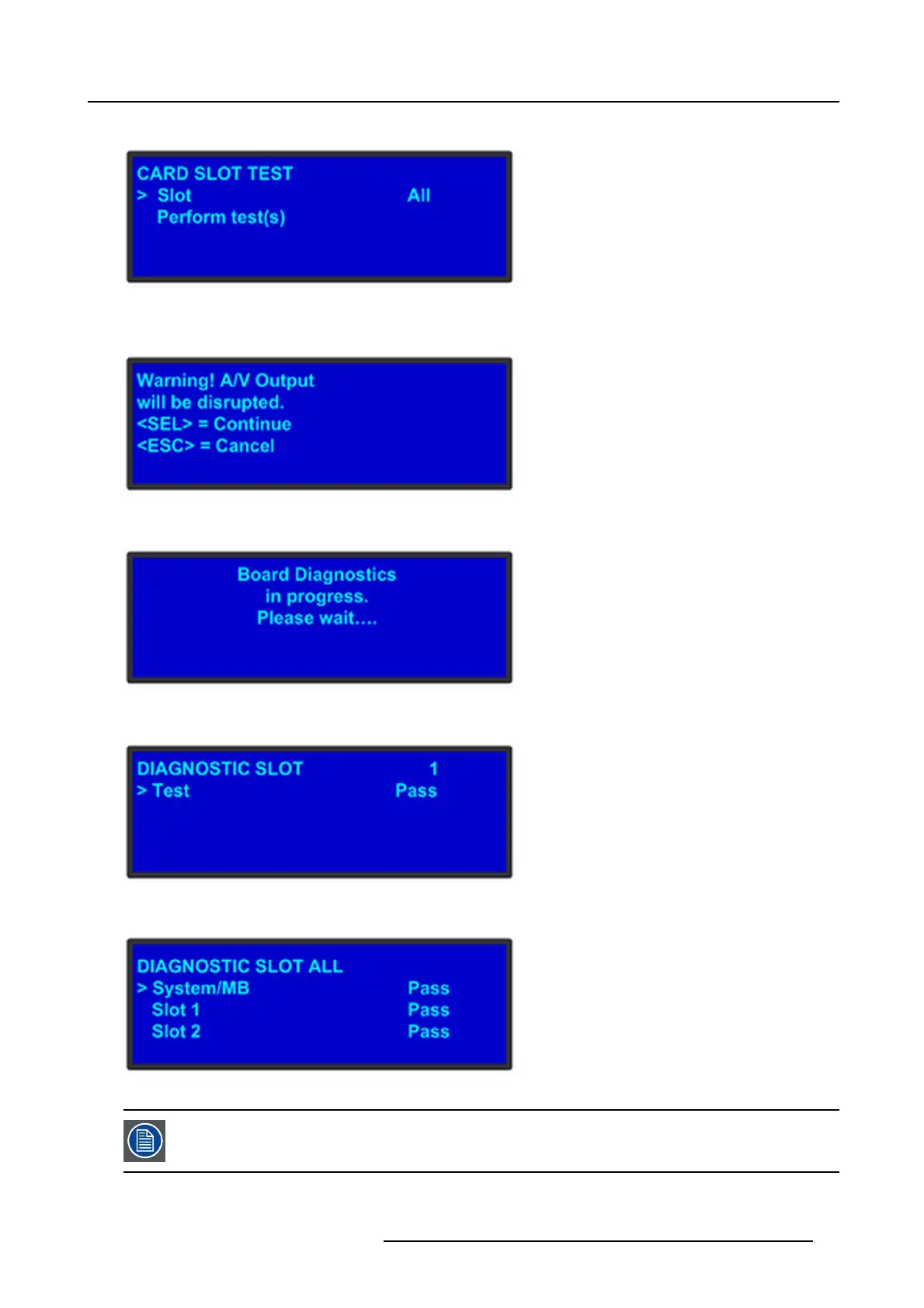
The Car d Slot test will perform a variety of diagnostics for an individual card or for all c ards. This is a quic k way to determine if a g iven
card is having a problem. After selecting a Slot number or choosing All cards to be tested, the f
ollowing message will be displayed.
Image 5-22
Pressing SEL to continue will start the diagnostic testing. The following message will be displayed.
Image 5-23
If only one slot was selected for testing, a simply PASS/FAIL result will be shown for that slot.
Image 5-24
If all slots were selected for testing, the PASS/FA IL result will be shown for all s lots.
Image 5-25
If a slo t is not populated w ith a card, t he result will show E MP TY.
R5905948 EVENT MASTER DEVICES 17/07/2017 79



 To Next Page