Phaser 6300/6350/6360 Color Laser Printer Service Manual 8-95
Service Parts Disassembly
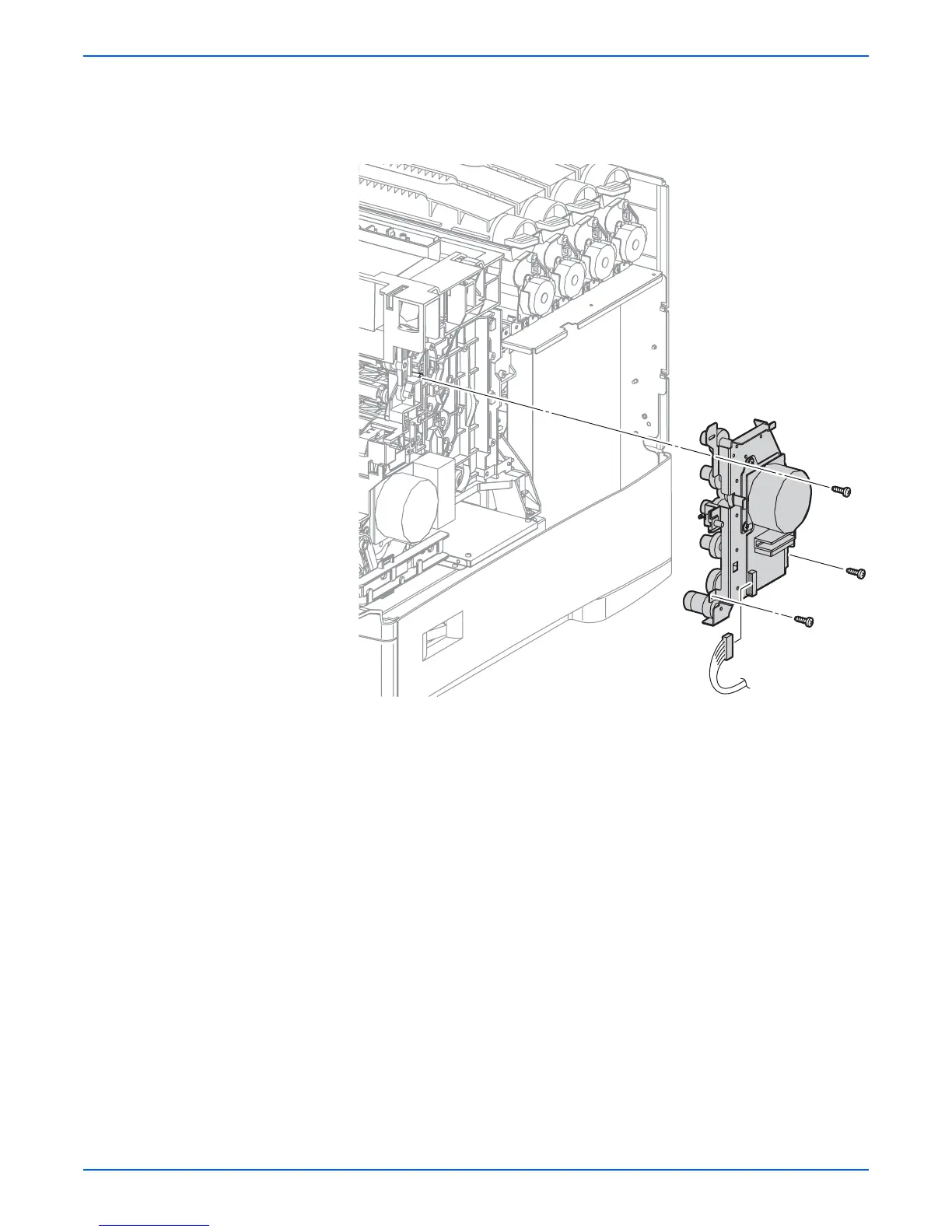
7. Unplug connector (P/J491) from the Developer Drive Assembly.
8. Remove the 3 screws (silver, tap 10 mm) that secure the Developer Drive
Assembly to the printer and remove.
Replacement Note
Position the Interlock Switch on the boss provided on the frame. Also,
when replacing the motor, rotate the motor housing to engage the
drive gears. Verify that the gears are engaged before installing the
screws
s6360-21
P/J491

















 To Next Page