Phaser 6300/6350/6360 Color Laser Printer Service Manual 8-125
Service Parts Disassembly
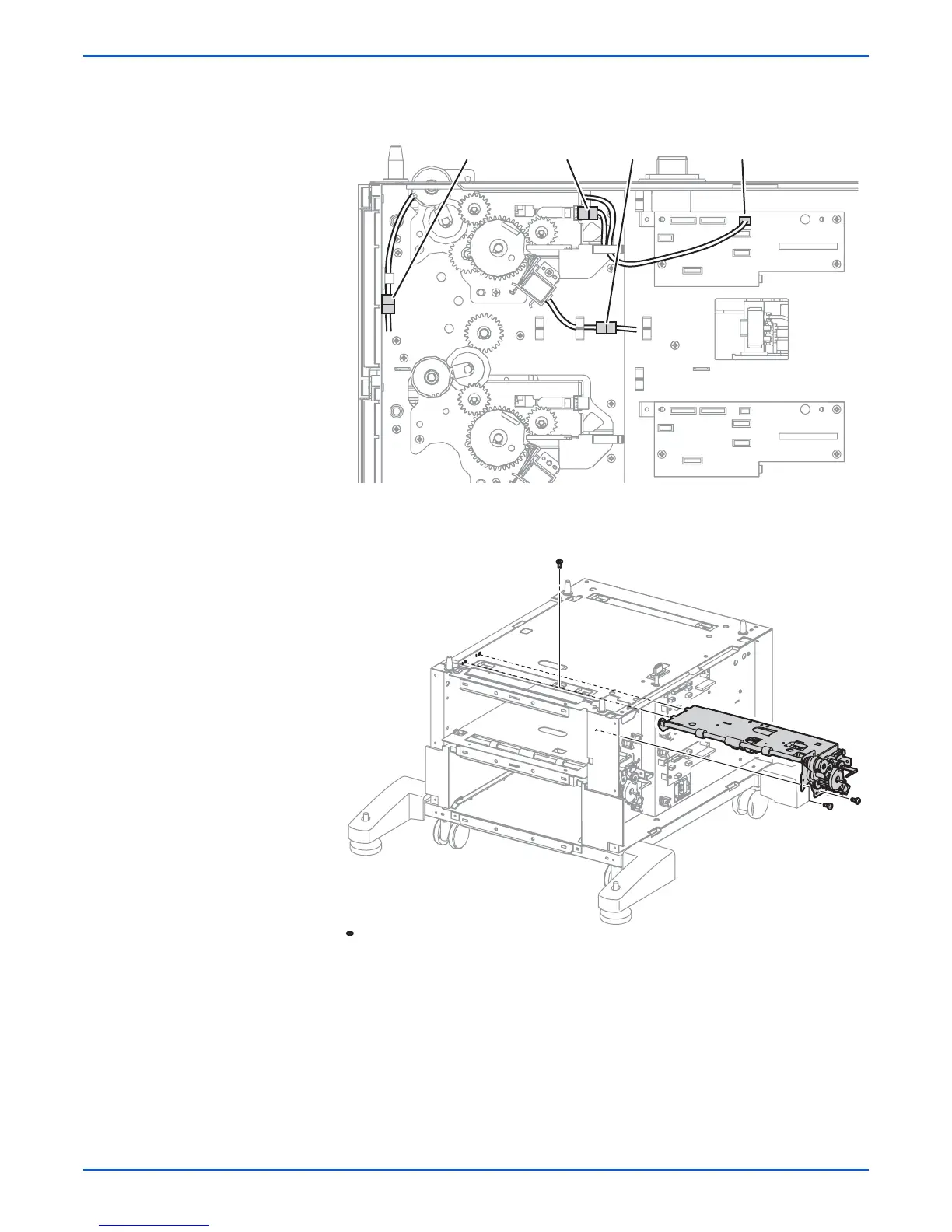
14. Disconnect the Turn Roller Clutch connector (P/J825) and remove the
harness from the clamp.
15. Remove 3 screws (metal, 6 mm) that secure the Paper Pick Assembly
HCF T1 to the frame, and remove the assembly from the right.
s6360-261
P/J822P/J825 P/J81P/J824
s6360-263

















 To Next Page