6. EM GUI orientation
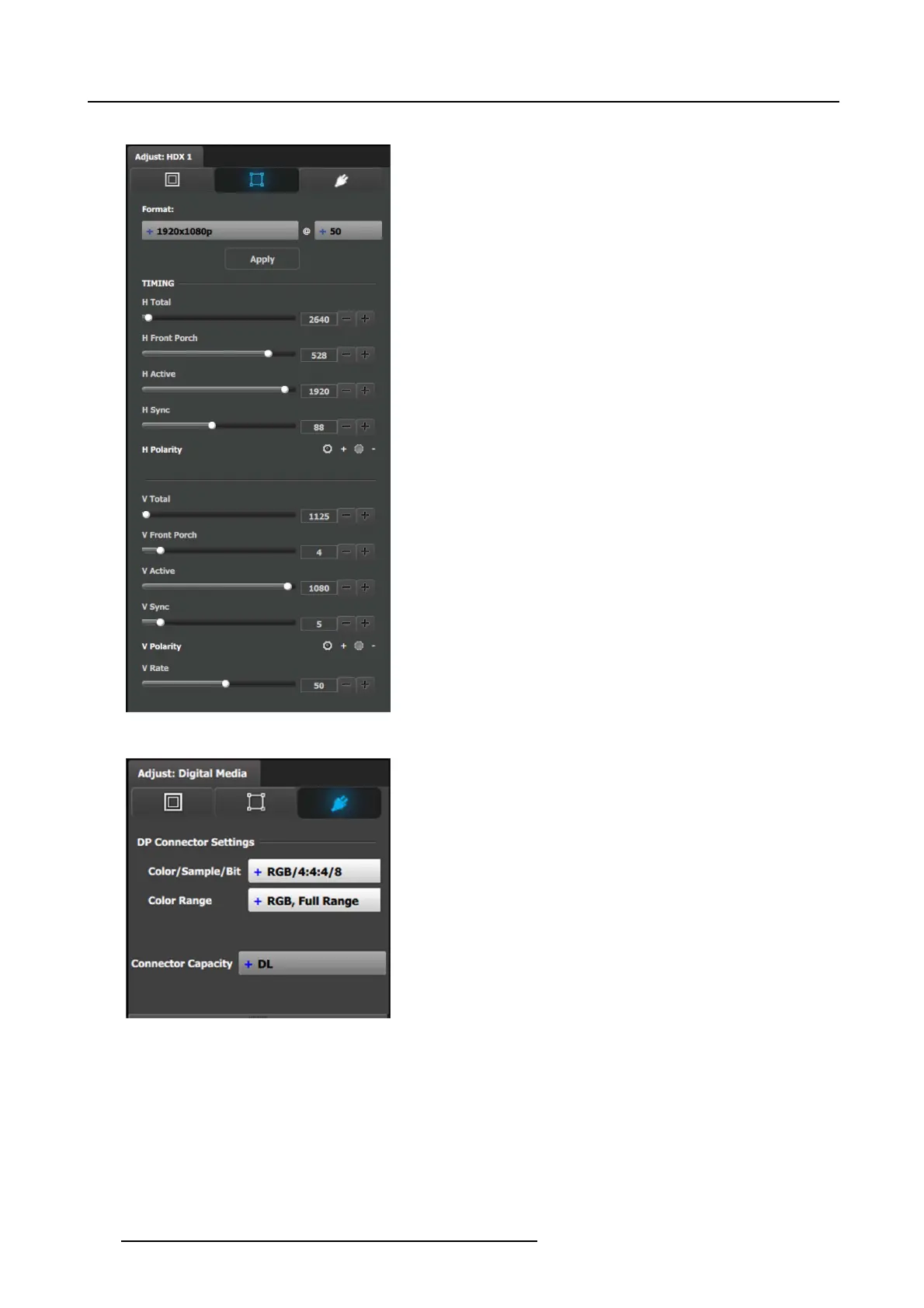
Output adjustment panel > Timing Menu
• Format: Selects the video format of the output configu ration
from the drop m enu. This is the same adjustment as in the
previous menu.
• H Total: Adjusts (in pixels) the total pixel count per line for
the selected output.
• H Front Porch: Adjusts (in pixels) the offset between the
end of the output active are a and the beg inning of H sync.
• H Active: Adjusts (in pixels ) the horizontal size of the output
active area.
• H Sync: A djusts (in pixels) the H sync width.
• H Polarity: Adjusts the polarity (active High or Low) of th e
horizontal s ync pulse (N /A in SDI).
• V Total: A djusts (in lines) the total line count per frame.
• V Front Porch: A djusts (in lines) the offset between the end
of the output active area and the beginning of V sync.
• V Active: Adjusts (in lines) the vertical size of the output
active area.
• V Sync: Adjus ts (in lines) the V sync width.
• V Polarity: Adjusts the polarity (active High or Low) of the
vertical syn c pulse (N / A in SDI).
• V Rate: Adjusts the frame rate in seco nds polarity ( active
High or Low) of the vertical sync pulse (N/A in SDI).
Note: Changing th ese values can make the video signal
undetectable for other de vices. Always use a VESA timing
calculator for best results.
Output adjustment panel > Connector Menu
Connector Menu: O utput Adjustment— DP
• Color/Sample/Bit: Adjusts the co lor space (RGB or YCbCr),
sampling rate (4:4:4) and bit depth (8, 10, or 12) of the
output signal.
• Color Range: Adjusts t he color rang
e(RGBorSMPTE,
Full or Reduced).
• Connector Capacity: If the connector is not assigned to a
Destination as above, the capacity can be changed. O nce
included in a Destination configuration this need s to be
managed thru the Adjust pane of the Des tination.
124 R5905948 EVENT MASTER DEVICES 17/07/2017



 To Next Page