6. EM GUI orientation
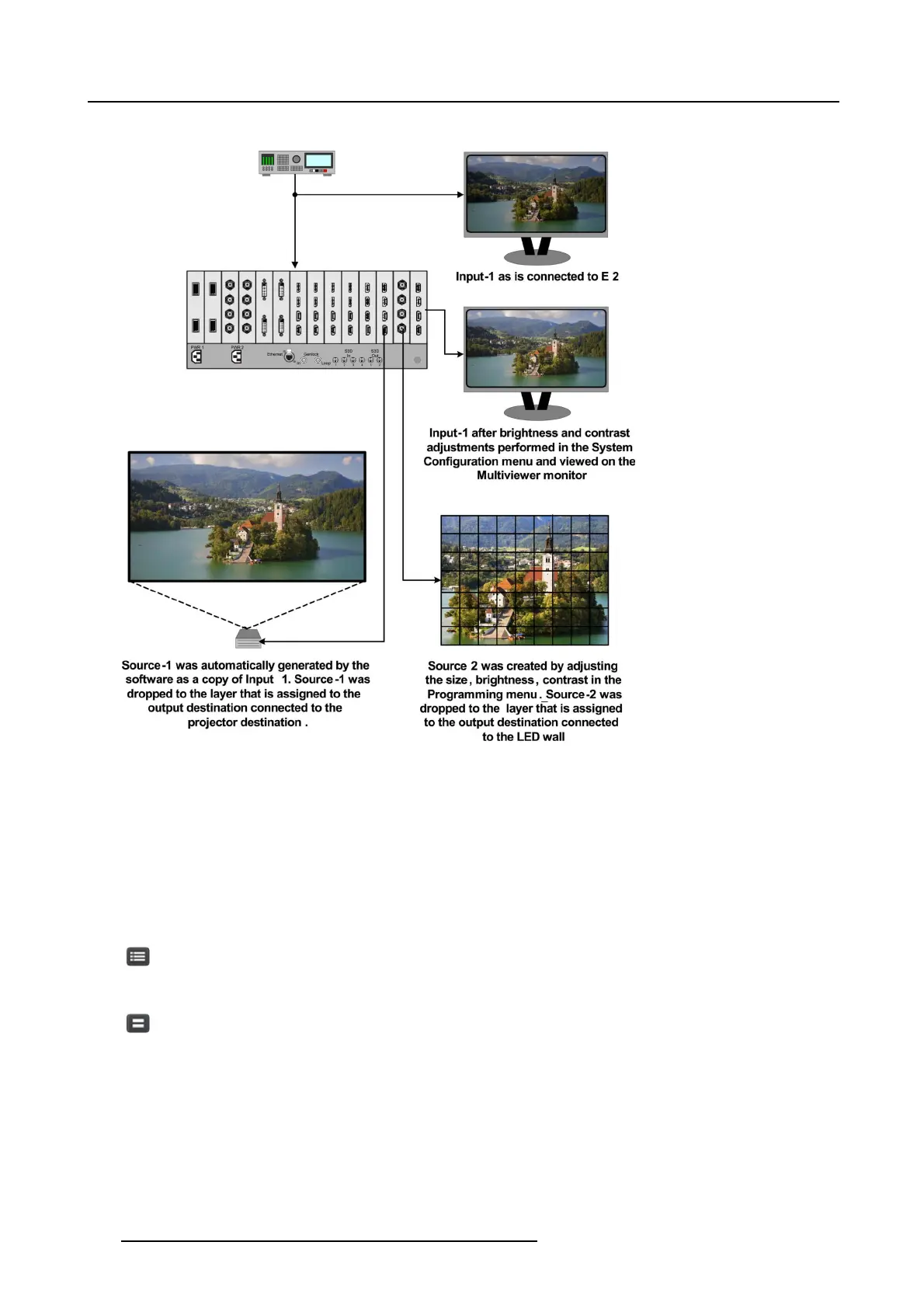
Input, Sources and layer example
Image 6-40
Source Area description
In this menu, Sources defined in the C onfigur ation m enu are ass igned to des tinations via drag and drop procedure. Each input has
minimum one Source file, s everal c an be created via copy or iginal (Plus Icon)orcopyfile (Double Page Icon).
There are 2 tabs in this section:
• Source: Lists Inputs and Sources available in the system. S ources are listed after the input and ca n be view by clicking on the
arrow next to the Input name. S tills and De stinations can also be us ed as s ource s.
• Background: Lists backgrounds and background still s tores available for destinations.
For eac h of these lists two display modes are available. Toggle the view by c licking on appropriate icon:
List View
Thumbnail View
152
R5905948 EVENT MASTER DEVICES 17/07/2017



 To Next Page