6. EM GUI orientation
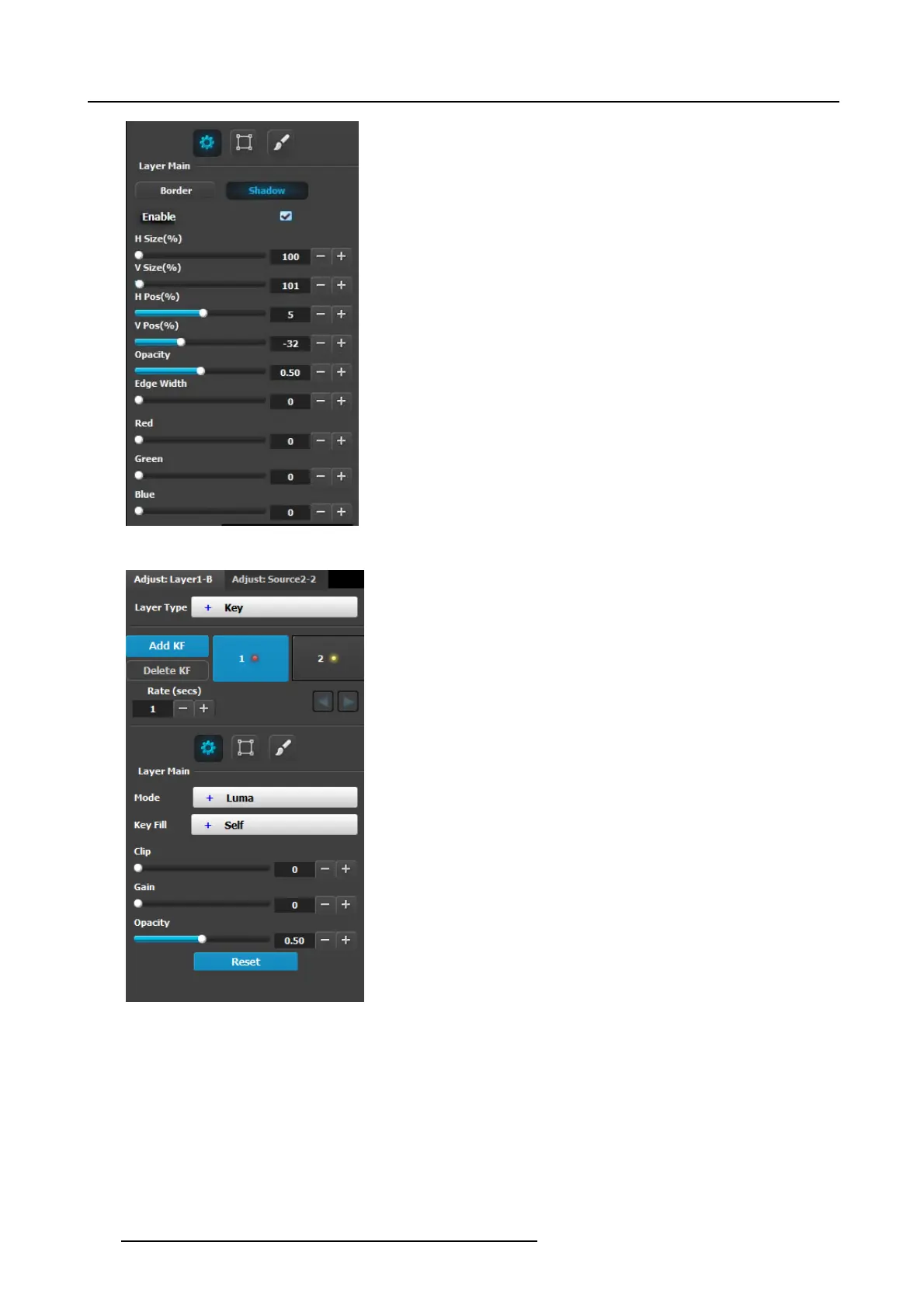
The following functions are provided:
• Enables or disables the PIP’s shadow.
• H Size (%): Adjusts the shadow’s horizontal size as a
percentage of the PIP’s size.
• V Size (%): Adjusts the shadow’s vertical siz e as a
percentage of the PIP’s size.
• H Po s(pixel): Adjusts the shadow’s horizontal position in
pixels.
• V Pos(pixel): Adjusts the shadow’s vertical position in
pixels.
• Opacity: Adjusts transparency, from 0 (transparent) to
1024 (opaque).
• Edge Width: A djusts the width of s hadow creating a halo
type of an effect.
• Color Selection: Adjusts the s hadow’s color with the help
of the s lider, or with the color wheel.
Layer type = Key; Mode = Luma
A Luma (Luminance) Key is one in which the hole-cutting
information is derived from the luminance (brightness) level of
the key source.
Source on the Key Bus can be selected as the “cut.” You can
select S elf or Matte, Preset B us or Split for the “fill” sour ce.
Clip: Adjust the threshold of the video that “cuts” into the
background. A hole is cut into the background anywhere that
foreground lum inance is greater than the clip level.
• Range: 0.00 to 1.00, in .01 incremen ts
• Default: 50.00
Gain: Adjus t the sensitivity of the key, enabling you to c hange
the sharpness of the keyed image. G ain only affects the ed ge of
the key hole, as set by the clip.
• Range: 0.00 to 1.00, in .01 incremen ts
•Default:1.0
Opacity: A djusts the opacity of the keyed image, from fully
opaque to fully transparent.
• Range: 0.00 to 100.00, in .01 increments
• Default: 100.00
Reset: Press to return all clip, gain and o pacity settings to their
default v alues.
174
R5905948 EVENT MASTER DEVICES 17/07/2017



 To Next Page