EZ-USB FX3 Technical Reference Manual, Document Number: 001-76074 Rev. *F 130
General Programmable Interface II (GPIF II)
■ Counter type: Up counter/Down counter-The counter can be configured to count in ascending/descending order.
■ Counter load value-The initial count loaded when this action is performed.
■ Counter limit value-The count value at which the event should be generated.
■ Reload counter on reaching limit-The count load value can be reloaded when the count limit value is hit by selecting this
parameter.
■ Counter mask event-If this option is not selected, a firmware event is generated when the counter limit is reached.
■ Counter step value-The counter step value that should be added/subtracted each time the COUNT_CTRL action is used.
7.4.1.10 Action - COUNT_ADDR
This action updates the address counter value with the step value configured through the LD_ADDR_COUNT action. The
ADDR_CNT_HIT trigger will become true if this update results in the count reaching the specified limit.
Note that there are no parameters associated with this action.
7.4.1.11 Action - COUNT_DATA
This action updates the data counter value with the step value configured through the LD_DATA_COUNT action. The
DATA_CNT_HIT trigger will become true if this update results in the count reaching the specified limit.
Note that there are no parameters associated with this action.
7.4.1.12 Action - COUNT_CTRL
This action updates the control counter value with the step value configured through the LD_CTRL_COUNT action. The
CTRL_CNT_HIT trigger will become true if this update results in the count reaching the specified limit.
Note that there are no parameters associated with this action.
7.4.1.13 Action - CMP_ADDR
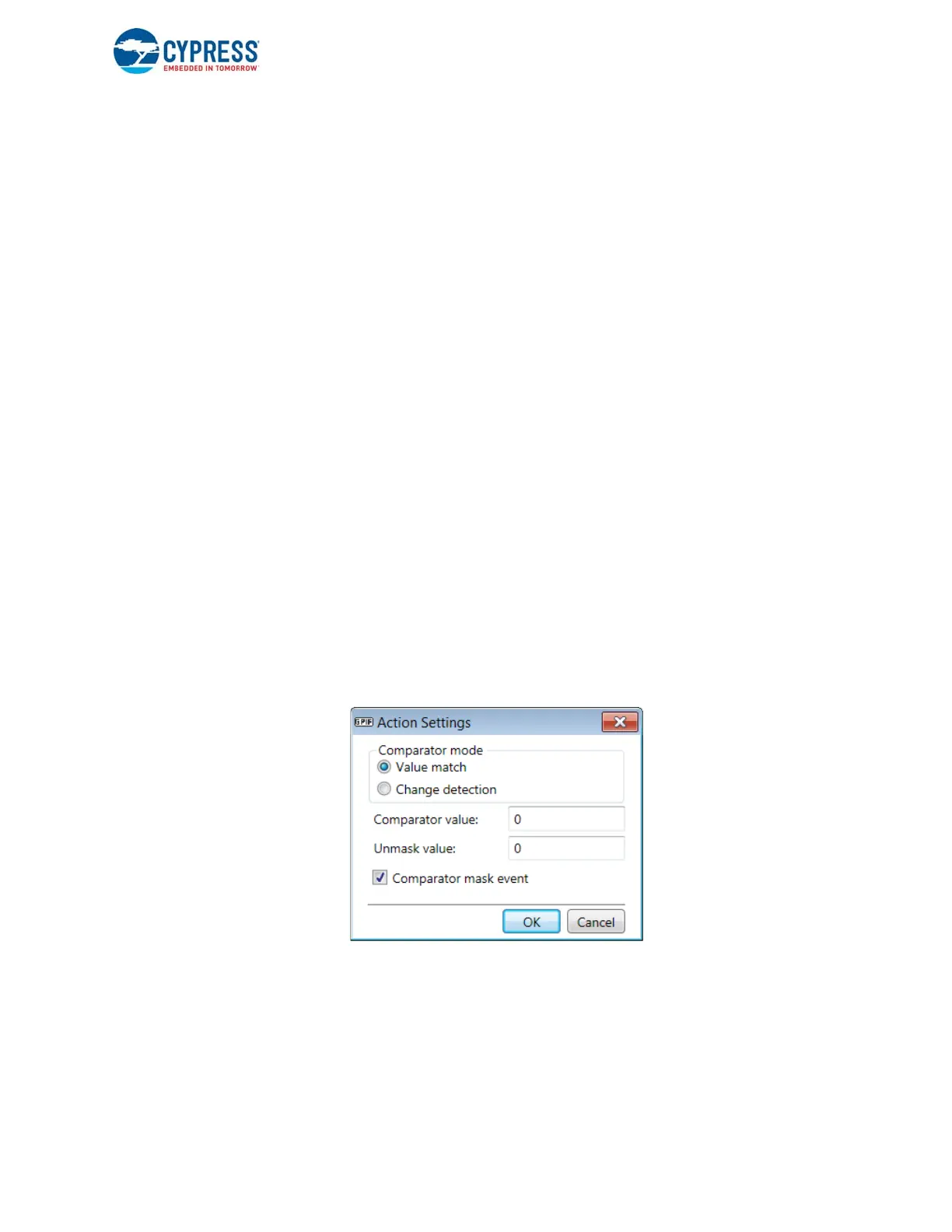
This action compares the address sampled with the specified comparison value.
Figure 7-13. CMP_ADDR Action Settings Dialog Box
The following parameters are associated with this action:
■ Comparator mode-In Value match mode, compares the current address value with the comparator value. In Change
detection mode, any change in the address value will cause a comparator match.
■ Unmask value-Use this value to unmask the bits to be compared.
■ Comparison value-Value against which to compare the address.
■ Comparator mask event-When you deselect this parameter, it will cause an event to be generated to the firmware applica-
tion on a comparator match.


 To Next Page
 Loading...