Repairs/Adjustments 08/20/2015 GBC AdvancedPunch Pro
4-46
REP 2.13 Flange Ball Bearing Replacement
PARTS LIST ON PL 3.4
Use this procedure to remove and install a Flange Ball Bearing Part #
013N13948 or 013N13946).
1. Switch power OFF to entire printing system.
2. Disconnect the Power Cord.
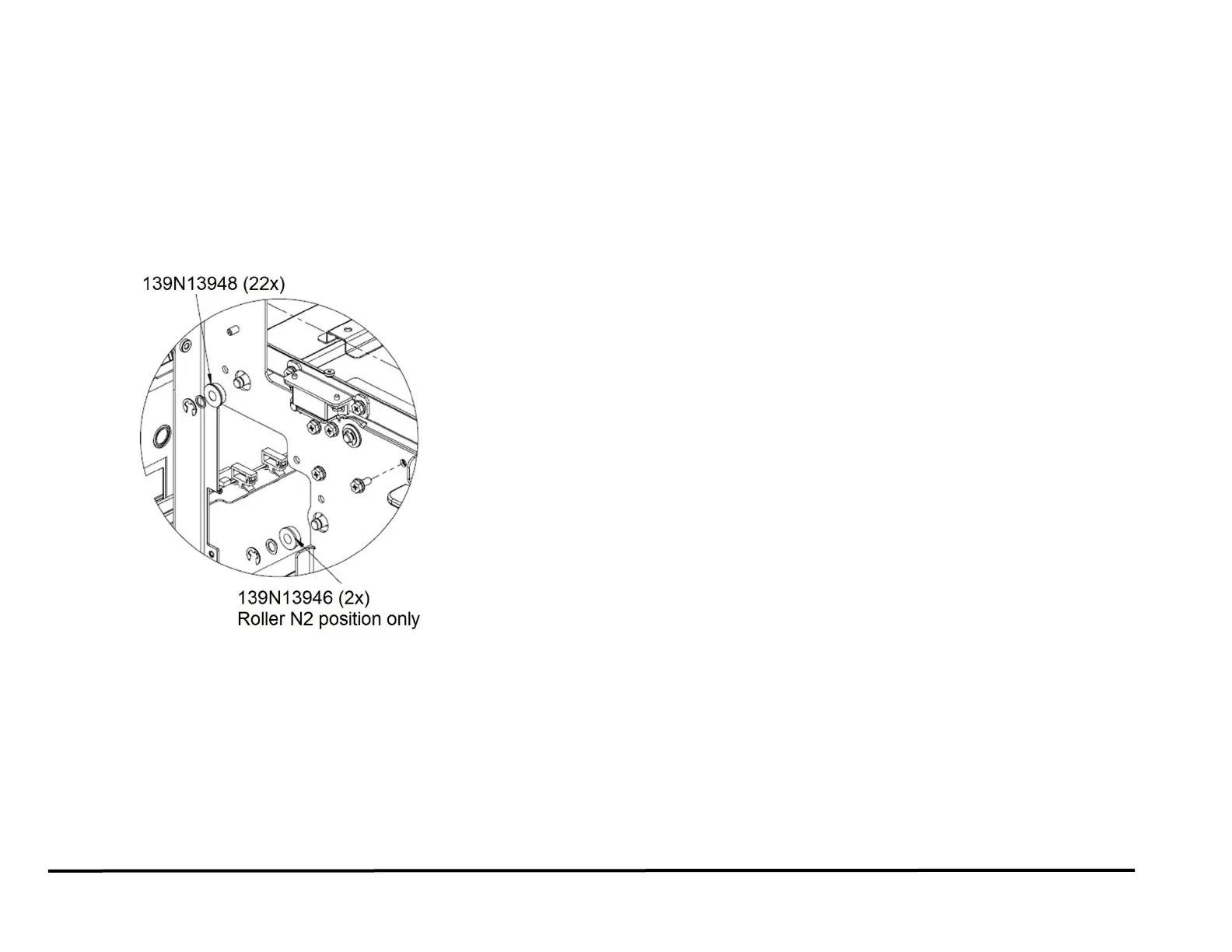
3. Locate the Flange Ball Bearing.
There are 22 Flange Ball Bearings (Pt # 013N13948) on the
Frame
(PL 3.4).
There are 2 Flange Ball Bearings (Pt # 013N13946) on the Frame
(PL 3.4).
4. Remove the E-Ring.
5. Remove the Flat Washer.
6. Remove the Flange Ball Bearing.
NOTE: To replace a Bearing from the rear side, do REP 2.20 to
remove the Pulley.
7. Place the new Flange Ball Bearing in position.
8. Install the Flat Washer.
9. Install the E-Ring.
10. Connect the Power Cord.
11. Power ON the entire printing system.



 To Next Page