Repairs/Adjustments 08/20/2015 GBC AdvancedPunch Pro
4-78
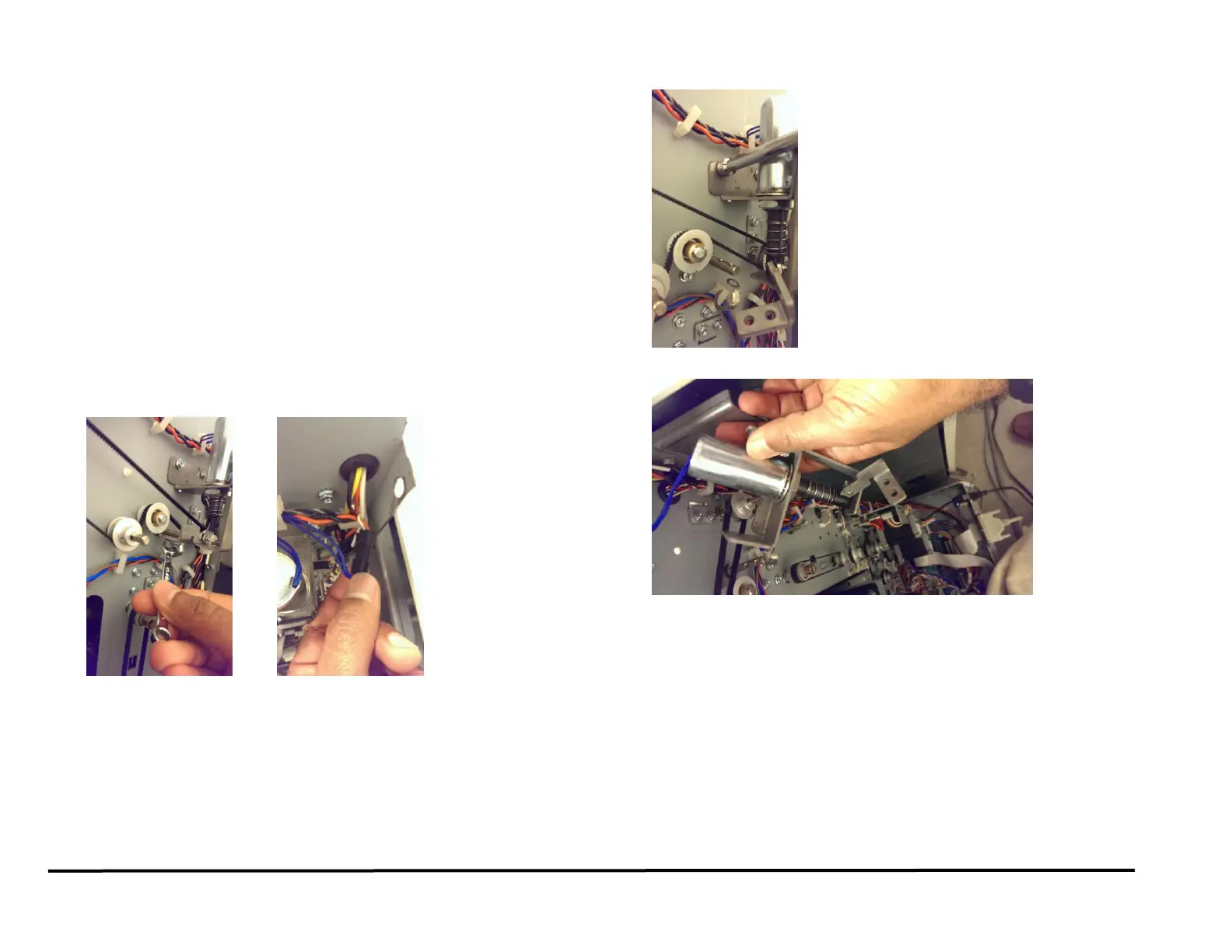
REP 2.28.1 Diverter Solenoid Replacement
PARTS LIST ON PL 3.3
Use this procedure to remove and install the Diverter Solenoid Assembly
(SOL 1).
WARNING
Do not perform repair activities with the power on or electrical power
supplied to the machine. Some machine components contain
dangerous electrical voltages that can result in electrical shock and
possible serious injury. See Section 0, page vi for other languages.
Removal Procedure
1. Switch power OFF to entire printing system.
2. Disconnect the Power Cord.
3. Do REP 1.6 to remove the Rear Cover.
4. If necessary, Do REP 1.19 to remove the Exhaust Fan Bracket along
with the fan. Do not remove the fan from the bracket.
5. Remove the M4 (2) screws from the Diverter Shaft.
6. Disconnect the inline Connector for the Diverter Solenoid sub-
assembly.
7. Remove Screws (2) from the diverter solenoid sub assembly.
8. Remove the Diverter Solenoid Sub-assembly.
Installation Procedure
1. Place the new Solenoid in position and tighten the Screws (2).
2. Connect the inline Connector for the Diverter Solenoid.
3. Place the the Cable into the Cable Clamps and close the Cable
Clamps
4. If necessary, Do REP 1.19 to install the Exhaust Fan Bracket
5. Do ADJ 1.2 Diverter Solenoid Adjustment.
6. Do REP 1.6 to install the Rear Cover.
7. Connect the Power Cord.
8. Power ON the entire printing system.



 To Next Page