GBC AdvancedPunch Pro 09/11/2018 General Procedures and Information
6-53
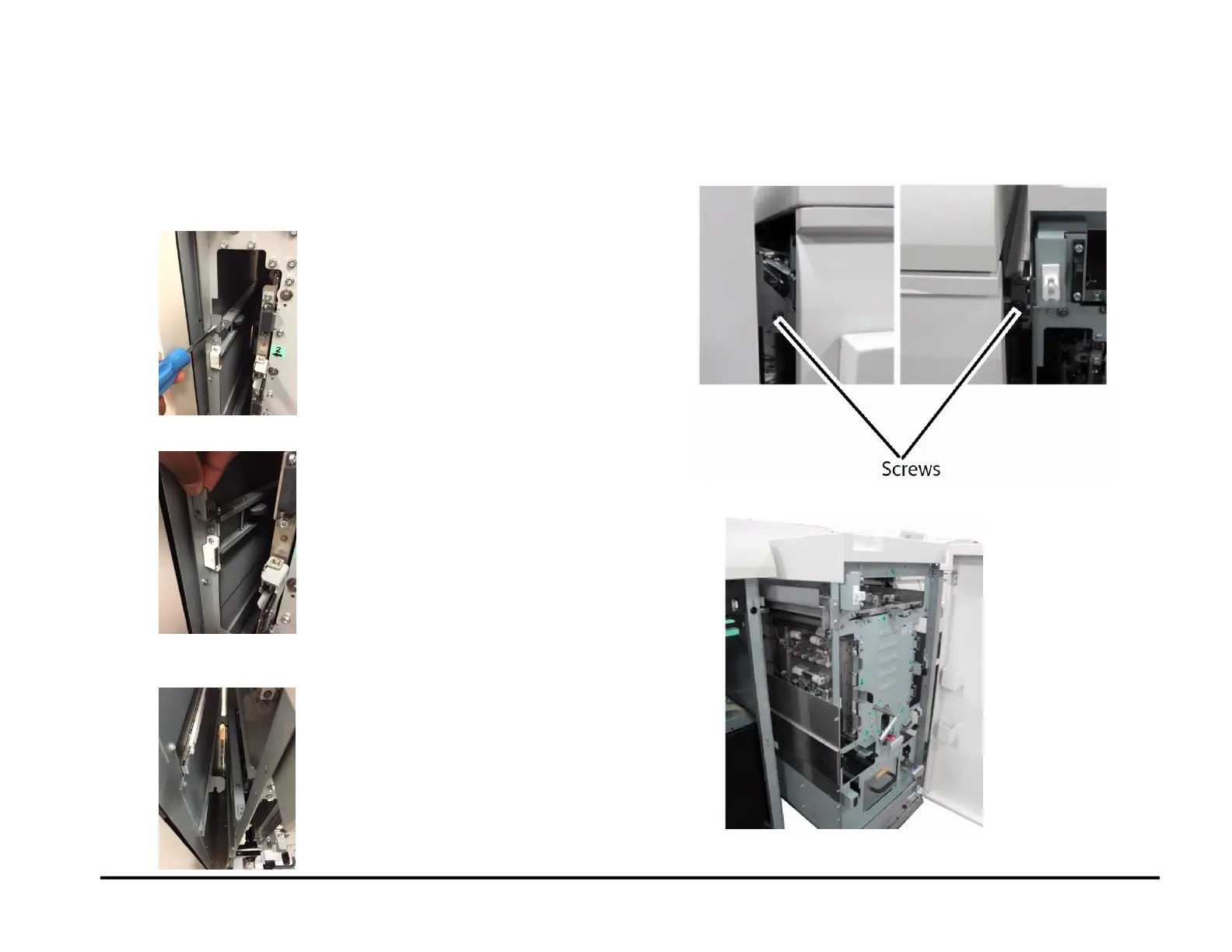
GP 6.3 Undock the Punch (Moving the punch to Service position)
Use this procedure to move the punch to Service position
1. Undock the downstream device and move it at least 6 inches
(150mm) away.
2. Open the Front door of AdvancedPunch Pro.
3. Remove the M3 lock screw.
4. Pull the docking lever.
5. While having the docking lever pulled, move the machine to the
right.
DFA configurations:
1. Remove the ground straps from the rear cover of
AdvancedPunch Pro.
2. Remove the (2) screws.
3. Slide the AdvancedPunch Pro to Service position.



 To Next Page