GBC AdvancedPunch Pro 11/07/2018 RAPS
2-12
FAULT CODES
The User Interface displays Fault codes on two rows of text.
The top row of text displays the fault code.
The bottom row of text displays the area of the Punch were the error
occurred.
Fault Code Text
Each Fault code starts with the letter “J” followed by a 3-digit code.
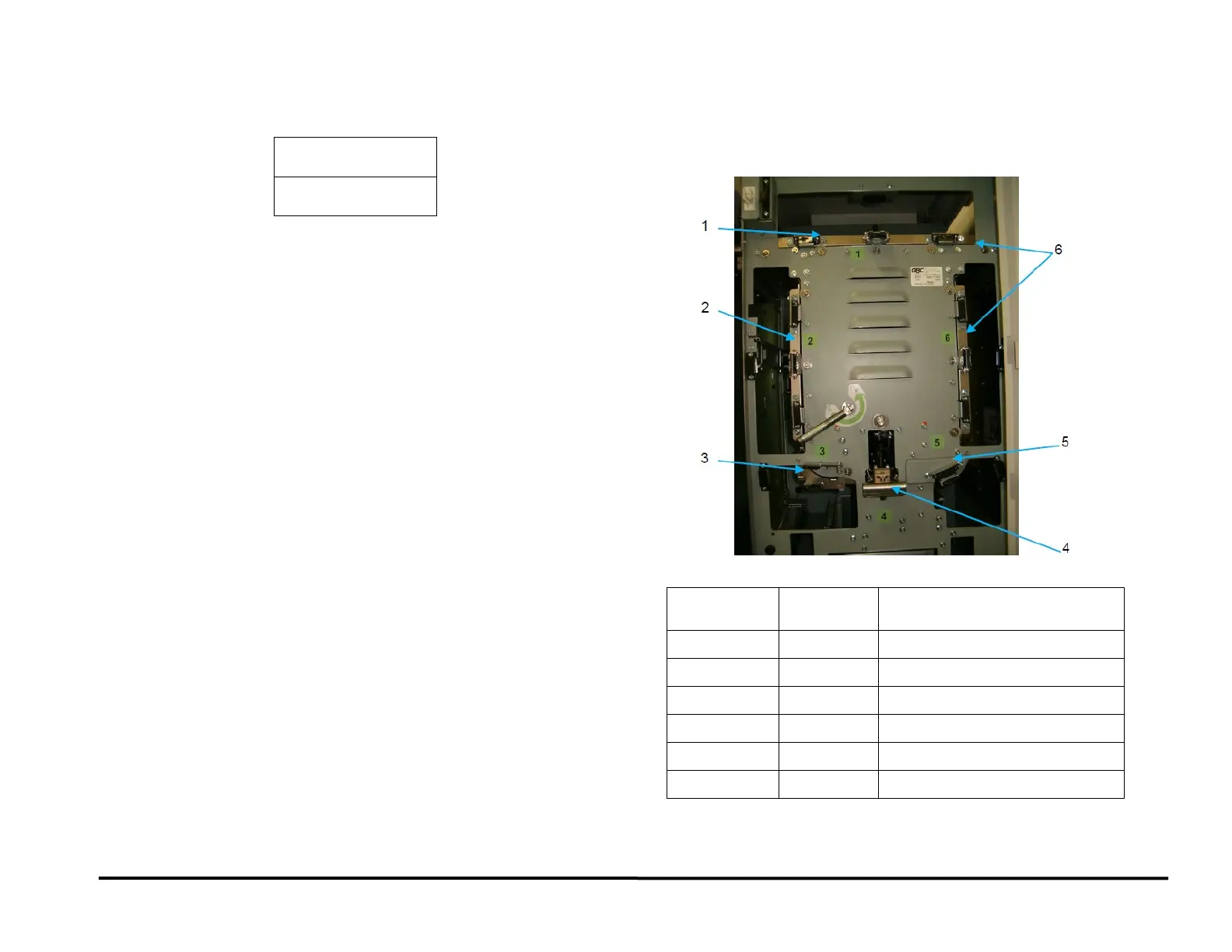
Fault Code Areas
When you open the Front Door, the front panel of the Punch is labelled to
identify the location of the six (6) areas of the machine. These numbers
match the numbers in the bottom row of text.
Bottom Row
of Text
Area General Location
Clear 1 Area 1 Bypass Section
Clear 2 Area 2 Entrance Idler Section
Clear 3 Area 3 Acceleration Roller Section
Clear 4 Area 4 Punch Module
Clear 5 Area 5 Lower Punch Exit Section
Clear 6 Area 6 Exit Idler Section



 To Next Page