Parts List 09-11-2018 GBC AdvancedPunch Pro
5-2
1.Introduction
Overview
The Parts List section identifies all part numbers and the corresponding
location of all spared subsystem components.
Organization
Each item number in the part number listing corresponds to an item number
in the related illustration.
All the parts in a given subsystem of the machine will be located in the
same illustration or in a series of associated illustrations.
For electrical parts, the description also contains the component number.
Tag Matrix
The notation “W/Tag” in the parts description indicates that the part
configuration has been updated. Check the Change Tag Index in Section
6, General Procedures and Information for the name and purpose of the
modification.
In some cases, a part or assembly may be spared in two versions: with the
Tag and without the Tag. In those cases, use whichever part is appropriate
for the configuration of the machine on which the part is to be installed. If
the machine does not have a particular Tag and the only replacement part
available is listed as “W/Tag”, install the Tag kit or all of the piece parts.
The Change Tag Index tells you which kit or piece parts you need.
Whenever you install a Tag kit or all the piece parts that make up a Tag,
mark the appropriate number on the Tag matrix.
The Tag matrix is located inside the Front Right Door (PL 2.2).
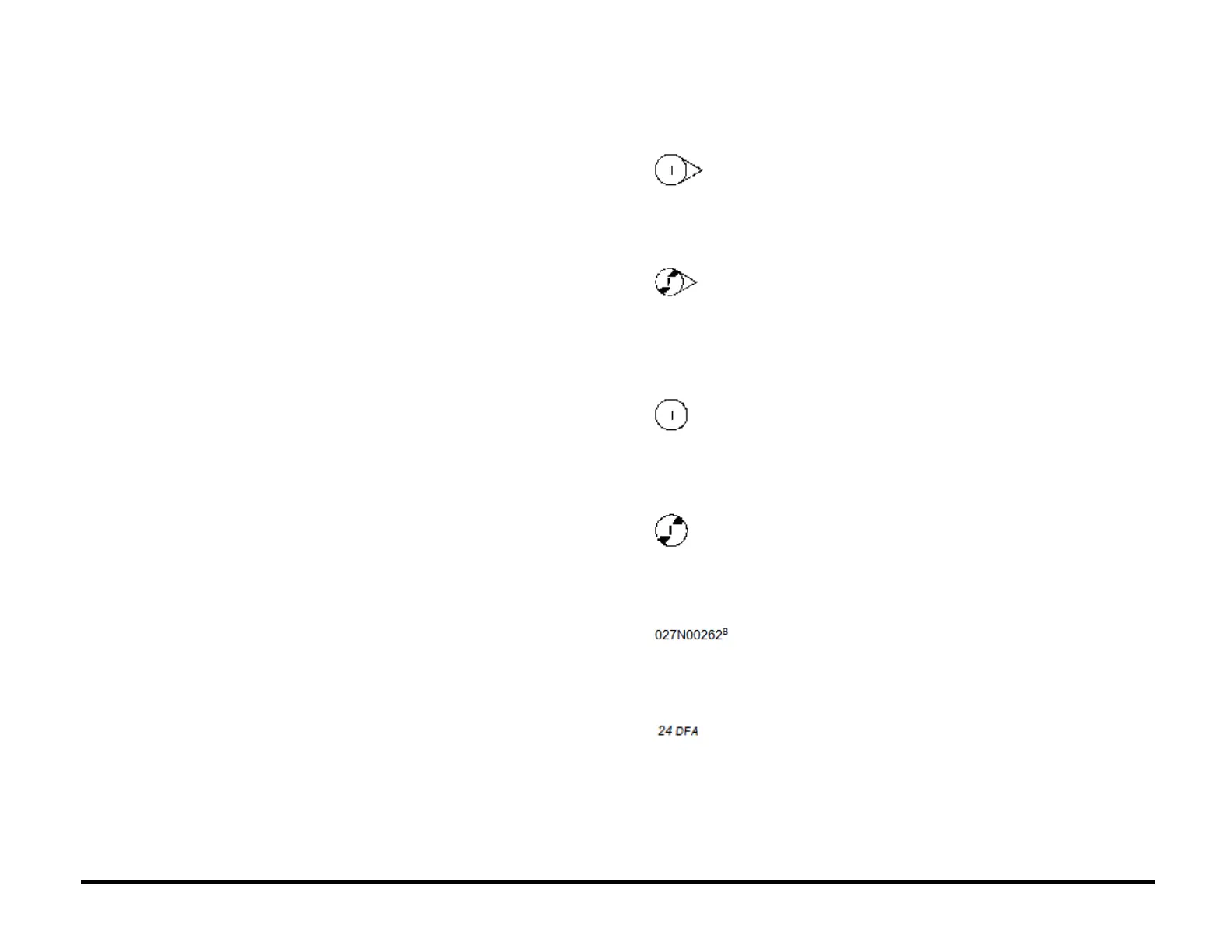
Symbology
A Tag number within a circle
pointing to an item number shows
that the part has been changed by
the tag number within the circle.
Information on the modification is
in the Change Tag Index.
A Tag number within a circle
having a shaded bar and pointing
to an item number shows that the
configuration of the part shown is
the configuration before the part
was changed by the Tag number
within the circle
A tag number within a circle with
no apex shows that the entire
drawing has been changed by the
tag number within the circle.
Information on the modification is
in the Change Tag Index.
A tag number within a circle with
no apex and having a shaded bar
shows that the entire drawing was
the configuration before being
changed by the tag number within
the circle.
A Part number with a super script
A, B, C, D, E or F is contained in a
Hardware kit. The corresponding
Hardware kit part number is listed
below each List.
A part number with a suffix DFA
and italicized text indicated that it
is unique to DFA configurations.



 To Next Page