Repairs/Adjustments 08/20/2015 GBC AdvancedPunch Pro
4-26
REP 2.2 Entrance Idler Panel Replacement
PARTS LIST ON PL 3.1, PL 4.2
Use this procedure to remove and install the Entrance Idler Panel.
Removal Procedure
WARNING
Do not perform repair activities with the power on or electrical power
supplied to the machine. Some machine components contain
dangerous electrical voltages that can result in electrical shock and
possible serious injury. See Section 0, page vi for other languages.
1. Switch power OFF to entire printing system.
2. Disconnect the Power Cord.
3. Open the Front Door.
4. Do GP 6.4 Undock the Punch to separate the Punch from the
upstream and downstream devices.
5. Do REP 1.8 to remove the Upstream Side Cover.
6. Do REP 1.18 to remove the Docking Bracket.
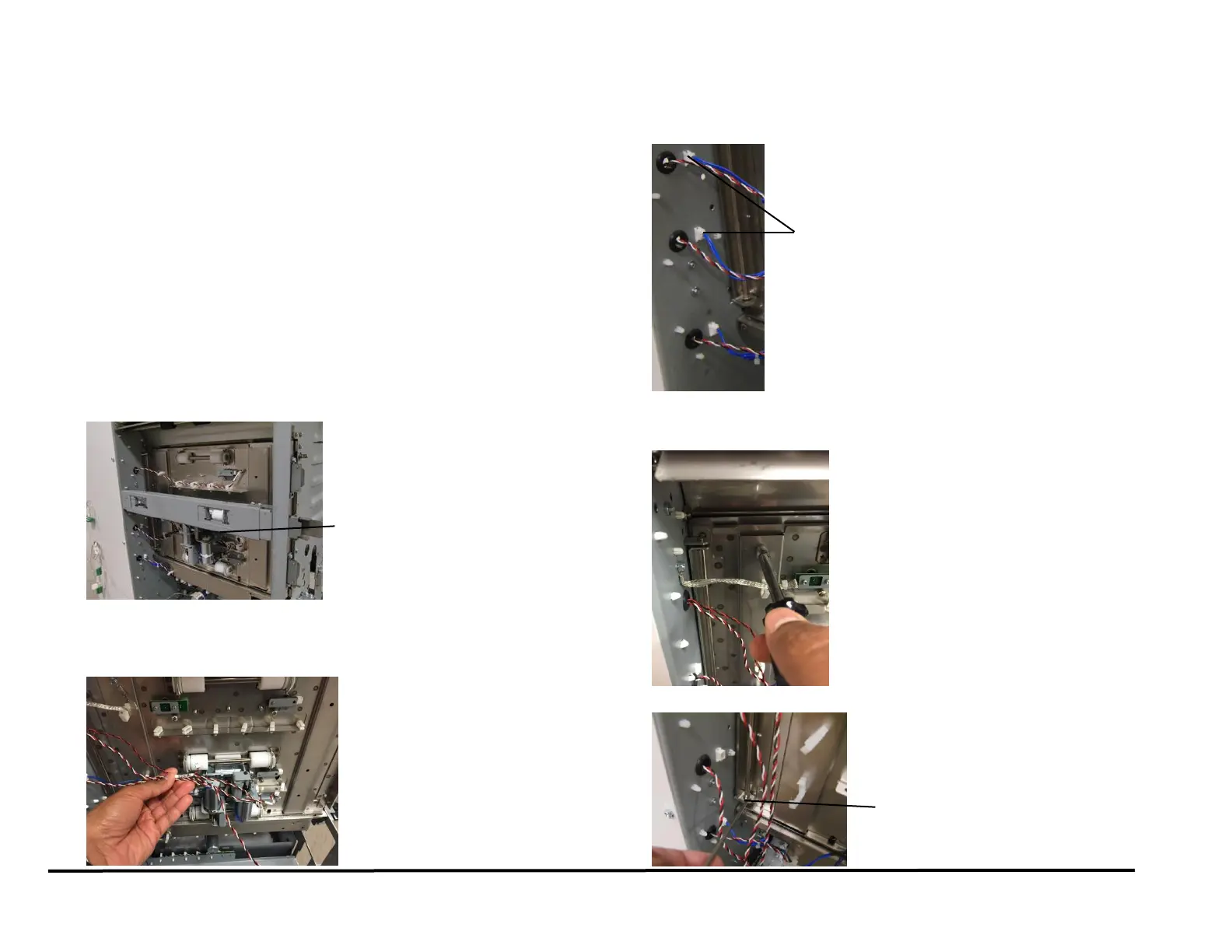
7. Open the Cable Clamps to release all the sensor cables and
disconnect S2, S3, S4 and S1b..
8. Remove the screw for the ground strap.
9. Disconnect the Connectors for Solenoids SOL3 & SOL4 from the
header.
10. Remove the M4 screw of the Ground strap.
11. Remove the E-Ring from the bottom of the Idler Panel Shaft.
Solenoid SOL3 &
SOL4 Connectors



 To Next Page