Repairs/Adjustments 08/20/2015 GBC AdvancedPunch Pro
4-132
ADJ 1.5 Punch Cam Indexing
PARTS LIST ON PL 5.6
Use this procedure to bring the punch cam to its home position after each
punch cycle. The punch cam should reach its home position to ensure
proper paper flow though the die set.
WARNING
Do not perform repair activities with the power on or electrical power
supplied to the machine. Some machine components contain
dangerous electrical voltages that can result in electrical shock and
possible serious injury. See Section 0, page vi for other languages.
Note: Some designs in the images may be slightly different from those on
the machine you are working on but this does not affect the setting
procedure.
1. Verify that the punch cam needs to be indexed.
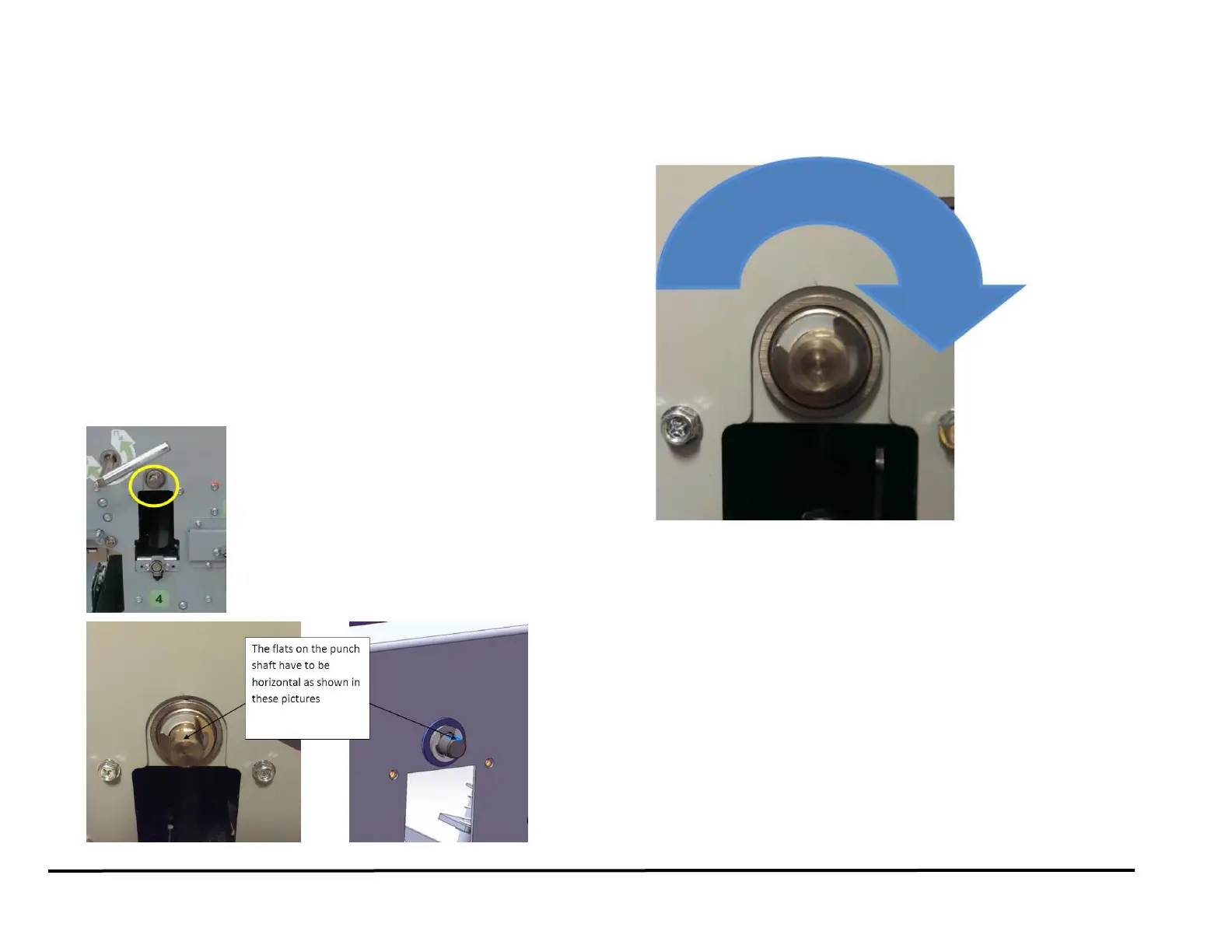
After a punch cycle the flats on the punch shaft have to be horizontal
(±5° from horizontal is acceptable). See below for an image of a
properly indexed punch shaft.
2. If the flats are not horizontal (±5° from horizontal is acceptable), do
the following procedure to set the shaft indexed postion.
Important note: Punch Shaft/Cam rotates in the Clockwise direction
when viewed from the front of the machine.
1. Switch power OFF to entire printing system.
2. Disconnect the Power Cord.
3. Do REP 1.6 to remove the Rear Cover.
4. Do REP 3.1 to remove the Punch Module.
(Cont.)



 To Next Page